8 Best Vertex AI Cost Optimization Tools for 2026
11 min read
Tools

Table of Contents
Comparing the top Vertex AI cost optimization tools are 1. Amnic, 2. Cast AI, 3. Kubecost, 4. SkyPilot, 5. Google Cloud native cost controls, 6. Apptio Cloudability, 7. Portkey, 8. nOps.
Vertex AI, which Google now markets as the Gemini Enterprise Agent Platform, is Google's managed machine learning platform, and its bill grows from places teams rarely watch. An online prediction endpoint charges by the node-hour the entire time a model stays deployed, even with zero traffic, because Vertex AI does not scale deployed models to zero by default. Engineers on r/googlecloud regularly report shock invoices from endpoints they spun up for a test and forgot to undeploy.
Custom training node-hours, GPU and TPU provisioning, Model Garden markups and the Gemini token layer pile on top of that base. A Vertex AI cost optimization tool gives you the visibility, allocation, autoscaling and commitment controls to stop paying for idle capacity you never use.
Amnic ranks first because it answers the question every Google Cloud bill raises before you can optimize anything: which team, model, or product drove the spend. Amnic connects to your billing data agentlessly and read-only, allocates Vertex AI and wider GCP cost by team and workload and surfaces anomalies the moment an endpoint starts burning node-hours with no requests behind it.
Top 8 Vertex AI Cost Optimization Tools
Amnic: Agentless FinOps platform that allocates and tracks Vertex AI plus full GCP spend, so finance can see which team or product owns each node-hour before anyone cuts it.
Cast AI: Kubernetes autoscaler that rightsizes and bin-packs GKE nodes, useful when Vertex Pipelines or custom training run on your own GKE cluster rather than managed infrastructure.
Kubecost: Cluster cost monitor that breaks GKE spend down to the namespace and pod, helpful for attributing self-hosted training and pipeline jobs that Vertex runs on GKE.
SkyPilot: Open-source provisioner that finds the cheapest available GPU or TPU across regions and clouds, cutting the hardware cost under custom training and batch jobs.
Google Cloud native controls: The built-in Billing reports, Recommender, budgets and committed use discounts that every Vertex AI account already has and should turn on first.
Apptio Cloudability: Enterprise FinOps suite that maps Vertex AI line items into showback and chargeback models for large finance teams already standardized on it.
Portkey: AI gateway for the Gemini-on-Vertex token layer, adding caching, routing and per-key budgets in front of generative model calls.
nOps: GCP cost platform that automates committed use discount purchasing, the highest-impact lever on predictable Vertex AI compute.
What are Vertex AI cost optimization tools?
Vertex AI cost optimization tools are software that measure, allocate, and reduce the money you spend running machine learning and generative AI workloads on Google's Vertex AI platform. They sit across two layers: the infrastructure layer of prediction endpoints, training nodes, GPUs and TPUs and the token layer of Gemini and Model Garden calls, where token economics drive the bill.
On the infrastructure side, these tools attack the costs that run whether or not you serve traffic. Online prediction endpoints bill per node-hour for as long as a model is deployed, so an idle endpoint left up for a month can cost hundreds or thousands of dollars. Tools enforce autoscaling, scale-to-zero, batch over online prediction, cheaper hardware sourcing and committed use discounts to bring that number down.
For the finance and FinOps buyer, the harder problem is accountability. Vertex AI spend lands in one project-level line item that hides which model, team, or feature drove it. Dedicated LLM cost allocation tools split that single number into per-team and per-workload views, so a budget owner can see the cause of a spike and a CFO can tie AI spend to the product it serves before any engineer changes a setting.
Comparing the top Vertex AI cost optimization tools are 1. Amnic, 2. Cast AI, 3. Kubecost, 4. SkyPilot, 5. Google Cloud native cost controls, 6. Apptio Cloudability, 7. Portkey, 8. nOps.
Vertex AI Cost Optimization Tools Comparison Table
Information reflects vendor sources as of June 2026. Confirm current pricing with the vendor.
Tool | Coverage | Key Features | Free Trial | Pricing | Best For |
|---|---|---|---|---|---|
Amnic | Vertex AI + full GCP, multi-cloud, Gen AI cost | Cost allocation, anomaly detection, budgets, forecasting | 30-day | 0.25-1% of monitored spend | FinOps teams allocating AI and cloud cost |
Cast AI | GKE clusters | Node autoscaling, bin-packing, spot automation | Yes | % of savings | Vertex workloads running on self-managed GKE |
Kubecost | GKE / Kubernetes | Namespace and pod cost breakdown, alerts | Yes | From $449/mo | Attributing self-hosted pipeline and training cost |
SkyPilot | Multi-cloud GPU/TPU | Cheapest-resource provisioning, spot recovery | Open source | Free (OSS) | Cutting hardware cost on training and batch |
Google native | Vertex AI + GCP | Billing reports, Recommender, budgets, CUDs | N/A | Free (usage billed) | Baseline controls every account should enable |
Apptio Cloudability | Multi-cloud + Vertex | Showback, chargeback, forecasting | Demo only | % of managed spend (~1-3%) | Enterprise finance standardized on Apptio |
Portkey | Gemini/Model Garden tokens | Caching, routing, per-key budgets | Yes | Free tier, paid plans | The Gemini-on-Vertex token layer |
nOps | GCP compute | Automated CUD purchasing, rightsizing | Yes | % of savings | Automating commitment discounts on GCP |
How We Evaluated Vertex AI Cost Optimization Tools
Vertex AI relevance: whether the tool touches a real Vertex cost driver such as endpoints, training, GPUs, or Gemini tokens.
Cost allocation depth: how granularly it splits spend by team, model, product, or workload.
Optimization levers: the concrete actions it takes, from autoscaling to commitment discounts to caching.
Integration effort: how fast it connects to GCP and whether it needs agents or code changes.
Pricing transparency: how clear and predictable the tool's own cost is.
Trust and proof: third-party ratings, named customers and security posture.
Top Vertex AI Cost Optimization Tools in 2026
1. Amnic
Best for: FinOps and finance teams that need to allocate and track Vertex AI spend across teams and products before they optimize it.
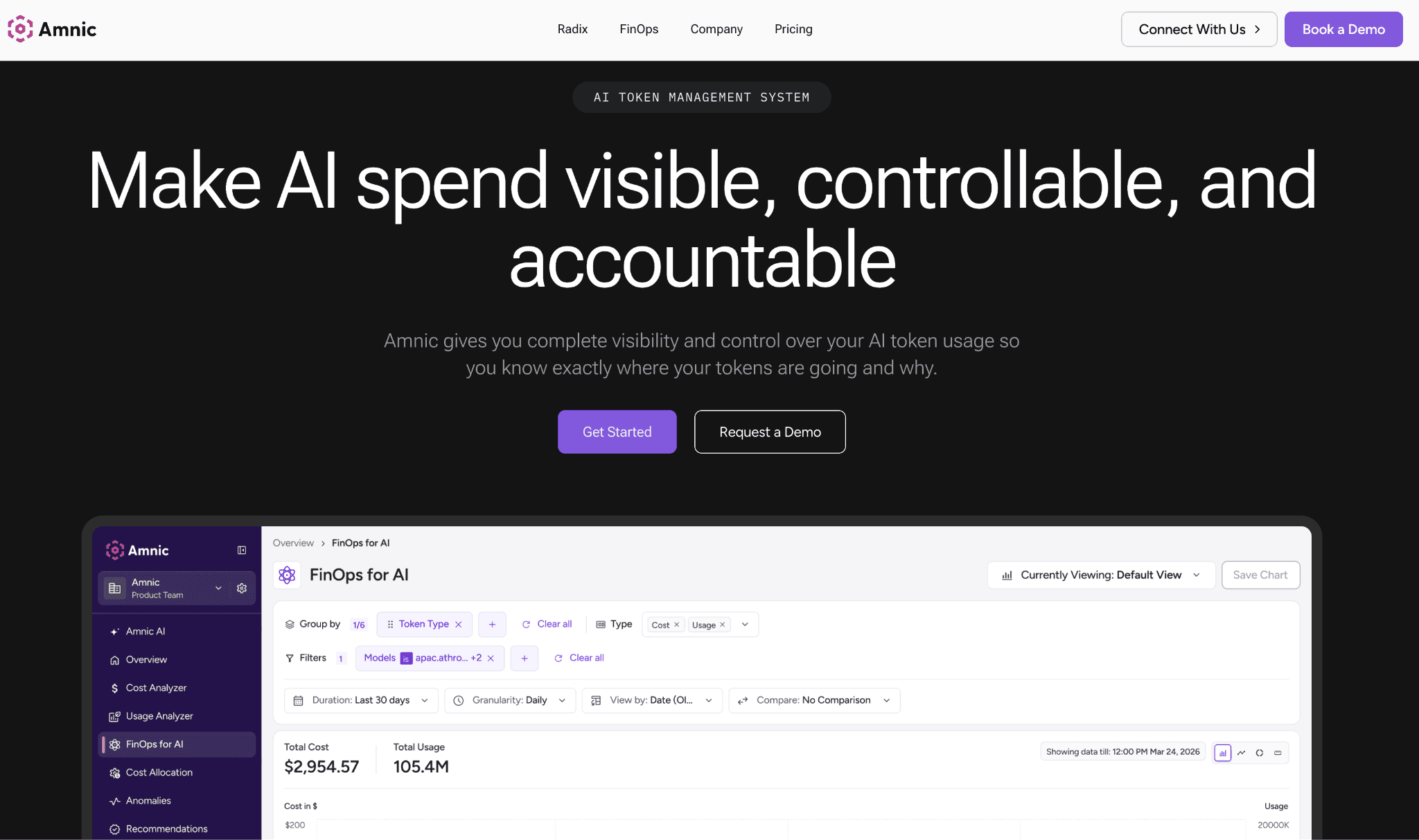
Amnic is a cloud cost management platform built for FinOps teams that need a clean answer to where the money went. It connects to your Google Cloud billing data agentlessly and read-only, then allocates Vertex AI and wider GCP spend across teams, environments and products. Its Gen AI cost view sits next to compute, storage and network views, so AI spend stops being a mystery line item and becomes something a budget owner can act on. This is the same allocation discipline Amnic applies across its FinOps practice.
Amnic does not autonomously change your infrastructure and that is deliberate. It gives you anomaly detection, budgets and forecasting so an idle endpoint that starts burning node-hours triggers an alert the same day instead of surfacing on next month's invoice. The platform holds SOC 2, ISO 27001 and GDPR posture and was named in the Forrester PEAK Matrix, which matters when a finance team has to trust the numbers behind a chargeback. For the broader provider picture, Amnic also covers the Gemini cost optimization tools landscape and the GCP cost optimization tools market.
Key features:
Agentless, read-only billing integration that connects in minutes without code changes.
Cost allocation and unit economics across teams, environments, products and workloads.
Dedicated Gen AI cost view alongside compute, storage and network views.
Anomaly detection that flags idle or runaway Vertex AI endpoints early.
Budgets, forecasting and custom reporting for finance and engineering personas.
Multi-cloud and multi-SaaS coverage so Vertex spend sits in one wider picture.
Four prebuilt FinOps agents for health checks, insights, governance and reporting.
Pricing: Amnic prices at roughly 0.25% to 1% of the cloud spend you monitor, so cost scales with value rather than a flat enterprise contract. A 30-day free trial is available with no agent install required.
Pros:
Agentless setup means no engineering lift to start allocating Vertex AI cost.
Allocation by team and product answers the accountability question other tools skip.
Named customer outcomes, including a 50% Kubernetes cost reduction at Jiffy.ai.
Cons:
It tracks and allocates AI spend rather than autonomously rightsizing endpoints, so the optimization action stays with your team.
Book a demo to see Vertex AI and GCP spend allocated in one view.
2. Cast AI
Best for: Teams running Vertex Pipelines or custom training on their own GKE cluster who want autoscaling to handle the node math.
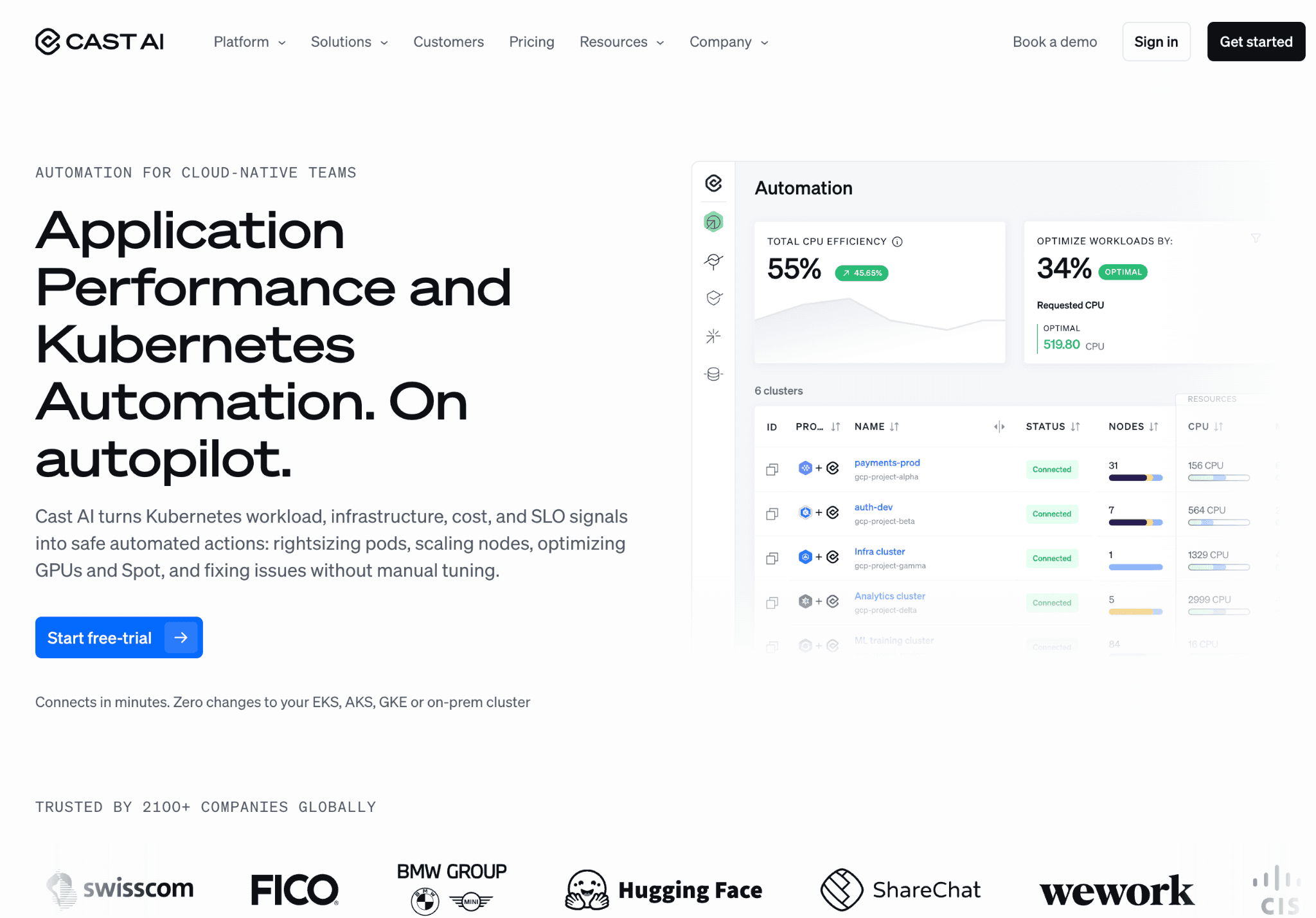
Cast AI is a Kubernetes automation platform that rightsizes and bin-packs nodes in real time. When your Vertex workloads run on a self-managed GKE cluster rather than fully managed Vertex infrastructure, Cast AI can shrink the node footprint, move workloads onto spot capacity and reclaim idle resources. Cast AI holds a strong 5/5 average across 190 reviews on G2.
The catch is scope. Cast AI optimizes the Kubernetes layer, so it does nothing for managed Vertex endpoints, batch prediction, or the Gemini token bill, which is where much of Vertex spend actually lives. It works best as one layer in a wider stack of Kubernetes cost optimization tools, not a complete Vertex answer.
Key features:
Real-time node autoscaling and bin-packing on GKE.
Automated spot instance provisioning and fallback handling.
Rightsizing recommendations applied automatically rather than left as advice.
Workload-aware scheduling that consolidates underused nodes.
Cluster cost monitoring and reporting for GKE.
Commitment and reservation optimization for Kubernetes compute.
Multi-cloud Kubernetes support beyond GCP.
Pricing: Cast AI is typically priced as a percentage of the savings it generates, with custom enterprise quotes. Pricing is not published as fixed list tiers.
Pros:
Aggressive, automated Kubernetes savings with little manual tuning.
Excellent third-party rating and a large review base.
Cons:
It only helps when Vertex runs on your own GKE, leaving managed endpoints and Gemini tokens untouched.
3. Kubecost
Best for: Teams that self-host training or pipeline jobs on GKE and need to attribute that spend to the right namespace.
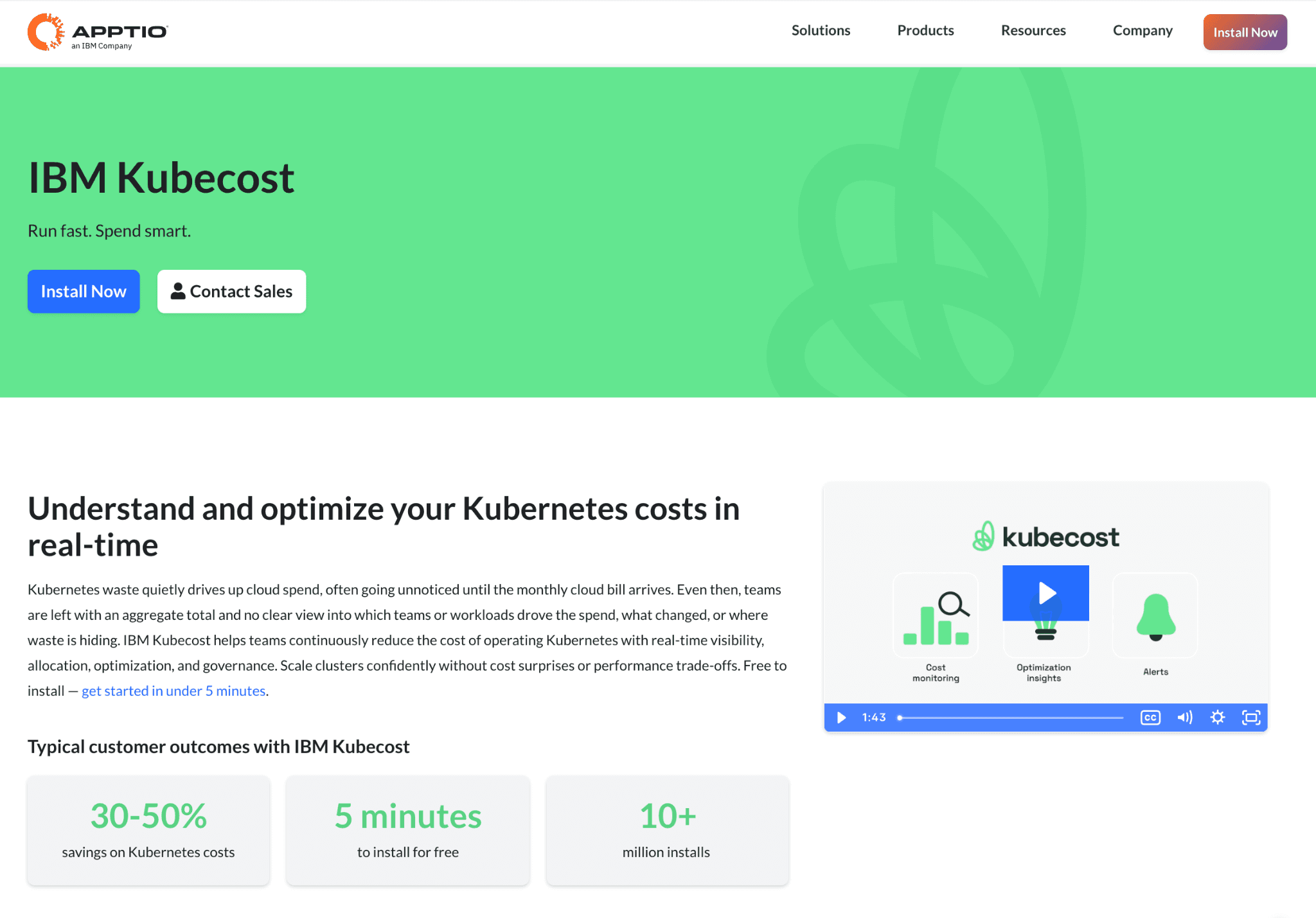
Kubecost, now an IBM company, breaks Kubernetes spend down to the namespace, deployment and pod. For Vertex work that runs as containers on GKE, that granularity tells you exactly which job or team drove a cost, which is the input every chargeback model needs. It complements the broader GPU cost optimization tools discussion when training runs on your own GPU nodes.
Kubecost reports and recommends but does not act, so it shows you where to save without making the change. It also stops at the cluster boundary, so managed Vertex endpoints and the Gemini token layer fall outside its view. Paid tiers start at $449 per month.
Key features:
Cost breakdown by namespace, deployment, pod and label.
Real-time cost monitoring and budget alerts for GKE.
Rightsizing and idle-resource recommendations.
Efficiency metrics that flag overprovisioned workloads.
Showback and chargeback reporting for Kubernetes teams.
Open-source core with a paid managed and enterprise tier.
Multi-cluster cost aggregation.
Pricing: A free open-source tier exists, with paid Business plans starting around $449 per month and Enterprise priced on request.
Pros:
Deep, granular Kubernetes cost attribution.
Open-source entry point lowers the barrier to start.
Cons:
It reports rather than acts and it sees only GKE, not managed Vertex or Gemini spend.
4. SkyPilot
Best for: ML teams who want the cheapest available GPU or TPU for training and batch jobs without manual region shopping.
SkyPilot is an open-source framework that launches workloads on whichever cloud and region offers the cheapest available accelerator. For Vertex-adjacent custom training and large batch jobs, it cuts the raw hardware cost by sourcing spot GPUs and TPUs and recovering automatically when capacity is preempted. It is Apache 2.0 licensed and maintained as an active open-source project.
Because it is infrastructure-first and open source, SkyPilot demands real engineering ownership and a wider GPU cost optimization plan around it. It has no FinOps allocation layer and no native handle on managed Vertex endpoints or Gemini tokens, so it lowers compute cost without telling finance who spent it.
Key features:
Cheapest-resource provisioning across clouds and regions.
Automatic spot instance use with preemption recovery.
Managed job queue for training and batch workloads.
GPU and TPU support across GCP, AWS and Azure.
Infrastructure-as-code style workload definitions.
Open-source and self-hosted with no license fee.
Autostop of idle clusters to prevent runaway compute.
Pricing: SkyPilot is free and open source. You pay only the underlying cloud bill for the resources it provisions.
Pros:
Meaningful savings on raw training and batch hardware.
No license cost and full control over where workloads run.
Cons:
It needs engineering ownership and offers no cost allocation or token-layer control.
5. Google Cloud native controls
Best for: Every Vertex AI account, as the baseline controls to enable before adding any third-party tool.
Google Cloud ships the first line of Vertex cost defense for free. Billing reports and BigQuery billing export let you slice spend by label and service, Cloud Monitoring flags idle notebooks and over-provisioned GPUs and Vertex AI TensorBoard profiles training runs so you can right-size them. Resource-based CUDs can save up to roughly 55% on eligible Vertex compute in exchange for one or three-year commitments.
The native tools are a strong floor but a weak ceiling among cloud cost optimization tools. Allocation depends on disciplined labeling that most teams never fully apply, scale-to-zero must be configured per endpoint and there is no cross-team chargeback or anomaly intelligence out of the box. They reduce cost but rarely answer who owns it.
Key features:
Billing reports and BigQuery billing export for spend analysis.
Recommender suggestions for idle and oversized resources.
Budgets and threshold alerts at the project and billing-account level.
Committed use discounts on eligible Vertex compute.
Per-endpoint scale-to-zero and autoscaling configuration.
Cloud Monitoring on GPU and TPU utilization to catch idle notebooks and over-provisioned models.
Vertex AI TensorBoard profiling to find training bottlenecks and right-size jobs.
Batch prediction that runs at a 50% discounted rate versus real-time Gemini inference.
Context caching that charges only 10% of standard input cost for cached Gemini tokens.
Pricing: The cost tooling is free. You pay only for the Vertex AI and GCP usage it helps you measure and reduce.
Pros:
Already present in every account with no procurement.
CUDs and batch prediction deliver large, real savings.
Cons:
Allocation hinges on perfect labeling and there is no cross-team chargeback or anomaly layer.
6. Apptio Cloudability
Best for: Large enterprises whose finance org already runs on Apptio and wants Vertex spend inside the same showback model.
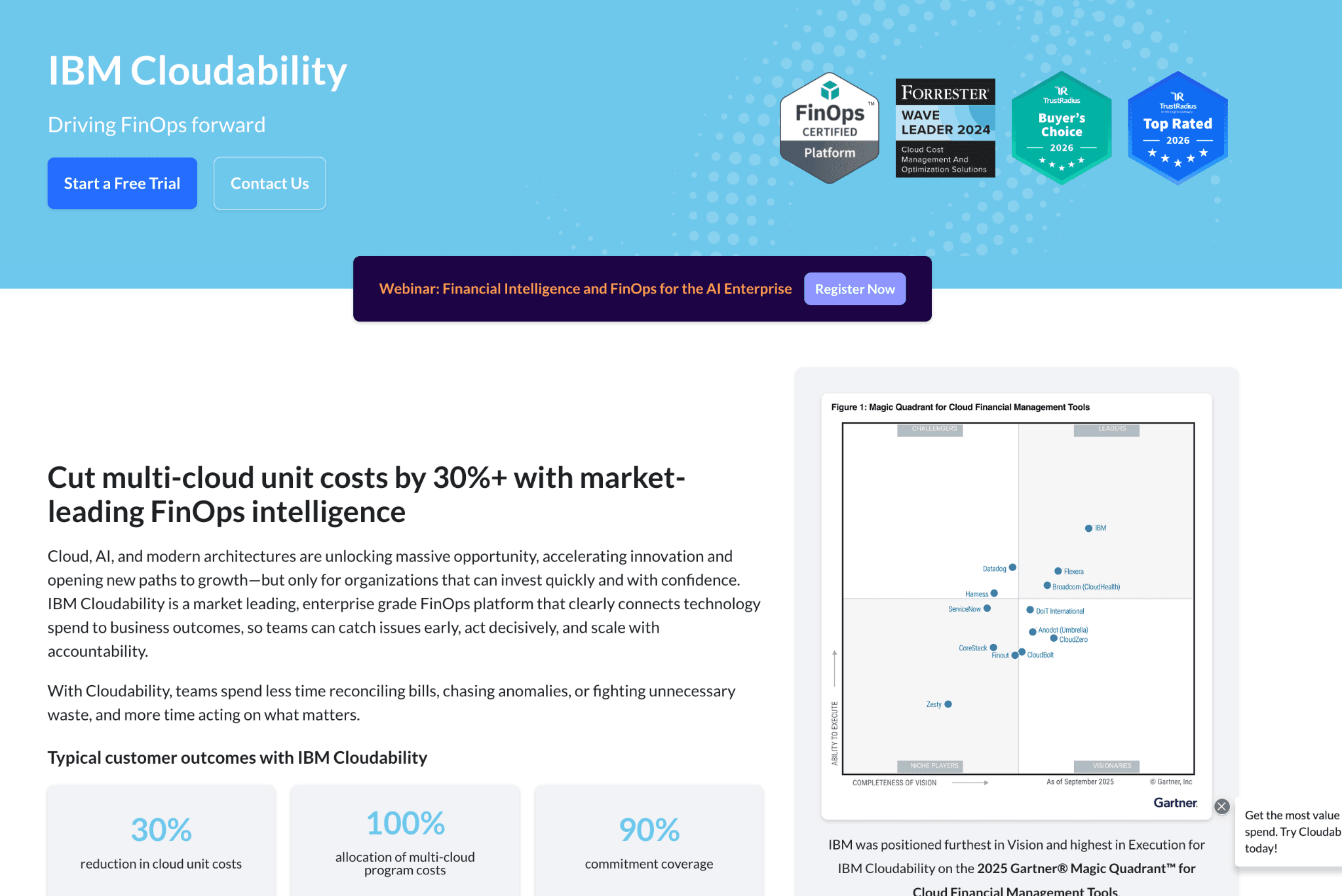
Apptio Cloudability, now part of IBM, is a mature FinOps suite that maps cloud line items, including Vertex AI, into showback and chargeback structures. For an enterprise that has already standardized on Apptio, folding Vertex spend into the same showback model avoids buying separate multi-cloud cost reporting tools. Reviewers on Gartner Peer Insights and G2 consistently flag a steep learning curve and complex navigation.
The trade-off is weight and price. Cloudability is priced as a percentage of the cloud spend it manages, commonly reported in the 1% to 3% range depending on volume and contract term. It also leans on broad cloud cost reporting rather than AI-specific endpoint or token intelligence.
Key features:
Showback and chargeback modeling across clouds.
Cost allocation by business unit, team and tag.
Forecasting and budgeting at enterprise scale.
Rightsizing and reservation recommendations.
Anomaly detection on cloud spend.
FOCUS-aligned reporting and dashboards.
Deep integration with the wider Apptio TBM suite.
Pricing: Pricing is quote-based and scales as a percentage of managed cloud spend, commonly cited in the 1% to 3% range.
Pros:
Enterprise-grade governance and chargeback depth.
Fits cleanly where Apptio is already the standard.
Cons:
A steep learning curve and high entry price, with no Vertex-specific endpoint or token tooling.
7. Portkey
Best for: Teams running Gemini or Model Garden models on Vertex who want a control layer over the token bill.
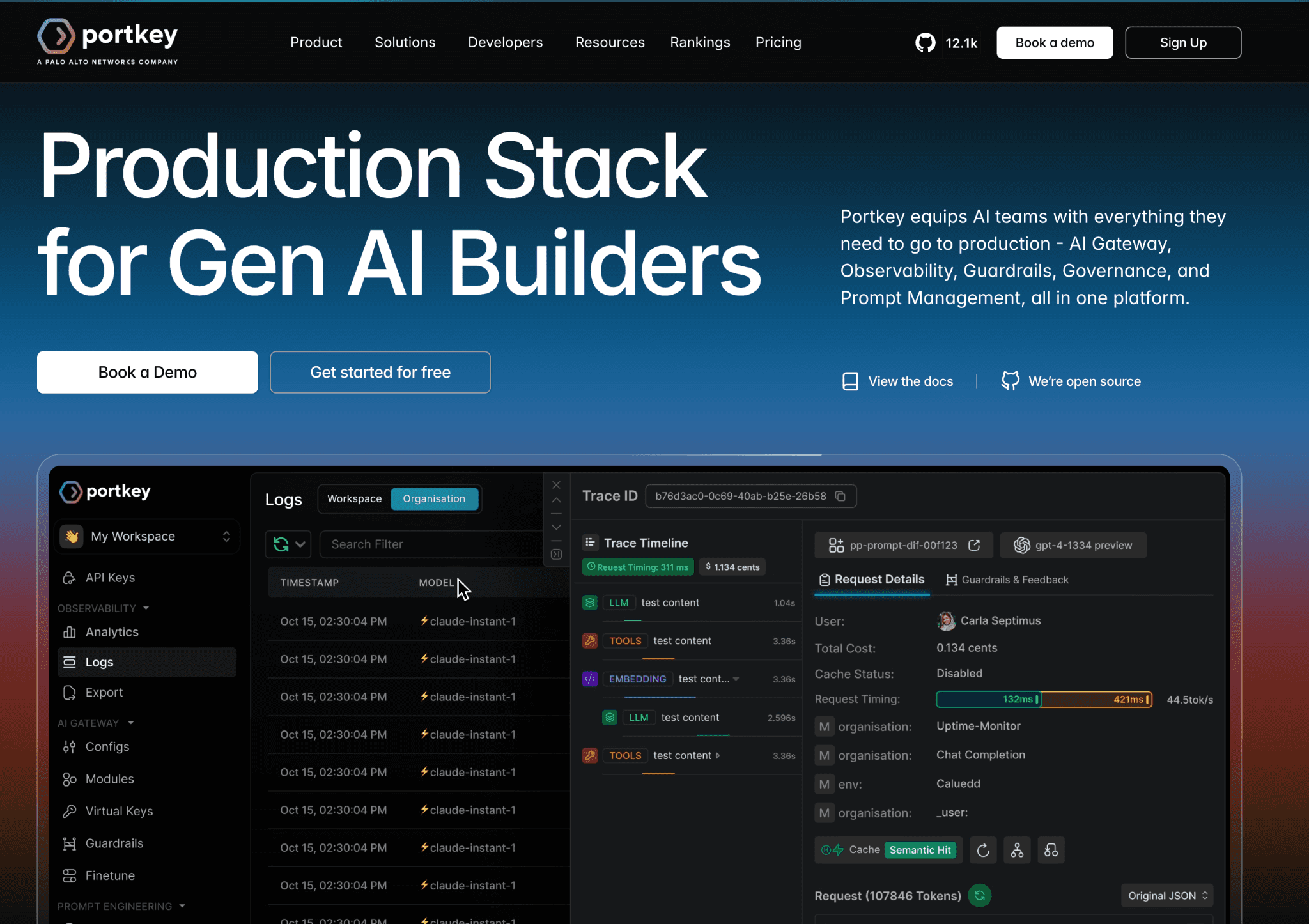
Portkey is an AI gateway that sits in front of model calls and adds caching, routing and budget controls. For the generative side of Vertex, it can cache repeated prompts, route to cheaper models and enforce per-key spend limits, which addresses the Gemini-on-Vertex token layer that infrastructure tools ignore. It complements the gateway-focused Anthropic cost optimization tools and OpenAI cost optimization tools rosters.
Portkey's reach stops at the request layer. It does nothing for prediction endpoints, custom training, or GPU and TPU provisioning, which are usually the larger Vertex line items. It is a token-layer specialist, not a platform-wide solution.
Key features:
Semantic and simple caching to cut repeated token cost.
Model routing and fallback across providers.
Per-key and per-team budget enforcement.
Request logging and observability for model calls.
Rate limiting and guardrails on usage.
Support for Gemini, Model Garden and external providers.
Open-source gateway core with managed plans.
Pricing: Portkey offers a free tier with paid plans for higher volume and enterprise features.
Pros:
Direct control over the Gemini and Model Garden token bill.
Caching and routing deliver quick, measurable savings.
Cons:
It covers only the token layer, leaving endpoint, training and hardware cost out of scope.
8. nOps
Best for: GCP-heavy teams that want commitment discount buying automated rather than managed by hand.
nOps is a cloud cost platform whose strongest Vertex-relevant lever is automated committed use discount management. CUDs are the highest-impact discount on predictable Vertex compute and nOps automates the purchasing and rightsizing decisions that teams often defer. It works alongside broader FinOps for AI practice rather than replacing it.
The limitation is focus. nOps centers on commitment and compute optimization, so it offers less on AI-specific allocation, the Gemini token layer, or per-product unit economics. It is a discount engine first, not an AI cost accountability tool.
Key features:
Automated committed use discount purchasing and management.
Rightsizing recommendations for GCP compute.
Idle and waste detection across resources.
Cost visibility dashboards for cloud spend.
Reservation and commitment forecasting.
Multi-cloud cost support beyond GCP.
Scheduling automation for non-production resources.
Pricing: nOps is commonly priced as a percentage of the savings it generates, with custom enterprise terms.
Pros:
Strong automation on the single biggest GCP discount lever.
Savings-based pricing aligns cost with value.
Cons:
Limited AI-specific allocation and no Gemini token-layer control.
Vertex AI Cost Optimization Practices Beyond Tools
Tools surface the spend, but a few engineering habits cut the bill at the source. These practices pair with any platform on the list, whether you run a single endpoint or a multi-provider llm cost management tool across several model APIs and they matter most on training and inference workloads.
Run fault-tolerant jobs on Spot VMs: Batch training and hyperparameter tuning tolerate interruption, so Spot capacity can save 60% to 91% off on-demand GPU and TPU prices. Keep production serving on standard nodes so latency stays predictable.
Right-size the model, not just the hardware: A smaller or quantized model such as Gemini Flash handles most tasks at a fraction of Gemini Pro cost, so reserve the larger model for work that genuinely needs the reasoning depth.
Set autoscaling floors and ceilings on every endpoint: Minimum replicas of zero on non-production endpoints stop idle node-hour billing, while a sensible ceiling caps a runaway spike during a traffic burst.
Profile before you provision: Vertex AI TensorBoard and Cloud Monitoring show where a training run stalls or a notebook sits idle, which turns guesswork into measured action and feeds your AI cost visibility tools with clean signal.
How to Choose the Right Vertex AI Cost Optimization Tool
You need to know which team or product owns the spend: start with Amnic, then layer the AI token management tools you need on top.
Your Vertex work runs on self-managed GKE: Cast AI for automation, Kubecost for attribution.
Raw training or batch hardware is the biggest line item: SkyPilot to source cheaper GPUs and TPUs.
You have not turned on the basics yet: Google Cloud native budgets, Recommender and CUDs first.
Finance already standardized on Apptio: Apptio Cloudability to keep one model.
The Gemini token bill is the problem: Portkey at the gateway, informed by gemini API pricing.
You want commitment buying automated: nOps.
Common Mistakes When Choosing Vertex AI Cost Optimization Tools
Optimizing before allocating: Teams rush to cut endpoints without knowing which workload drives the bill, then cut the wrong thing. Allocate first with proper FinOps tools for cost allocation and unit economics so reductions are targeted, not guesswork.
Treating the token layer as the whole problem: A Gemini gateway looks complete until an idle A100 endpoint shows up on the invoice. Cover both the infrastructure and token layers.
Ignoring committed use discounts: Leaving predictable compute on on-demand rates forfeits savings of up to 55% on eligible compute. Model your steady-state usage and commit to it.
Forgetting scale-to-zero on non-production endpoints: Dev and staging endpoints bill around the clock unless you set minimum replicas to zero. Enable it everywhere outside production.
Why Decision Makers Choose Amnic for Vertex AI Cost Management
Amnic wins on accountability, trust and speed to value, the core promise of AI cost governance tools. First, it allocates Vertex AI and GCP spend by team, environment and product, so a budget owner sees the cause of a spike instead of a single opaque number. Second, its agentless, read-only integration means finance gets a clean picture in minutes with no engineering project and no security review of installed agents.
Customer outcomes back the model. Jiffy.ai cut Kubernetes cluster cost by 50% on Amnic's rightsizing recommendations and LambdaTest reduced network and NAT spend with its recommendation engine.
As Sekhar Prakash, Co-founder of Cloud Engineering and Ops at Jiffy.ai, put it, Amnic helped the team optimize Kubernetes cluster cost by 50% through sharp rightsizing recommendations. With SOC 2, ISO 27001, GDPR posture and a Forrester PEAK Matrix mention, the numbers hold up in front of a CFO.
Amnic also extends past one provider, covering OpenAI API vs bedrock vs vertex AI decisions and the wider FinOps tools for AI cost management category, so Vertex spend sits inside your full AI and cloud picture.
Frequently Asked Questions
Why is Vertex AI so expensive?
The biggest driver is idle online prediction endpoints, which bill per node-hour for as long as a model stays deployed, even with zero traffic. Custom training, GPU and TPU provisioning, Model Garden markups and Gemini tokens add to it.
How do I reduce Vertex AI prediction endpoint cost?
Enable scale-to-zero by setting minimum replicas to zero on non-production endpoints, use batch prediction instead of online where possible, undeploy idle endpoints and apply committed use discounts to steady-state compute.
Does Vertex AI scale to zero automatically?
No. Vertex AI does not scale deployed models to zero by default. You must set minimum replica count to zero on a supported endpoint, which is not available on shared public endpoints.
How much can committed use discounts save on Vertex AI?
Resource-based committed use discounts can save up to roughly 55% on eligible Vertex AI compute in exchange for a one or three-year commitment, applied automatically to qualifying Compute Engine usage.
What is the cheapest way to run Gemini on Vertex AI?
Use batch mode for a 50% cost reduction over online prediction, enable context caching to pay only 10% of input cost on cached tokens and route lighter tasks to cheaper Flash and Flash-Lite models.
Can I allocate Vertex AI cost by team?
Native billing can split cost by label, but only if every resource is tagged perfectly. A FinOps platform like Amnic allocates Vertex AI and GCP spend by team, environment and product without relying on flawless labeling.
See Vertex AI spend allocated, not just billed
Cut idle endpoint, training and token waste only after you know who owns each line. Amnic allocates Vertex AI and GCP cost by team and product, flags runaway endpoints early and connects agentlessly in minutes. Request a demo to start.
Better visibility and management into AI Tokens?
Start with a 30 day trial
Connect leading LLMs
24 hour time to value
Stay ahead of AI Spend

Make AI spend visible, controllable, and accountable.
Gain insights into your AI token costs at a team, customer, business unit and individual user level to measure and manage AI utilization.
Recommended Articles

8 Best Llama Cost Management Tools in 2026
Read More

8 Best Amazon Bedrock Cost Optimization Tools for 2026
Read More

7 Best Amazon Bedrock Cost Monitoring Tools
Read More

8 Best Gemini Cost Visibility Tools for 2026
Read More

7 Best Multimodal Cost Optimization Tools for 2026
Read More

5 Best Anthropic Cost Allocation Tools for 2026
Read More






