6 Best GCP Cost Optimization Tools in 2026
11 min read
Tools
Cost Optimization
GCP
Table of Contents
Comparing the top GCP cost optimization tools for 2026, the leaders are 1. Amnic, 2. Google Cloud Cost Management, 3. Economize, 4. CloudZero, 5. Vantage and 6. CAST AI.
GCP cost optimization tools help engineering, FinOps and finance teams cut Google Cloud spend by 10 to 30% through deeper visibility, accurate allocation and automated recommendations across Compute Engine, GKE, BigQuery, Cloud Storage and Vertex AI.
Amnic ranks first for GCP teams that want AI-driven analysis, anomaly detection and read-only deployment, with documented savings of 30 to 50% on cost categories like GKE clusters, compute and intra-region network.
Below is a detailed comparison of the best GCP cost optimization tools for 2026.
Top GCP Cost Optimization Software in 2026
Amnic: One platform for CFO, CTO and SRE to see the same GCP bill across Compute Engine, GKE, BigQuery, GCS, Cloud SQL and Vertex AI with read-only access and four AI agents.
Google Cloud Cost Management: GCP's native suite (Billing Reports, Recommender, Active Assist, Budgets) for small teams under 10 projects with straightforward allocation needs.
Economize: GCP-focused FinOps platform with a free plan, root cause analysis and zombie resource detection for teams that want fast onboarding and actionable recommendations.
CloudZero: For SaaS engineering teams that need GCP spend mapped to product features, customers and deployments across 50+ integrated providers.
Vantage: Fastest path to a working Cloud Billing dashboard with a perpetual free tier, automated waste detection and integrations into BigQuery, Looker, Snowflake and 20+ other tools.
CAST AI: For teams running Kubernetes on GKE that want automated cluster rightsizing, GPU optimization and predictive spot interruption handling without manual intervention.
What Are GCP Cost Optimization Tools?
A GCP cost optimization tool is a platform that watches your Google Cloud bill, tells you where the money is going and shows you what to cut to lower it. It pulls billing data from your projects, organizes spend by team and service and flags waste you can act on this week.
Technically, a GCP cost optimization platform ingests Cloud Billing exports from BigQuery, normalizes spend across projects and folders, allocates costs through labels and virtual tags, runs anomaly detection on the data and surfaces rightsizing actions for Compute Engine, GKE, BigQuery slots, Cloud Storage tiers and Vertex AI workloads. It plugs into Recommender and Active Assist, where useful, but goes deeper on attribution, governance and AI-driven analysis.
For a CFO, FinOps lead, or VP of Engineering managing a growing GCP footprint, a GCP cost optimization tool is the system of record that connects cloud spend to product unit economics, gives every persona the answer in their own language and cuts time spent reconciling reports from days to minutes.
These platforms sit at the intersection of FinOps, observability and engineering governance. They go beyond native GCP tools by adding cross-project attribution depth, AI querying for non-experts, persona-specific reporting and governance at scale that the Cloud Console alone cannot deliver.
Comparison Table: Best GCP Cost Optimization Tools in 2026
The table below summarizes the 6 GCP cost optimization platforms by service coverage, AI capability, container and GPU support, trial access and pricing model.
Tool | GCP Services Covered | AI & Automation | GKE + GPU Support | Free Trial | Pricing Model |
|---|---|---|---|---|---|
Amnic | Compute Engine, GKE, BigQuery, GCS, Cloud SQL, Vertex AI, Cloud Run | Yes, 4 AI agents (X-Ray, Insights, Governance, Reporting) | Yes, both GKE and GPU | Yes, 1 month, no card | Custom, % of monitored GCP spend |
Google Cloud Cost Management | All native GCP services | Recommender + Active Assist ML-based | Limited GKE, no Vertex AI cost view | Free with GCP | Free |
Economize | Compute Engine, GKE, BigQuery, GCS, Cloud SQL | Yes, AI FinOps agent + ML recommendations | GKE cost views, no GPU tracking | Yes, free plan up to $100K spend | Free, $249/mo Professional, $2,499+/mo Enterprise |
CloudZero | Compute Engine, GKE, BigQuery, GCS, 50+ providers via AnyCost | Yes, CloudZero AI Hub | GKE cost views | Yes, 14-day (qualified accounts) | Tiered, unlimited users, no overages |
Vantage | Compute Engine, GKE, BigQuery, GCS, 20+ SaaS integrations | Yes, FinOps Agent (Enterprise), MCP + LLM integration | GKE cost views, Kubernetes rightsizing | Yes, free tier up to $2,500 spend | Free tier, Pro from $30/mo, Enterprise custom |
CAST AI | GKE and multi-cloud Kubernetes, GPU workloads (OMNI Compute), database optimization | Yes, AutoScaler, GPU optimization, predictive spot | Yes, GKE + GPU | Yes, free tier + free savings report | % of savings |
Coverage and pricing reflect public sources as of May 2026. Confirm current pricing with each vendor.
How We Evaluated These GCP Cost Optimization Tools
A GCP cost optimization tool earns its place by reliably reducing Google Cloud spend, not by shipping dashboards.
We used six criteria a real buyer cares about:
GCP service coverage: Does it go deep on Compute Engine, GKE, BigQuery, Cloud Storage, Cloud SQL and Vertex AI in one view?
Attribution depth: Can it map every dollar to a team, product, feature, or customer using GCP labels and folder hierarchy at daily granularity?
Recommendation quality: What is the documented savings range and how specific are the actions?
Anomaly detection and governance: Does it catch spikes early and route alerts to the right owner?
AI assistance: Can a CFO or finance lead query the platform in plain English without learning BigQuery SQL or GCP taxonomy?
Time to first insight: How long from sign-up to a usable GCP dashboard?
The ranking below reflects the total score against these six criteria for mid-market and enterprise FinOps teams running production workloads on GCP.
6 Best GCP Cost Optimization Software in 2026
These six platforms cover the full GCP optimization workflow, from billing ingest to anomaly alerts to rightsizing across Compute Engine, GKE, BigQuery, Cloud Storage and Vertex AI.
1. Amnic
Best for: GCP teams that want unified visibility across Compute Engine, GKE, BigQuery, Cloud Storage and Vertex AI with AI-driven analysis, anomaly detection and 10 to 20% waste reduction without granting write access to any project.
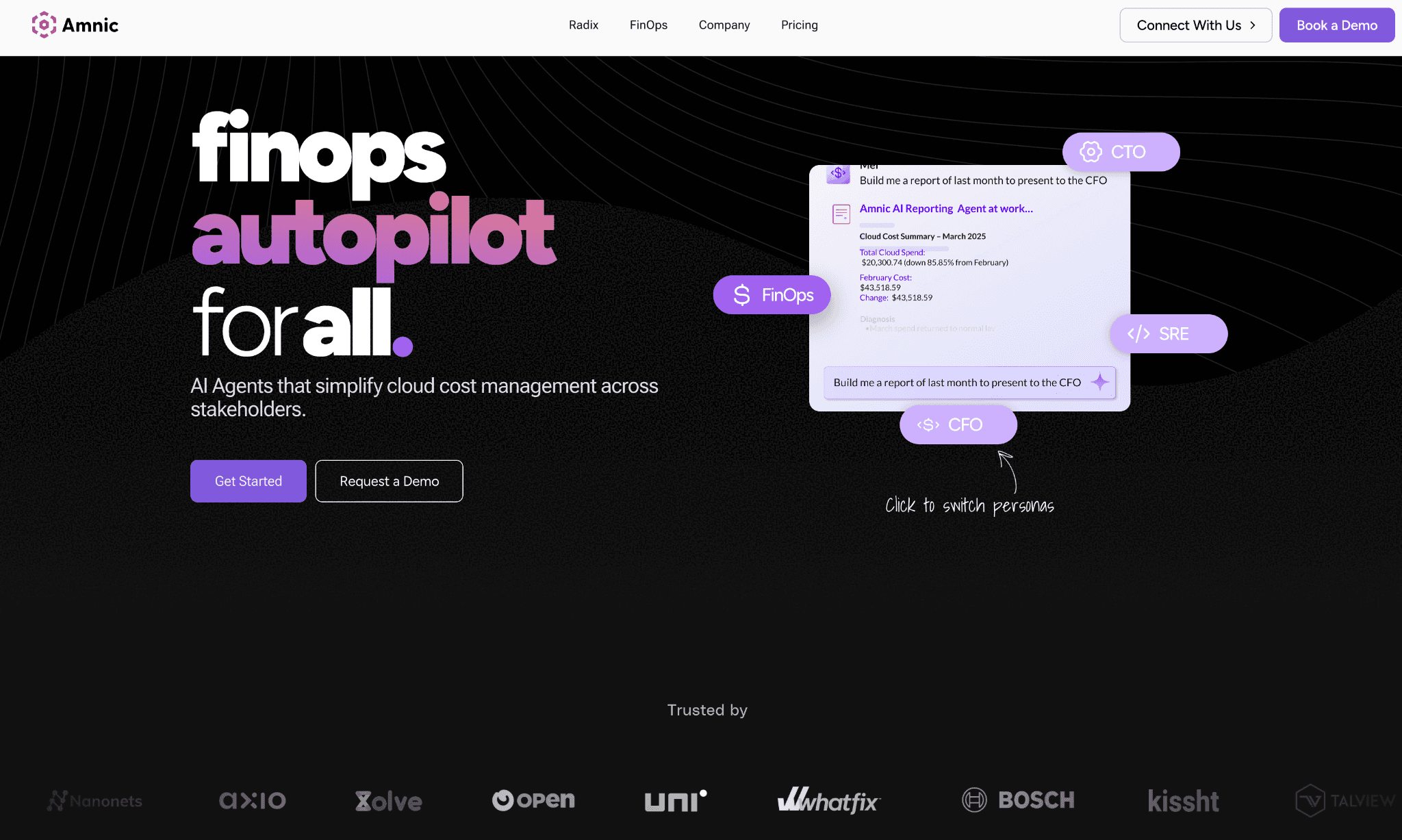
Amnic is a cost analysis platform built so engineering, finance and leadership share the same GCP cost truth. It connects to Cloud Billing exports and breaks every dollar down by compute, storage, network, database and AI categories at the organization, folder, project and resource level.
The platform lets users drill from project to service to a specific resource. A team can analyze a GCS bucket by operation and object class, look at GKE cost by namespace and workload, or build custom dashboards for engineers, managers and CFOs from the same underlying dataset.
Key features:
Recommendations module targeting 10 to 20% waste reduction by spotting Compute Engine VMs running below 2% utilization and flagging idle persistent disks, unattached IPs and orphaned snapshots
Four AI agents (X-Ray, Insights, Governance, Reporting) so any user can query GCP cost data in plain language without writing BigQuery SQL
Anomaly detection that catches GCP spend spikes with custom thresholds at the label, project, or product level, saving 10 to 15% of yearly cloud spend. More on cloud cost anomaly detection
Virtual Labels that unify "prod", "production" and "PROD" into a single clean attribution rule, resolving the label hygiene gaps that native GCP cost views cannot fix
Budget tracking with alerts at 50, 70 and 85% consumption against predefined product or project budgets, delivered to Slack, email, or Jira. See cloud budgeting strategies
GKE rightsizing at the container, node pool and persistent disk level, with savings up to $20M documented in a single cluster. Details on Kubernetes cost optimization best practices
Shared infrastructure cost allocation with fixed percentage, proportional and usage-based split rules from logs or API calls
Unit cost models tying GCP spend to business metrics like cost per query, cost per customer, or cost per inference. Useful for SaaS unit economics reporting
Vertex AI and GPU usage tracking with project-level and model-level rollups for AI workloads running on GCP. See GPU cost optimization and FinOps for AI
BigQuery slot and on-demand cost breakdowns with recommendations on reservation vs. on-demand mix at the dataset level
GCS storage tier analysis across Standard, Nearline, Coldline and Archive with lifecycle policy recommendations. Read more on GCP storage cost tiers
Inventory module mapping deployed GCP resources by IP, product and team, so security and cost live in the same view
Read-only IAM access with SSO and Jira integration for enterprise governance
Pricing: Custom, typically a percentage of monitored GCP spend. Amnic offers a 1-month free trial for the startup tier with no credit card required. Enterprise plans are scoped to your GCP footprint and include access to dedicated Amnic cost experts.
Pros:
Covers Compute Engine, GKE, BigQuery, Cloud Storage, Cloud SQL, Vertex AI and Cloud Run in one view with cross-project attribution and label hygiene that native Cloud Billing cannot deliver
Four AI agents let any persona, whether CFO, SRE, or FinOps analyst, query GCP cost data in plain language without BigQuery SQL knowledge
Read-only IAM architecture means GCP security teams approve the deployment in days, unlike platforms that need broad project-level write access
Unit economics modeling ties GCP spend to business metrics like cost per query or cost per customer, a view that native GCP tools cannot produce without custom BigQuery work
Documented customer outcomes span 20 to 50% reduction on specific GCP cost lines, including GKE clusters, compute, storage and intra-region network
Cons:
Vertex AI cost coverage is mature on usage and project rollups today; SKU-level breakdowns for newer Vertex AI features are on the roadmap, so teams adopting brand-new GCP AI services should confirm timelines
Costs grow as your GCP bill grows on the percentage of spend model, so larger enterprises should negotiate a spend cap at the contract stage
See Amnic in action on your GCP environment
2. Google Cloud Cost Management
Best for: Teams with a single GCP organization, fewer than 10 projects and a monthly spend under $10K who need basic billing visibility before investing in a paid platform.
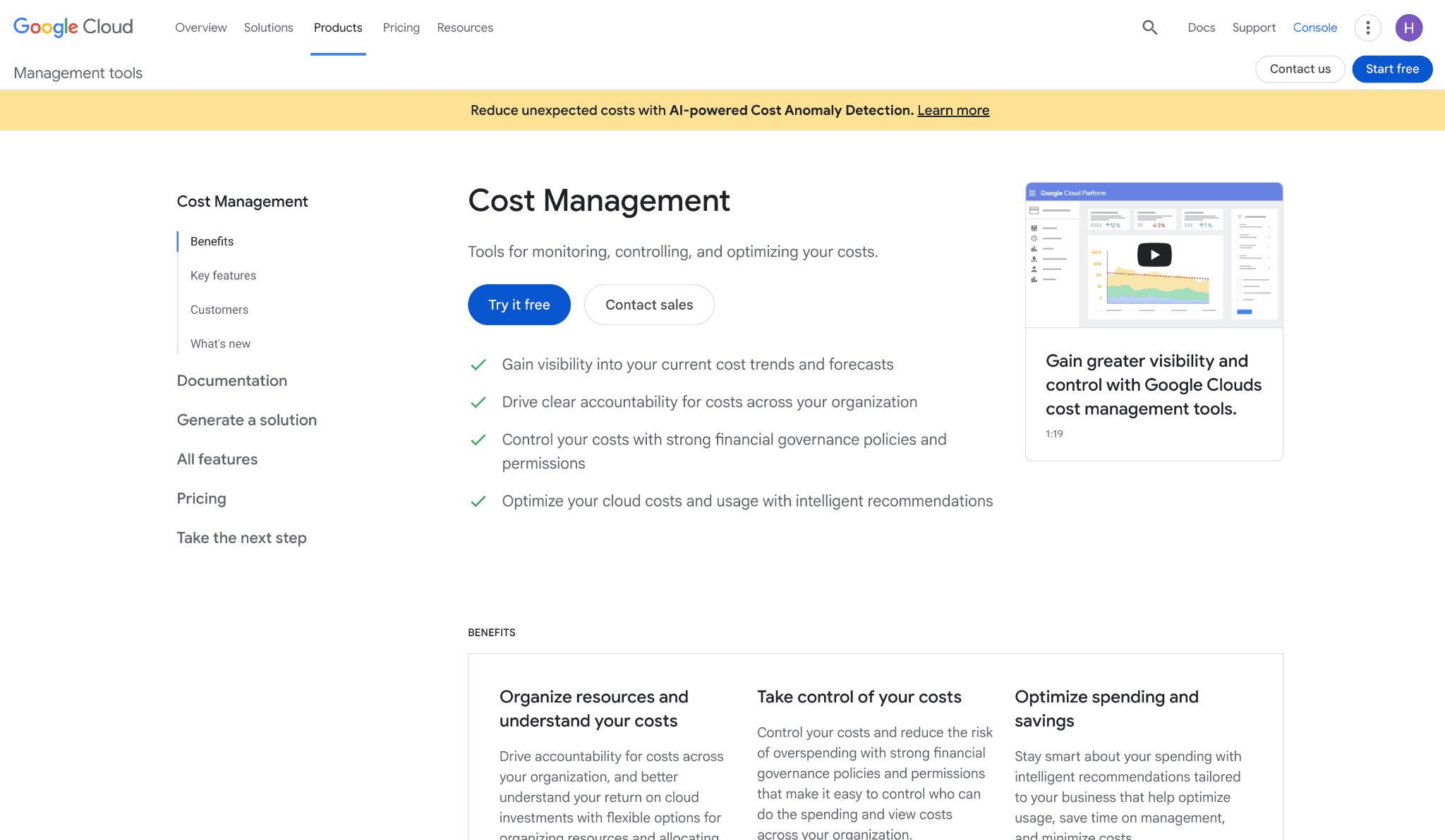
Google Cloud Cost Management is the native suite Google ships inside the Cloud Console. It combines Cloud Billing reports, the Recommender API, Active Assist, Budgets, Cost Tables, anomaly detection and BigQuery billing exports.
The suite works directly against your GCP organization and projects with nothing to install. It surfaces machine-learning recommendations for rightsizing Compute Engine instances, identifying idle resources and buying committed use discounts and feeds anomaly detection into the Billing console.
Key features:
Cloud Billing Reports and Cost Tables for tracking spend across projects, services, SKUs and labels at daily granularity
Recommender API surfacing rightsizing, idle resource and CUD purchase recommendations across Compute Engine, Cloud SQL, GKE and more
Active Assist for proactive guidance on idle VMs, idle persistent disks and unused static IPs that quietly accrue charges
Budgets with email alerts at custom thresholds, scoped by project, folder, or label
Cost anomaly detection in the Cloud Billing console with notifications on unexpected spend spikes
BigQuery billing exports for building custom dashboards in Looker, Looker Studio, or other BI tools
Pricing Calculator for estimating GCP costs before deploying any resource
Pricing: Free as part of any GCP account. BigQuery billing exports incur standard BigQuery storage and query costs once you build dashboards on top of the data.
Pros:
Zero additional cost since the suite is bundled with GCP, making it the right starting point for small teams or pilots
Deepest native integration with Cloud Billing, IAM, Recommender and Active Assist, with no third-party sync delays
Recommender and Active Assist surface actionable recommendations at the resource level, often within minutes of a configuration change
Cons:
Cross-project and folder-level allocation is project-centric; teams running shared services need custom BigQuery work to produce clean chargeback reports
No unit economics, no plain-English querying and no persona-specific dashboards for CFO, SRE, or FinOps roles out of the box
Label hygiene is your responsibility; native tools do not unify inconsistent labels like "prod", "production", or "PROD" into a single rule so attribution stays messy at scale
Vertex AI cost views and GKE container-level cost breakdowns require external tooling or BigQuery SQL work to produce
3. Economize
Best for: Mid-market GCP teams looking for a structured FinOps platform with a free starting plan, root cause analysis, zombie resource detection and label management without a long enterprise sales cycle.
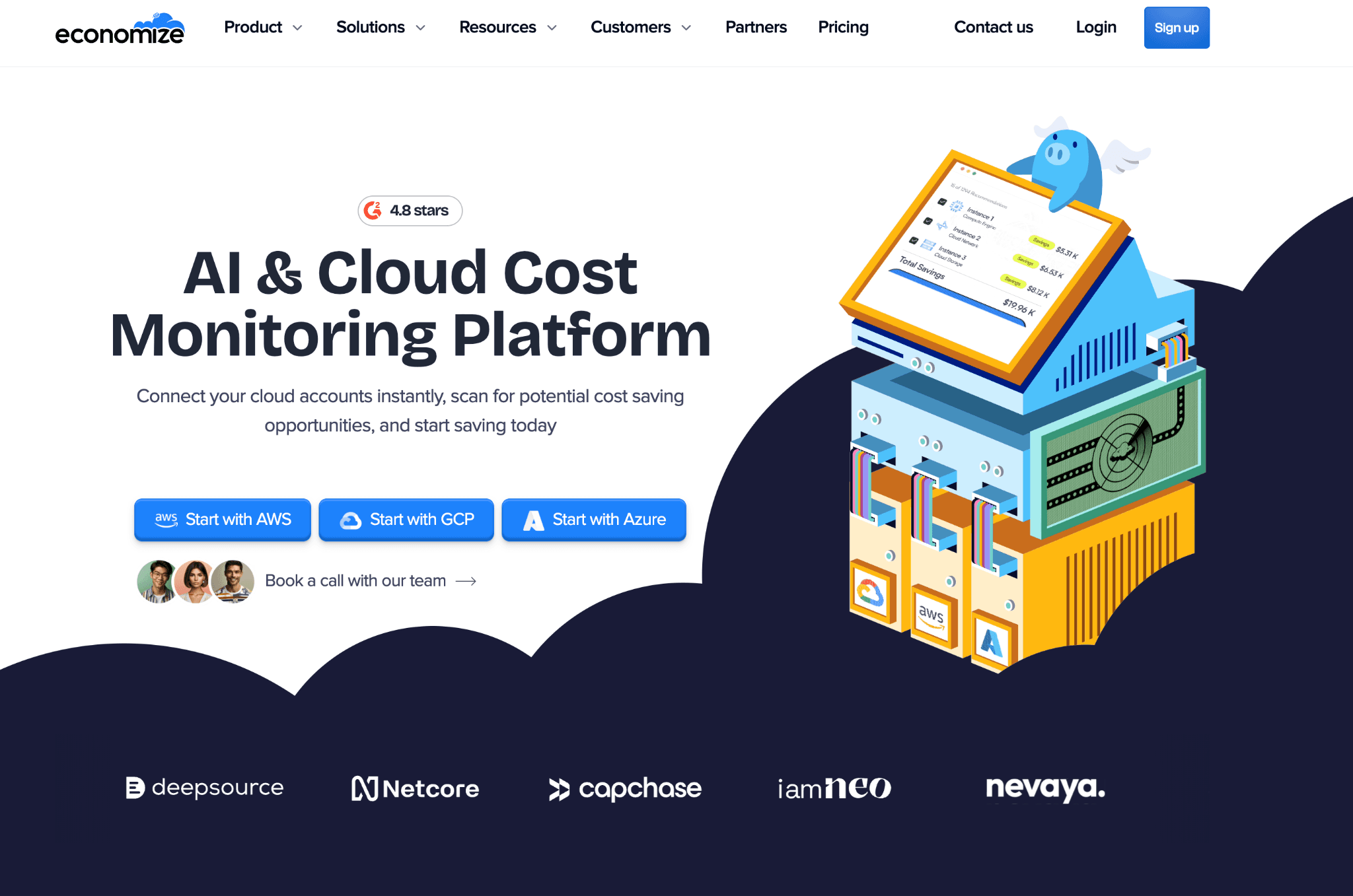
Economize is a GCP-focused cost management platform that wraps Cloud Billing data with reports, recommendations, incident detection and asset exploration. It is built for teams that have outgrown the Cloud Billing console but need more than raw dashboards to drive action.
The platform surfaces zombie resources, runs daily cloud audits and provides root cause analysis on spend spikes, giving GCP teams a guided workflow from alert to fix.
Key features:
Cost Reports with detailed breakdowns by project, service, SKU and label, alongside historical spend tracking
An AI FinOps agent and ML-based recommendations engine that identifies zombie resources, rightsizing opportunities and CUD coverage gaps. See GCP CUDs vs SUDs
Incident detection and anomaly alerts for GCP spend spikes with root cause analysis to uncover the source
Asset Inventory (Explorer) for complete visibility into deployed GCP resources
Organization View for department-level cost allocation across projects
Label management workflows to clean up missing or inconsistent GCP labels
GCS storage tier optimization recommendations. Read more on Google Cloud Storage billing
Integrations with Slack, Microsoft Teams and Discord for real-time cost notifications
Pricing: Free plan at $0/month covers up to $100K monthly GCP spend with basic cost breakdown, real-time monitoring and limited AI recommendations.
Professional plan at $249/month covers up to $250K spend and unlocks multi-account support, daily audits, custom reports and full anomaly detection. Enterprise plan starts at $2,499/month for unlimited spend tracking and a dedicated FinOps manager.
Pros:
Free plan with genuine utility (up to $100K GCP spend) is rare in this category and lets teams start with no budget commitment
Root cause analysis and zombie resource detection are structured features, not just raw dashboards, which accelerate the path from alert to action
Purpose-built for GCP, so the interface and terminology match what GCP teams already work with
Cons:
Professional plan caps at $250K monthly spend, so growing teams will hit the tier ceiling sooner than expected and need to move to the $2,499/month Enterprise plan
Vertex AI and GPU cost tracking is not a primary focus, so teams with growing AI workloads on GCP may need to supplement
Governance features like ownership routing, tag policy enforcement at scale and cross-team chargeback are thinner than enterprise FinOps platforms
4. CloudZero
Best for: SaaS engineering teams that need GCP spend mapped to product features, customers and deployments across 50+ cloud and SaaS providers.
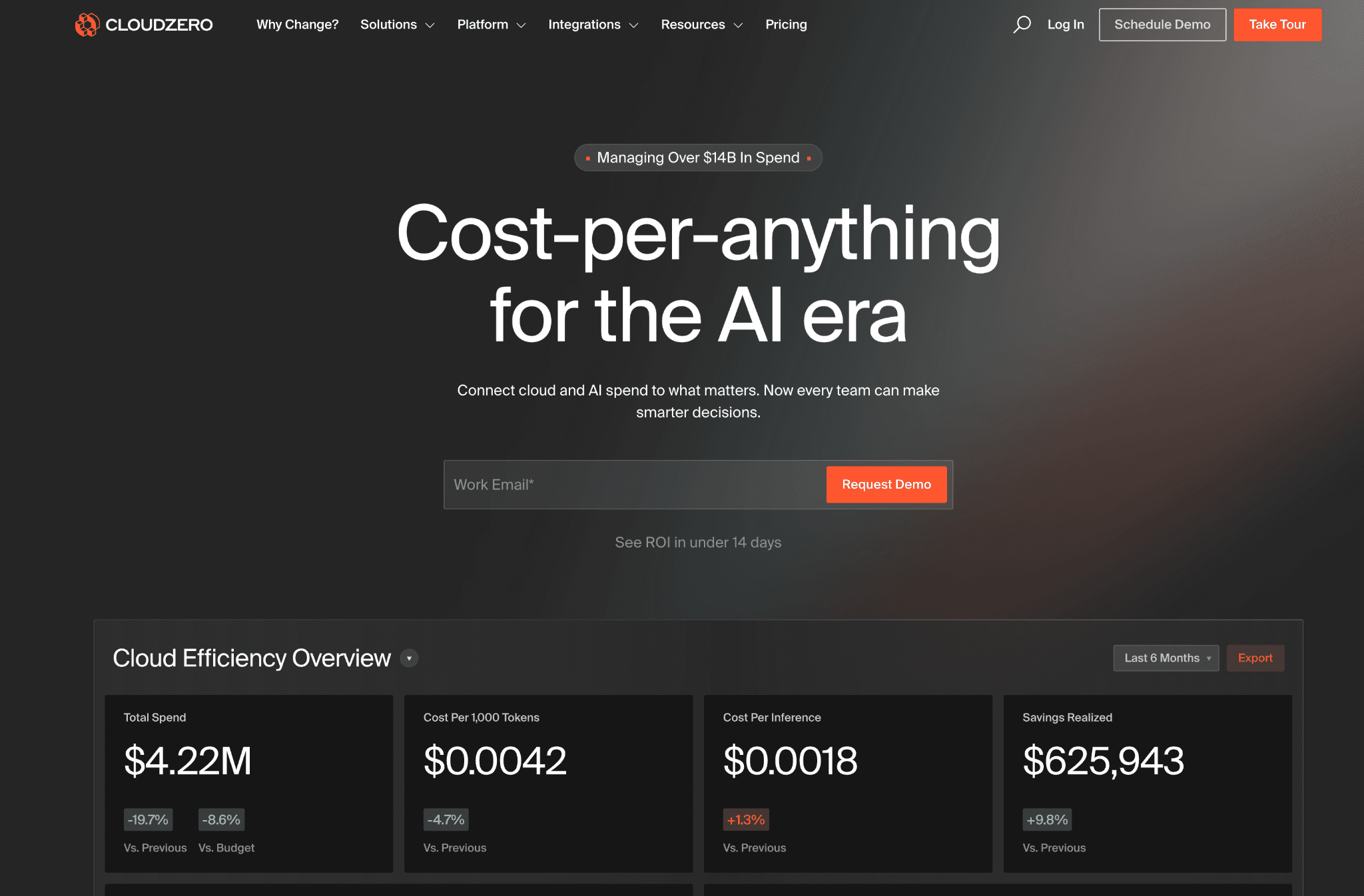
CloudZero focuses on connecting GCP spend to business outcomes like cost per customer, cost per feature and cost per deployment. The CostFormation allocation engine is one of the strongest in the category for SaaS companies that already have product analytics in place.
The platform pulls Cloud Billing data and lets engineering leaders define custom cost dimensions tied to GCP labels, BigQuery datasets, GKE namespaces and product taxonomy. It also surfaces cost intelligence directly inside agentic developer workflows via the CloudZero AI Hub.
Key features:
CostFormation allocation engine mapping every GCP dollar to a product feature, customer, or deployment using your business metrics
AnyCost API for ingesting non-GCP infrastructure costs from Snowflake, Databricks and other SaaS tools so the full feature cost includes every dependency
CloudZero AI Hub for cost investigation directly inside agentic developer tools and workflows
Anomaly detection comparing 36-hour spend patterns against 12-month baselines, with team or product-level routing
Two years of hourly historical GCP data (upgradeable to five years) for trend analysis
Budget management and forecasting aligned to product or feature owners rather than GCP project boundaries
Pre-built dashboards for VPs and engineering managers showing cost per sprint, deployment and customer segment
Unlimited users across core features with no monthly overage charges
Pricing: CloudZero offers tiered pricing with predictable costs and no monthly overages. A 14-day free trial is available for qualified accounts, with a contact required to confirm eligibility. Enterprise contracts are scoped to cloud spend volume under management.
Pros:
CostFormation lets SaaS teams define custom GCP cost dimensions without writing BigQuery SQL, one of the most flexible allocation layers in the market
AnyCost pulls in non-GCP infrastructure SaaS spend, so the full feature cost includes every dependency beyond Cloud Billing line items
CloudZero AI Hub surfaces cost intelligence inside agentic workflows, removing the context switch between developer tooling and FinOps dashboards
Unlimited users with no monthly overages make it easier to justify access for engineering, finance and FinOps teams simultaneously
Cons:
Enterprise pricing with a qualification step for trial access creates friction for teams under $500K GCP spend, who cannot justify the sales cycle
GKE coverage at the container and pod level is less granular than dedicated Kubernetes cost platforms, so heavy GKE workloads may need a second tool alongside CloudZero
No native Vertex AI or GPU workload cost tracking at time of writing, a gap for AI-heavy GCP teams whose fastest-growing cost line is model training and inference
5. Vantage
Best for: Startups and mid-market GCP teams that need a fast-working cost dashboard with a perpetual free tier, automated waste detection and integrations into the BI and data tools they already run.
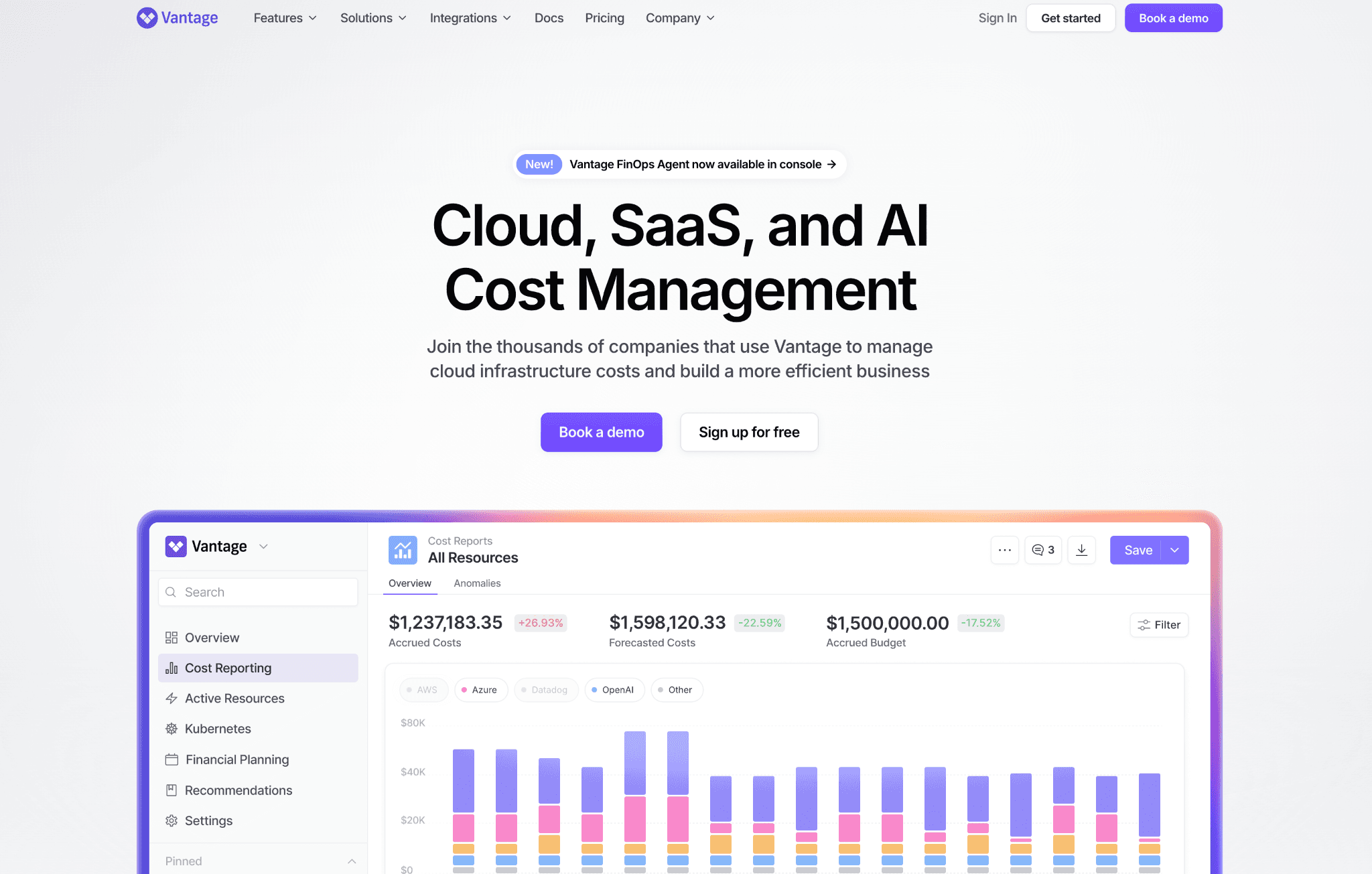
Vantage offers a clean Cloud Billing dashboard with 20+ integrations, including BigQuery, Looker, Snowflake, Datadog and MongoDB. A perpetual free tier and self-serve onboarding make it popular with GCP teams that want to start without a sales process.
The platform aggregates GCP spend and infrastructure SaaS costs in one view. Enterprise customers unlock the automated FinOps Agent, while all tiers benefit from cost reports, virtual tagging and anomaly detection.
Key features:
20+ integrations, including BigQuery, Looker, Snowflake, Datadog and MongoDB, alongside Cloud Billing
Automated waste detection that continuously flags idle resources and rightsizing opportunities
Autopilot for committed discount management (Pro tier and above)
Reservation and savings reporting for GCP committed use discounts and sustained use discounts, with coverage gap alerts
Anomaly detection with team-level routing based on cost report ownership, so the right person gets the alert
Per-team cost views that any team member can build and share without admin access
Network Flow Reports for diagnosing GCP egress and data transfer costs
FinOps Agent for automated workflow orchestration (Enterprise tier)
MCP server integration enabling direct LLM interaction with GCP cost and usage data
Virtual tagging to normalize label inconsistencies across GCP projects
Pricing: Free tier covers up to $2,500 monthly tracked GCP spend for up to 3 users with 6-month data retention. Pro plan is $30/month (up to $7,500 tracked spend). Business plan is $200/month (up to $20,000 tracked spend, 12-month retention). Enterprise is custom with unlimited spend, unlimited users, an automated FinOps Agent and dedicated support.
Pros:
Fastest GCP onboarding in this list, with most teams seeing a working cost dashboard within the first day
The perpetual free tier is genuine and lets small GCP teams use it as a long-term solution rather than a trial
Network Flow Reports surface GCP egress and data transfer costs that most tools bundle into generic networking charges
MCP server integration lets teams query GCP cost data directly through LLM interfaces they already use
Cons:
The free tier caps at $2,500 monthly tracked spend and 3 users, which means most scaling GCP teams move to paid plans quickly
The automated FinOps Agent is Enterprise-only, so teams on Free or Pro tiers manage alerts and actions manually
Vertex AI and GPU workload cost tracking are not yet primary capabilities, leaving AI-heavy GCP teams without spend attribution at the model or job level
6. CAST AI
Best for: Engineering teams running Kubernetes workloads on GKE who want automated pod rightsizing, GPU optimization and predictive spot interruption handling without writing and maintaining automation scripts.
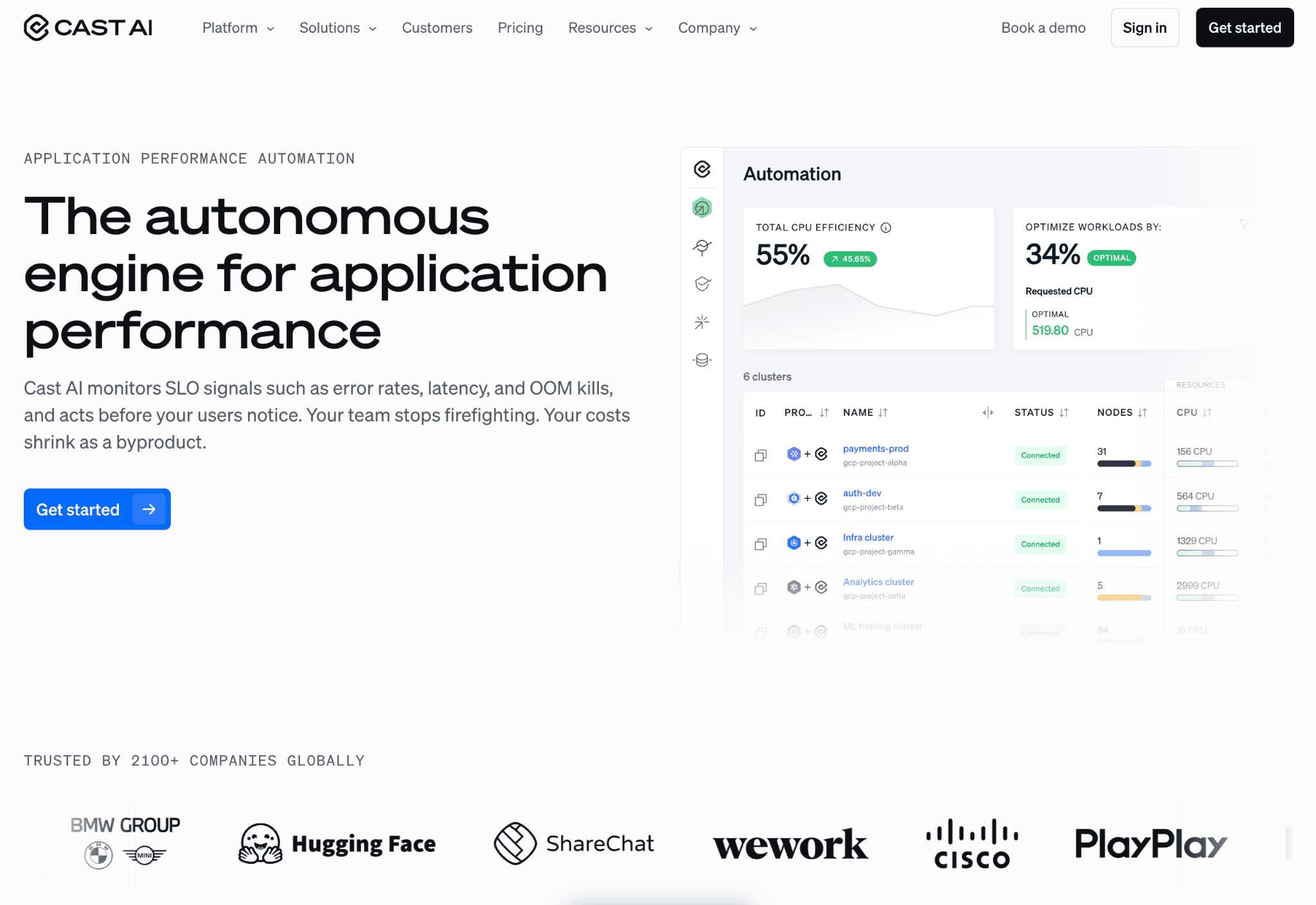
CAST AI is a multi-cloud Kubernetes optimization platform that covers GKE alongside other cloud Kubernetes environments. It rightsizes pods, selects the cheapest GCP machine types, manages spot VM lifecycles and optimizes GPU allocation for AI and data workloads through its OMNI Compute engine.
The platform connects directly to GKE clusters, analyzes actual container CPU, memory and GPU consumption and either recommends or automatically applies changes. For teams whose biggest GCP cost line is GKE or GPU compute, CAST AI provides some of the most granular automated savings in the category.
Key features:
Pod rightsizing and bin packing based on live GKE workload data at the millicore level
AutoScaler for automatic node scaling based on actual cluster demand rather than static buffers
Karpenter integration for workload provisioning on GKE clusters using Karpenter
GPU optimization (OMNI Compute) that optimizes GPU allocation for AI and data workloads running on GKE
Predictive spot interruption handling that forecasts interruptions up to 30 minutes in advance and moves workloads before the interruption occurs
Spot VM orchestration with automatic fallback to on-demand capacity on interruption, with zero service downtime
Zero-downtime container live migration for stateful workloads during optimization events
Database optimization for services running alongside Kubernetes workloads
LLM optimization for AIOps use cases requiring automated operational remediation
Security posture scanning for misconfigured RBAC and over-privileged GKE workloads
Free GKE cluster savings report before any commitment, showing projected savings on actual cluster data
Pricing: CAST AI charges a percentage of the Kubernetes cost savings it delivers with no upfront fee. A free cluster savings report is available before signing, so teams see projected GKE savings before agreeing to the savings-share model. A free tier is also available for initial access.
Pros:
Pod rightsizing uses live millicore-level cluster data rather than conservative estimates, typically yielding larger GKE savings than rules-based tools
Predictive spot interruption handling 30 minutes in advance is a material operational advantage over reactive fallback approaches
GPU optimization through OMNI Compute addresses the fastest-growing GKE cost line for teams running AI and data workloads on GCP
Zero-downtime container live migration means optimization events do not create service disruption for stateful applications
The free savings report before sign-up shows a concrete number before any commitment, which is rare in a category where most vendors require a sales process first
Cons:
Kubernetes-focused scope means GCP teams with significant Compute Engine, BigQuery, GCS, Cloud SQL, or Vertex AI spend outside the cluster need a second platform alongside CAST AI
Full automation requires write access at the cluster level, so the GCP security team must approve cluster-level IAM permissions before CAST AI can act, rather than just surface recommendations
Finance and executive reporting are minimal, with no chargeback reports, unit economics models, or budget governance, so it cannot serve as a standalone GCP cost platform for finance stakeholders
Common Mistakes When Choosing GCP Cost Optimization Tools
Most GCP buyers do not lose money on the tool itself; they lose it on the wrong decision. Seven mistakes account for nearly every regretted purchase in this category.
1. Picking by feature count, not GCP fit. A platform with 200 features sounds safer than one with 80, but your team will use 30 at most. Score on the two GCP problems you need solved this quarter, not the full feature matrix.
2. Skipping the security review on write-access tools. Tools that automate Compute Engine purchasing or GKE scaling need write IAM access. Many GCP security teams refuse to grant it. Confirm with your security lead before signing, not after.
3. Buying for the current GCP scale instead of 18-month scale. A tool that fits a $200K GCP bill rarely fits a $2M one. Mid-market teams typically triple GCP spend in 18 months. Pick a platform that handles your projected footprint.
4. Ignoring time-to-first-insight. Some platforms take 6 to 12 weeks to deploy. Read-only tools like Amnic surface insights in hours. If your CFO is asking for savings now, a long onboarding kills momentum.
5. Treating Vertex AI and GPU spend as an afterthought. Vertex AI, GPU compute and Cloud TPU costs are the fastest-growing line items on most GCP bills. A tool that does not track AI workload spend today will be missing your biggest cost center in 12 months.
6. Choosing on demo flash, not customer outcomes. A polished demo is not the same as a working GCP deployment. Ask every vendor for three named customer outcomes with measurable GCP savings. If they cannot share two within 48 hours, that is your answer.
7. Underestimating BigQuery and GCS hidden costs. BigQuery on-demand queries and GCS egress are two of the easiest places to overspend on GCP. Make sure your shortlist covers slot reservation analysis, query cost attribution and GCS storage cost tiers, not just compute rightsizing.
How to Choose the Right GCP Cost Optimization Platform
The right GCP cost optimization tool is the one that solves your single biggest cost problem in the first 90 days, not the one with the longest feature list.
Pick the GCP problem you are actually facing:
Visibility problem: Strong cross-project dashboards and virtual labels, like Amnic or Vantage
Waste problem: A recommendations engine with documented GCP savings, like Amnic for full GCP coverage or CAST AI for GKE specifically
Governance problem: Budgets, anomaly thresholds and label hygiene, like Amnic or Economize
AI and GPU cost problem: Vertex AI, GPU and Cloud TPU spend tracking, like Amnic
Kubernetes automation problem: Write-access tools like CAST AI for GKE, but verify your GCP security team allows it first
Unit economics problem: Mapping GCP cost to product features or customers, like Amnic or CloudZero
Reporting problem: Enterprise-grade chargeback, like Amnic or CloudZero
Write down your top two GCP problems. Compare only those two. You will pick faster and avoid paying for features your team will never use.
Why Decision Makers Choose Amnic for GCP
Amnic is built around a simple belief: GCP cost should be transparent for every role, not just FinOps specialists.
The platform pairs deep GCP granularity with an AI layer that finance leaders, engineers and product managers can each use without training. Three things matter most to the GCP decision makers we talk to every week.
Deep GCP coverage that goes beyond Cloud Billing. Most competitors stop at service-level aggregates. Amnic goes from organization to folder to project to specific resource ID for Compute Engine, GKE, BigQuery, GCS, Cloud SQL and Vertex AI, with label hygiene and virtual labels built in.
Read-only IAM access by design. Amnic never touches your GCP environment. Your DevOps team owns every change. That single architectural choice is why GCP security teams approve Amnic in days instead of months.
AI that any role can use without training. A CFO can ask "what did we spend on Vertex AI last month by project" and get an answer in 30 seconds. An SRE can query a specific GKE namespace cost spike without opening BigQuery.
"We assessed our options and Amnic's technical depth stood out. The Amnic platform helped us optimize Kubernetes cluster cost by 50% through its sharp right-sizing recommendations of instances and pods." - Sekhar Prakash, Co-founder, Cloud Engineering and Ops, Jiffy.ai
"The maturity of Amnic AI, along with how easily we integrated it across our cloud setup, was phenomenal. The team is consistently open to ideas and prioritizes the roadmap based on customer needs." - Senior FinOps Lead, G2 verified review
Read the full case studies on the Amnic customers page.
Frequently Asked Questions
What is a GCP cost optimization tool?
A GCP cost optimization tool pulls Cloud Billing data, allocates spend across projects and teams, identifies waste across Compute Engine, GKE, BigQuery, GCS and Vertex AI and surfaces actions to lower your Google Cloud bill. Modern platforms add anomaly detection, label hygiene and AI querying on top of what native GCP tools provide.
What is the difference between GCP cost management and GCP cost optimization?
GCP cost management covers reporting and allocation: showing what you spent and where. GCP cost optimization adds recommendations, anomaly detection and rightsizing so you act on the data. Native tools like Cloud Billing Reports handle management; platforms like Amnic combine both with deeper label governance and AI-driven analysis.
How much can I save with a GCP cost optimization platform?
Most GCP teams recover 10 to 20% of cloud spend in the first 90 days through Compute Engine rightsizing, idle resource cleanup and CUD coverage improvements. Teams running heavy GKE or Vertex AI workloads have documented 30 to 50% reductions on specific cost lines with the right tooling in place.
Do GCP cost optimization tools need write access to my projects?
Not always. Amnic operates on read-only IAM permissions so your DevOps team owns every change. Tools that automate purchasing or scaling, like CAST AI, require write access at the cluster or project level. Confirm with your GCP security team before choosing an automation-first platform.
Can these tools track GKE and Vertex AI spend?
Coverage varies. Amnic tracks GKE at the container, node pool and persistent disk level and provides Vertex AI usage with project and model-level rollups. CAST AI covers GKE and GPU optimization but not Vertex AI. Native GCP tools surface basic GKE spend without container-level allocation or Vertex AI cost attribution.
How long does it take to deploy a GCP cost optimization tool?
Read-only platforms like Amnic and Vantage connect to a GCP project in hours using billing export access and read IAM roles. CAST AI requires write access at the cluster level, adding a GCP security review that typically extends the timeline by 2 to 4 weeks, depending on your governance process.
Cut Your GCP Bill in the Next Quarter
If you are a CFO, FinOps lead, or VP of Engineering looking to recover 10 to 20% of your GCP spend before the next board review, Amnic is built for you.
Book a 30-minute demo and see your top three GCP cost leaks before the call ends
Related Articles:
Better visibility and management into AI Tokens?
Start with a 30 day trial
Connect leading LLMs
24 hour time to value
Stay ahead of AI Spend

Make AI spend visible, controllable, and accountable.
Gain insights into your AI token costs at a team, customer, business unit and individual user level to measure and manage AI utilization.
Recommended Articles

8 Best Llama Cost Management Tools in 2026
Read More

8 Best Amazon Bedrock Cost Optimization Tools for 2026
Read More

7 Best Amazon Bedrock Cost Monitoring Tools
Read More

8 Best Gemini Cost Visibility Tools for 2026
Read More

7 Best Multimodal Cost Optimization Tools for 2026
Read More

5 Best Anthropic Cost Allocation Tools for 2026
Read More






