What is Load Balancing and How Do Load Balancers Work?
10 min read
Cloud 101
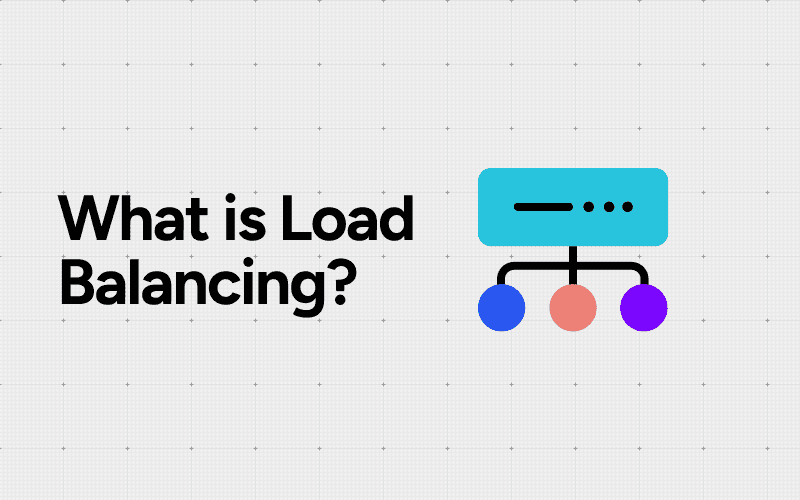
Table of Contents
Load balancing is the practice of distributing incoming network traffic across multiple servers to ensure no single server bears too much demand. It's like a traffic cop directing cars down different lanes to prevent congestion. Instead of cars, we're talking about user requests, and instead of lanes, we're routing to different servers.
In today's digital world, where applications need to handle thousands (or even millions) of simultaneous users, load balancing has become absolutely essential. Your favorite streaming service, online shopping platform, or social media app? They all rely on load balancing to stay responsive and available 24/7.
Here's where load balancers come into play. These clever devices (or software solutions) sit between your users and your backend servers, acting as invisible traffic managers. When someone tries to access your application, the load balancer receives that request first and intelligently decides which server should handle it based on factors like:
Current server capacity
Response times
Geographic location
Server health status
This smart distribution prevents any single server from becoming overwhelmed while keeping others idle. The result? Your applications run smoothly, users stay happy, and your IT infrastructure operates at peak efficiency. Load balancers have evolved from simple traffic distributors into sophisticated tools that are fundamental to modern network traffic management.
Understanding Load Balancing
At its core, load balancing technology works by acting as a traffic cop for your network. When users send requests to access an application or website, these requests don't go directly to a single server. Instead, they hit the load balancer first, which then intelligently distributes these incoming connections across multiple backend servers.
Think of it like a busy restaurant with multiple chefs in the kitchen. Rather than having one chef handle every order (which would create long wait times and potential burnout), a smart system divides orders among all available chefs based on their current workload. That's essentially what load balancing does with network traffic distribution.
The Server Farm Concept
Behind every load balancer sits what's known as a server farm or server pool. A collection of servers that work together to handle application requests. These servers typically run identical copies of the same application, creating redundancy and additional processing capacity. The beauty of this setup is that no single server bears the entire burden of serving user requests.
A server farm might contain anywhere from two servers to hundreds, depending on the application's demands. Each server in the pool stands ready to process requests, with the load balancer determining which one receives each incoming connection.
Key Benefits Delivered
The advantages of implementing load balancing extend beyond simple traffic distribution:
High availability: If one server fails, the load balancer automatically redirects traffic to healthy servers, keeping your application running without interruption
Horizontal scalability: Need more capacity? Simply add servers to the pool rather than upgrading to more expensive, powerful hardware
Predictable performance: By preventing any single server from becoming overwhelmed, users experience consistent response times
Maintenance flexibility: Individual servers can be taken offline for updates or repairs without affecting application availability
Additionally, understanding cloud costs becomes crucial as you scale your server farm and implement load balancing. With a simplified understanding through category views provided by platforms like Amnic, you can make informed financial decisions in your cloud operations while ensuring efficient resource allocation and cost management.
Types of Load Balancers
Not all types of load balancers operate the same way. The level at which they inspect and route traffic determines their capabilities and use cases.
Layer 4 Load Balancers (Network Load Balancers)
A layer 4 load balancer operates at the transport layer of the OSI model, making routing decisions based on information found in network and transport layer protocols. These load balancers examine:
Source and destination IP addresses
Port numbers in packet headers
Network protocol information (TCP/UDP)
This approach allows for fast, efficient traffic distribution since the load balancer doesn't need to inspect the actual content of the packets. Think of it as a traffic cop directing cars based on their license plates and destination signs, without checking what's inside each vehicle. Layer 4 load balancing excels in scenarios requiring high-speed packet processing and minimal latency.
Layer 7 Load Balancers (Application Load Balancers)
A layer 7 load balancer digs deeper into the application layer, examining the actual content of requests before making routing decisions. These intelligent devices can route traffic based on:
HTTP headers and cookies
URL paths and query strings
Request methods (GET, POST, PUT, DELETE)
Specific application data within the message
This granular control enables sophisticated routing strategies. An e-commerce site might direct product browsing requests to one server pool while sending checkout transactions to another, more secure set of servers. The trade-off? Layer 7 load balancing requires more processing power since it must decrypt and analyze the full request content.
Global Server Load Balancing (GSLB)
Global server load balancing (GSLB) takes load distribution to a geographic scale. Using DNS-based methods, GSLB directs users to the optimal data center based on:
Geographic proximity to reduce latency
Data center health and availability
Current load across multiple locations
Network conditions and performance metrics
When a user in Tokyo accesses your application, GSLB can route them to your Asia-Pacific data center instead of forcing a connection halfway around the world. This geographic intelligence dramatically improves response times and provides disaster recovery capabilities across regions.
How Load Balancers Work
Load balancers work by acting as a middleman between clients and backend servers. Here's how the process works:
Client request: When a user wants to access an application or website, their request goes to the load balancer instead of directly to a server.
Virtual IP address (VIP): The load balancer uses a VIP to hide the actual IP addresses of the backend servers. This is similar to how a reception desk in an office building doesn't reveal the specific offices but only the main address.
Server selection: The load balancer has predefined rules and algorithms to decide which backend server should handle the request. It keeps track of all available servers and their current load.
Request routing: Based on its decision, the load balancer forwards the request to the chosen server, sometimes making changes to the packet headers.
Response handling: The server processes the request and sends back a response through the load balancer, which then delivers it to the client.
This entire process happens very quickly, making it seem like clients are communicating directly with one powerful server when in reality multiple servers are working together to handle the requests efficiently.
Understanding Load Balancing Algorithms
The intelligence behind a load balancer lies in its algorithm, the decision-making logic that determines which server receives the next incoming request. Different load balancing algorithms serve different purposes, and choosing the right one can significantly impact your application's performance.
Static Algorithms
1. Round-robin algorithm: This algorithm operates like a rotating door, sending each new request to the next server in line. If you have three servers, the first request goes to Server 1, the second to Server 2, the third to Server 3, and the fourth cycles back to Server 1. It's simple and effective but assumes all servers have equal capacity.
2. Weighted round-robin: This algorithm adds a layer of sophistication by assigning different weights to servers based on their capabilities. A powerful server with 16GB RAM might receive three requests for every one request sent to a smaller 8GB server. This prevents overwhelming less capable machines while maximizing resource utilization.
Dynamic Algorithms
3. Least connection algorithm: This algorithm takes a smarter approach by tracking active connections. When a new request arrives, it routes to the server handling the fewest current sessions. This works brilliantly for applications where session duration varies wildly, think quick API calls mixed with long-running database queries.
4. Weighted least connection: This algorithm combines connection tracking with server capacity considerations. A high-spec server might handle 100 concurrent connections while a smaller one manages 50, ensuring proportional distribution based on real-time load and hardware capabilities.
5. Least response time: These algorithms monitor how quickly servers respond to requests. The load balancer continuously measures response times and directs traffic to the fastest-performing server at any given moment, automatically adapting to changing conditions.
Resource-Based Algorithms
These advanced methods analyze actual server resources, CPU usage, memory consumption, network bandwidth, before making routing decisions. A server running at 90% CPU capacity gets bypassed in favor of one operating at 40%, preventing overload situations that could trigger cascading failures across your infrastructure.
Health Checks and Fault Tolerance in Load Balancing
Health checks in load balancing act as vigilant guardians of your server infrastructure, continuously monitoring the status of backend servers to ensure they're prepared to handle incoming requests. Load balancers carry out these automated checks at regular intervals, usually every few seconds, by sending test requests to each server in the pool.
These checks can take several forms depending on your application's needs:
Ping checks verify basic network connectivity
TCP connection checks confirm that specific ports are accepting connections
HTTP/HTTPS checks validate that web servers are responding with expected status codes
Custom application checks test specific functionality or database connectivity
When a server fails to respond correctly to these probes, the load balancer immediately flags it as unhealthy. Server availability monitoring with health checks becomes critical at this point, the load balancer stops directing new traffic to the failing server, protecting users from experiencing errors or timeouts.
The beauty of this system lies in its automatic recovery mechanism. Once a server is removed from the active pool, the load balancer continues monitoring it through health checks. When the server starts responding correctly again, whether after a restart, configuration fix, or resolved resource issue, the load balancer automatically reintroduces it to the rotation without requiring manual intervention.
This continuous monitoring creates a self-healing infrastructure where temporary failures don't cascade into full application outages. Active connections to a failing server can either be gracefully drained (allowing existing sessions to complete) or immediately redirected, depending on your configuration preferences. The remaining healthy servers absorb the redistributed traffic, maintaining service availability even when individual components fail.
Advanced Features of Load Balancers Beyond Traffic Distribution
Modern load balancers have capabilities that go beyond just distributing traffic. These intelligent devices have evolved into sophisticated application delivery controllers that can make decisions based on the actual content of requests.
Content Switching in Load Balancing
One of the most powerful advanced features available today is content switching in load balancing. This technique allows load balancers to examine specific attributes within incoming requests, such as URLs, HTTP headers, cookies, or even payload data, and route traffic to specialized server groups based on what they find. A practical example: an e-commerce site might direct all /api/ requests to API servers, /images/ requests to media servers, and /checkout/ requests to secure payment processing servers.
Additional Advanced Functionalities
Load balancers also offer several other advanced functionalities:
SSL/TLS offloading: Handling encryption and decryption to reduce computational load on backend servers
Session persistence (sticky sessions): Ensuring users maintain connections to the same server throughout their session
Compression: Reducing bandwidth usage by compressing responses before sending them to clients
Caching: Storing frequently requested content to serve it faster without hitting backend servers
Web Application Firewall (WAF) integration: Protecting applications from common security threats and attacks
Rate limiting: Controlling the number of requests from specific sources to prevent abuse
These features transform load balancers from simple traffic cops into comprehensive application delivery platforms that optimize performance, security, and user experience simultaneously.
From Hardware to Software and Cloud-Based Load Balancing Solutions
The journey of load balancing technology reflects the broader evolution of IT infrastructure itself. Understanding the hardware load balancer vs software-based load balancer vs cloud elastic load balancer debate requires looking at how these solutions emerged and adapted to changing business needs.
The Hardware Era
Load balancers began their life as dedicated hardware appliances sitting in data centers. These physical devices were purpose-built machines with specialized processors optimized for handling network traffic at wire speed. Think of them as the bouncers of the data center, standalone units with their own power supplies, network interfaces, and management systems.
Hardware load balancers offered impressive performance and reliability. They could handle millions of connections per second without breaking a sweat. Companies like F5 Networks and Citrix dominated this space, with their appliances becoming fixtures in enterprise data centers throughout the 1990s and 2000s.
The catch is that these devices came with hefty price tags, often reaching tens or hundreds of thousands of dollars. They also lacked flexibility, scaling meant buying another expensive box, and updates required physical access to the equipment.
Software Takes the Stage
As virtualization transformed data centers, software-based load balancers emerged as a compelling alternative. These solutions run as applications on standard servers or virtual machines, bringing several advantages:
Cost efficiency: No specialized hardware required, just install the software on existing infrastructure
Deployment flexibility: Spin up new instances in minutes rather than waiting for hardware procurement
Configuration agility: Update and modify settings through software interfaces without touching physical equipment
Popular options like HAProxy, NGINX, and Microsoft's Network Load Balancing service made load balancing accessible to organizations of all sizes. Development teams could now deploy load balancers in test environments without capital expenditure approvals.
The Cloud Revolution
However, the landscape has shifted dramatically with the advent of cloud elastic load balancers, which represent the latest evolution, offering unprecedented scalability and ease of use. AWS Elastic Load Balancing, Azure Load Balancer, and Google Cloud Load Balancing automatically adjust capacity based on incoming traffic patterns.
These cloud-native solutions eliminate infrastructure management entirely. They scale horizontally across multiple availability zones, provide built-in redundancy, and charge based on actual usage rather than fixed capacity. The elastic nature means your load balancing infrastructure grows and shrinks with your application demands, paying only for what you consume.
Moreover, managing these cloud resources effectively is crucial for maximizing their potential. Cloud Management Essentials can significantly enhance IT productivity by unlocking seamless cloud management with proven strategies to boost efficiency, reduce costs, and secure your business.
In addition to management strategies, understanding cloud cost optimization is vital for running a lean and efficient cloud architecture. Implementing FinOps within your organization can further streamline financial operations related to cloud usage (How to implement FinOps in your Organization).
Benefits of Implementing Load Balancing Techniques
The benefits of implementing load balancing techniques extend far beyond simple traffic distribution, fundamentally transforming how organizations deliver their digital services. When properly deployed, load balancing creates a resilient infrastructure that adapts to changing demands while maintaining consistent performance.
Eliminating Single Points of Failure
Application reliability reaches new heights when load balancing removes the vulnerability of depending on a single server. If one server experiences hardware failure, software crashes, or requires maintenance, the load balancer instantly redirects traffic to healthy servers. Users continue accessing applications without interruption, often completely unaware that any backend issues occurred. This redundancy proves invaluable during critical business operations, where even brief downtime translates to lost revenue and damaged reputation.
Consider an e-commerce platform during a flash sale. Without load balancing, a server failure would halt all transactions. With load balancing in place, the system automatically compensates, ensuring customers complete their purchases seamlessly.
Scaling to Meet Demand
The scalability advantages of load balancing allow organizations to respond dynamically to traffic fluctuations. During peak periods, whether predictable seasonal spikes or unexpected viral moments, administrators can add servers to the pool without reconfiguring client connections or updating DNS records. The load balancer immediately incorporates new resources, distributing incoming requests across the expanded infrastructure.
This elastic approach works equally well in reverse. During quiet periods, organizations can reduce active servers to optimize costs while maintaining the ability to scale up rapidly when needed. The load balancer handles these transitions transparently, making resource management both efficient and economical.
Optimizing User Experience
Enhanced performance through intelligent traffic distribution directly impacts how users perceive your applications. Load balancers route requests to the most appropriate servers based on current conditions, server load, response times, geographic proximity, or specific content requirements. This intelligent routing minimizes latency and ensures users receive fast, responsive service regardless of when or where they connect.
Applications that leverage content-based routing can deliver personalized experiences by directing users to servers optimized for their specific requests, whether streaming media, processing transactions, or serving static content. The result is consistently smooth interactions that keep users engaged and satisfied.
Final Thoughts
At its core, load balancing is the intelligent distribution of network traffic across multiple servers to ensure your applications remain fast, reliable, and always available. How load balancers work involves sophisticated algorithms, health monitoring, and strategic traffic routing that keeps modern digital services running smoothly.
The technology continues to evolve rapidly. Hardware appliances have given way to flexible software solutions and cloud-native platforms that adapt to changing demands in real-time. Organizations now have access to tools that can scale instantly, recover from failures automatically, and optimize performance without manual intervention.
As businesses increasingly leverage cloud platforms for their operations, understanding cloud cost management strategies becomes crucial. With Amnic's expertise in optimizing Google Cloud spend and their ability to provide cloud cost visibility, management and optimization, organizations can ensure they leverage the power of the cloud without breaking the bank.
The question isn't whether your organization needs load balancing or effective cloud cost management, but rather which approach best fits your specific requirements and future goals. For instance, aligning your engineering organization with frugal excellence could be a key strategy in achieving this goal as discussed in this insightful AmnicCast with Ankur Khare.
[Request a demo and speak to our team]
[Sign up for a no-cost 30-day trial]
[Check out our free resources on FinOps]
[Try Amnic AI Agents today]
FAQs: Load Balancers
What is load balancing and why is it important?
Load balancing is the practice of distributing network or application traffic across multiple servers to ensure no single server becomes overwhelmed. It enhances application reliability, optimizes resource use, improves scalability, and delivers a better user experience by intelligently managing traffic.
How do load balancers work in managing server traffic?
Load balancers act as intermediaries between clients and servers, routing incoming requests to various servers within a server farm based on specific algorithms. This ensures efficient distribution of workloads, fault tolerance through health checks, and prevents any single server from becoming a bottleneck.
What are the different types of load balancers and how do they differ?
There are several types of load balancers including Layer 4 (Network Load Balancers) that operate at the transport layer using IP address and TCP/UDP ports, Layer 7 (Application Load Balancers) that inspect application-level data for smarter routing decisions, and Global Server Load Balancing (GSLB) which distributes traffic across geographically dispersed data centers for redundancy and performance.
What load balancing algorithms are commonly used to distribute traffic?
Load balancers utilize various algorithms such as static algorithms like round-robin which cycles through servers evenly; dynamic algorithms like least connection which routes traffic to the server with the fewest active connections; and resource-based algorithms that consider real-time server metrics like CPU and memory usage for optimal distribution.
What advanced features do modern load balancers offer beyond basic traffic distribution?
Modern load balancers provide advanced functionalities including content switching that directs requests based on URL or application type, SSL offloading to reduce server workload, session persistence for consistent user experience, health checks for fault tolerance, and integration with cloud environments for flexible scaling.
How has load balancing technology evolved over time?
Load balancing has transitioned from dedicated hardware appliances to software-based solutions enabled by virtualization, and now to cloud-based services. This evolution allows greater flexibility, scalability, cost-effectiveness, and integration with modern infrastructure such as containerized applications and multi-cloud deployments.
Recommended Articles
Better visibility and management into AI Tokens?
Start with a 30 day trial
Connect leading LLMs
24 hour time to value
Stay ahead of AI Spend

Make AI spend visible, controllable, and accountable.
Gain insights into your AI token costs at a team, customer, business unit and individual user level to measure and manage AI utilization.
Recommended Articles
What Is Cloud Cost Observability? Definition, Capabilities and Tools
Read More
Cloud Cost Anomaly Detection: How to Catch Surprise Spend Early
Read More

Cloud Cost Allocation Methods: 5 Models to Assign Cloud Spend Accurately
Read More

10 Cloud Cost Observability Metrics You Should Track
Read More

Cloud Adoption: Key Drivers, Challenges and How to Get It Right
Read More
What is a Content Delivery Network (CDN)? How It Works and What It Costs
Read More






