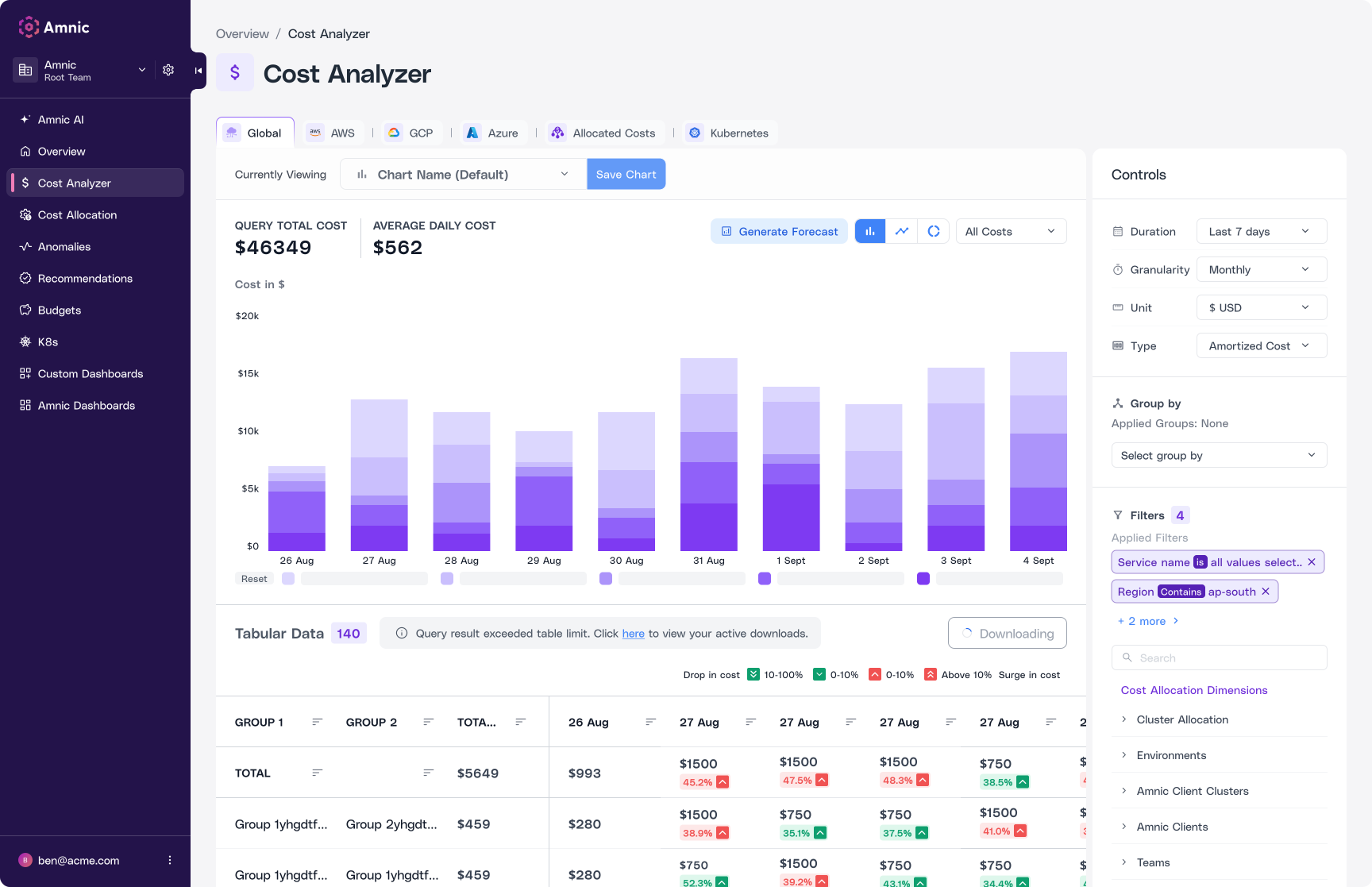









Split and analyze costs across multiple dimensions, categories, and providers for contextual insights and build relevant, team-specific dashboards in seconds. Get a unified view of spend across major cloud platforms, SaaS tools, and products in your DevOps and FinOps toolchain. You can also easily aggregate, organize, and filter cost data through a single-pane view.
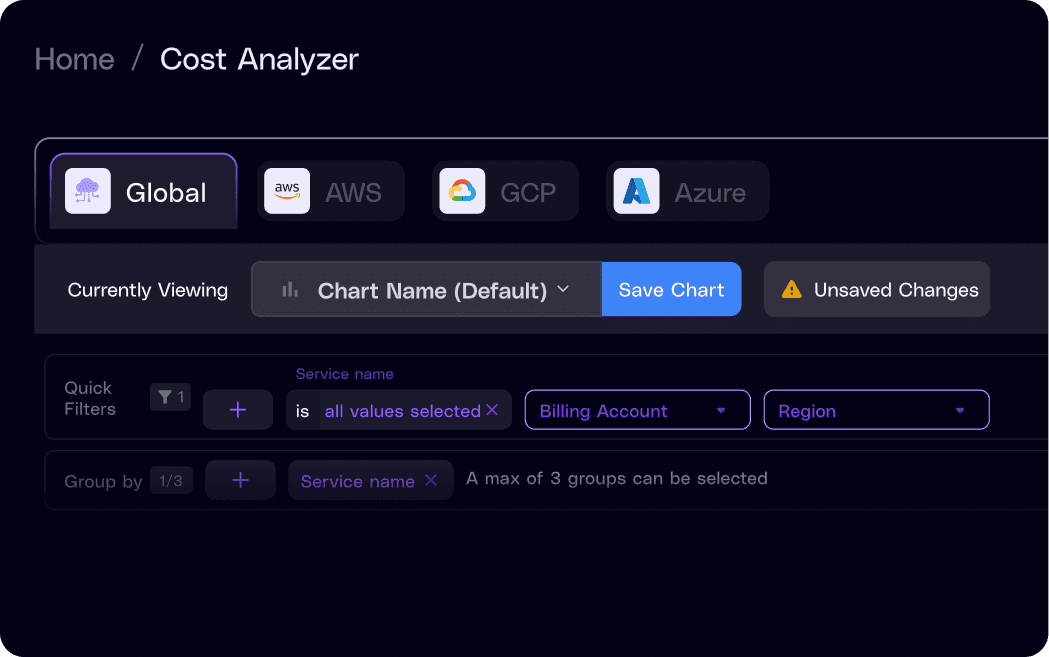

Segment your cost data using filters, sorting options, and groups to generate highly contextual charts. Organize dashboards by cloud providers, services, accounts, regions, and tags to slice and dice your costs at a granular level. Unsaved chart status indicators help track modifications so no important updates are lost.

Stop digging through dashboards, just ask. Teams can now generate charts and surface spend insights instantly through natural language prompts, without writing a single query or building a dashboard from scratch. Ask questions like "Service-wise cost for last month" or "Regional costs for last month" and get a ready-to-use visualization in seconds.
Amnic's surge indicators make it easy to identify cost spikes and drops at a glance, directly within your daily spend view. Drill deeper with the ability to split costs into billed vs. amortized views for a granular picture of the cost breakdown.
The Global Stream on Cost Analyzer aligns with FOCUS™ open-source standards to provide contextual information in a unified FinOps language. Amnic captures infrastructure costs at every level to help teams gain a granular, organization-wide view of their cloud spend.



Benchmark maturity,close governance gaps,
and drive ROI in under 20 minutes








Frequently Asked Questions
1. What is the Amnic Cost Analyzer and what can I do with it?
The Cost Analyzer is your go to tool for slicing, dicing, and visualizing cloud costs across any dimension that matters. Break down spend by service, region, team, account, product, or tag, then build team specific dashboards in seconds. It's a unified view of every dollar across AWS, Azure, GCP, SaaS tools, and your FinOps stack, all in one pane.
2. Can I generate charts and reports without writing queries?
Yes. With Amnic AI baked into the Cost Analyzer, you simply ask in natural language. Prompts like "Service wise cost for last month" or "Regional spend trends this quarter" instantly return ready to use visualizations. No SQL, no dashboard building, no engineering ticket, just fast answers in seconds.
3. How does the Cost Analyzer help spot cost spikes or anomalies?
Built in surge indicators highlight unusual spikes or drops right inside your daily spend view. You can drill deeper with billed versus amortized cost splits to understand the real picture behind a cost jump. That means less time hunting down anomalies and more time acting on them.
4. Is the Cost Analyzer aligned with FOCUS™ standards?
Yes. Amnic's Global Stream on Cost Analyzer follows FOCUS™ open source specs, giving you contextual cost data in a unified FinOps language. Whether you run single cloud or multi cloud, your spend data stays consistent, standardized, and easy to communicate across finance, engineering, and leadership.
5. Can I build custom views and dashboards for different teams?
Absolutely. Create tailored dashboards for engineering, FinOps, product, or leadership in just a few clicks. Each team sees the cost breakdown most relevant to them, by environment, workload, customer, or business unit, without wading through noise. One tool, many perspectives, zero dashboard sprawl.






