Cloud Cost Anomaly Detection: How to Catch Surprise Spend Early
9 min read
Cloud 101
Table of Contents
Cloud cost anomaly detection is the practice of spotting unusual changes in cloud spend that break from your normal usage pattern across AWS, Azure, Google Cloud and Kubernetes. It catches the spike a daily budget report would miss, before that spike lands on the monthly invoice.
Most teams learn about a cost problem the same way. Finance opens the bill and asks what happened. By then the money is already spent. Cloud cost anomaly detection flips that order. It watches spend continuously, learns what normal looks like for each service and team and flags the deviation while you can still act on it.
This guide explains what cloud cost anomaly detection is, how it works, how it differs from budget alerts, where native cloud tools fall short and how it fits into a FinOps practice.
What Is Cloud Cost Anomaly Detection?
Cloud cost anomaly detection identifies spending that deviates from a learned baseline of normal behavior. The FinOps Foundation defines a cost anomaly as an unpredicted variation in cloud spend that is larger than you would expect from historical patterns.
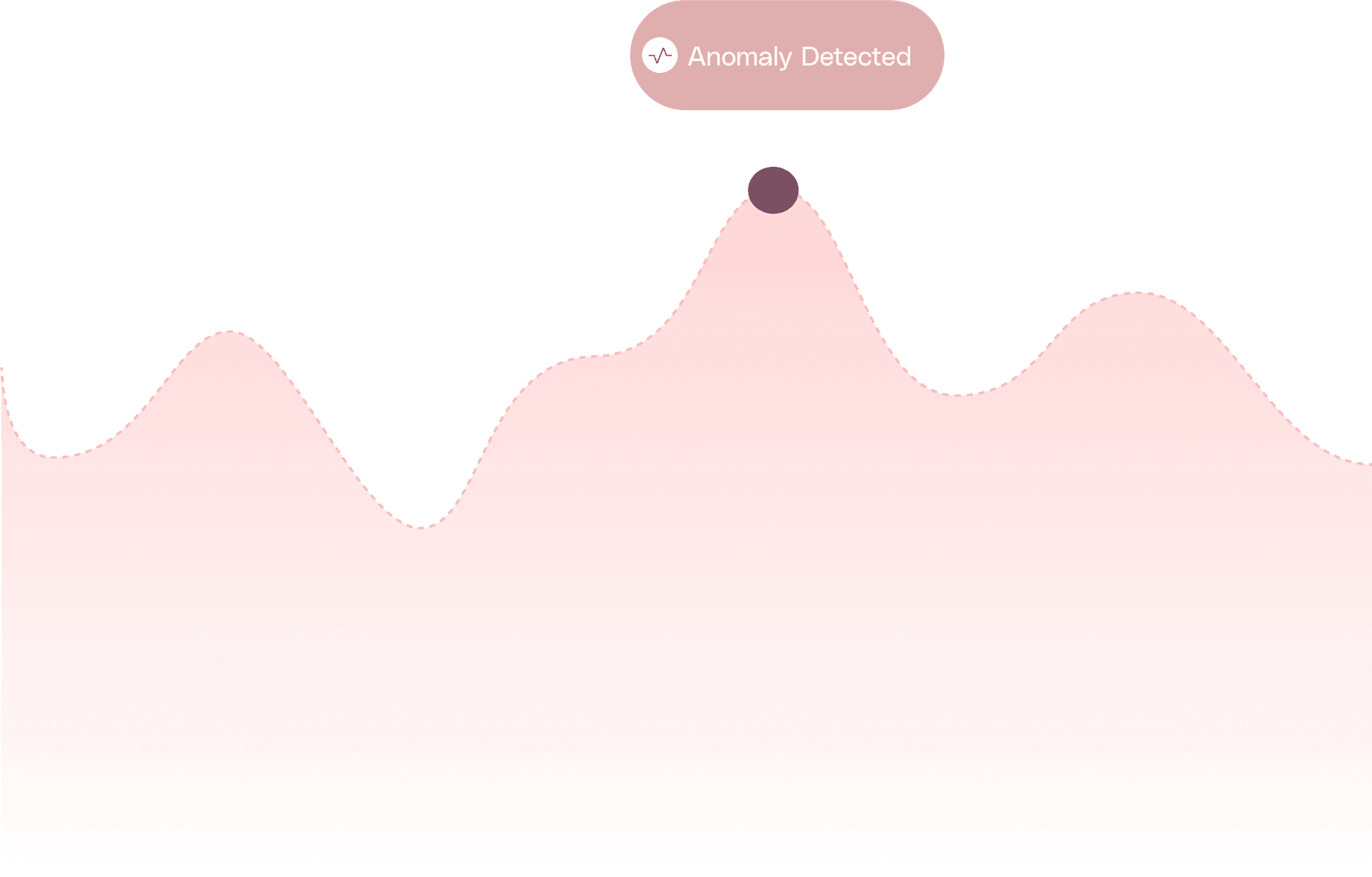
The key word is unpredicted. An anomaly is not simply high spend. A planned product launch that doubles your compute is expected, so it is not an anomaly. A forgotten test cluster that doubles your compute over a weekend is not expected, so it is.
Detection works across the dimensions that map to how cloud bills actually grow:
Service, such as a sudden jump in data transfer or storage charges.
Account or subscription, where one team's environment drifts out of pattern.
Region, where workloads spin up somewhere they should not.
Tag or cost allocation, so the anomaly points to a product, team, or environment instead of a raw line item.
This is what separates cost anomaly detection from generic anomaly detection used in security or observability. The signal is dollars, the baseline is your billing history and the goal is to protect the budget.
Why Cloud Cost Anomalies Matter
A single misconfiguration can take spend from normal to double, then double again, before anyone notices. The pattern is consistent across teams. Costs leak quietly, compound daily and surface only when the invoice arrives.
Common culprits include:
A test or staging environment left running after a sprint.
Autoscaling that scaled out and never scaled back in.
Orphaned resources such as unattached volumes, idle load balancers, or stale snapshots.
A runaway batch job that retries forever or processes far more data than intended. An ETL job fed ten terabytes instead of ten gigabytes can cost a hundred times more and never fail visibly.
A new third-party or data egress charge nobody budgeted for.
Consider a practical example. A machine learning team launches a GPU training run, expects it to finish overnight and a checkpointing bug keeps it alive for five days. Nobody is watching the cost dashboard over the weekend. The run quietly burns through 20,000 dollars before Monday standup. A budget that resets monthly shows nothing alarming until late in the cycle. Anomaly detection would have flagged the abnormal GPU spend within a day of the spike.
This is why anomaly detection is a core part of FinOps. Visibility after the fact is accounting. Catching the deviation early is control.
How Cloud Cost Anomaly Detection Works
Most cloud cost anomaly detection follows the same four-step loop, whether it runs inside a cloud provider or a dedicated platform.
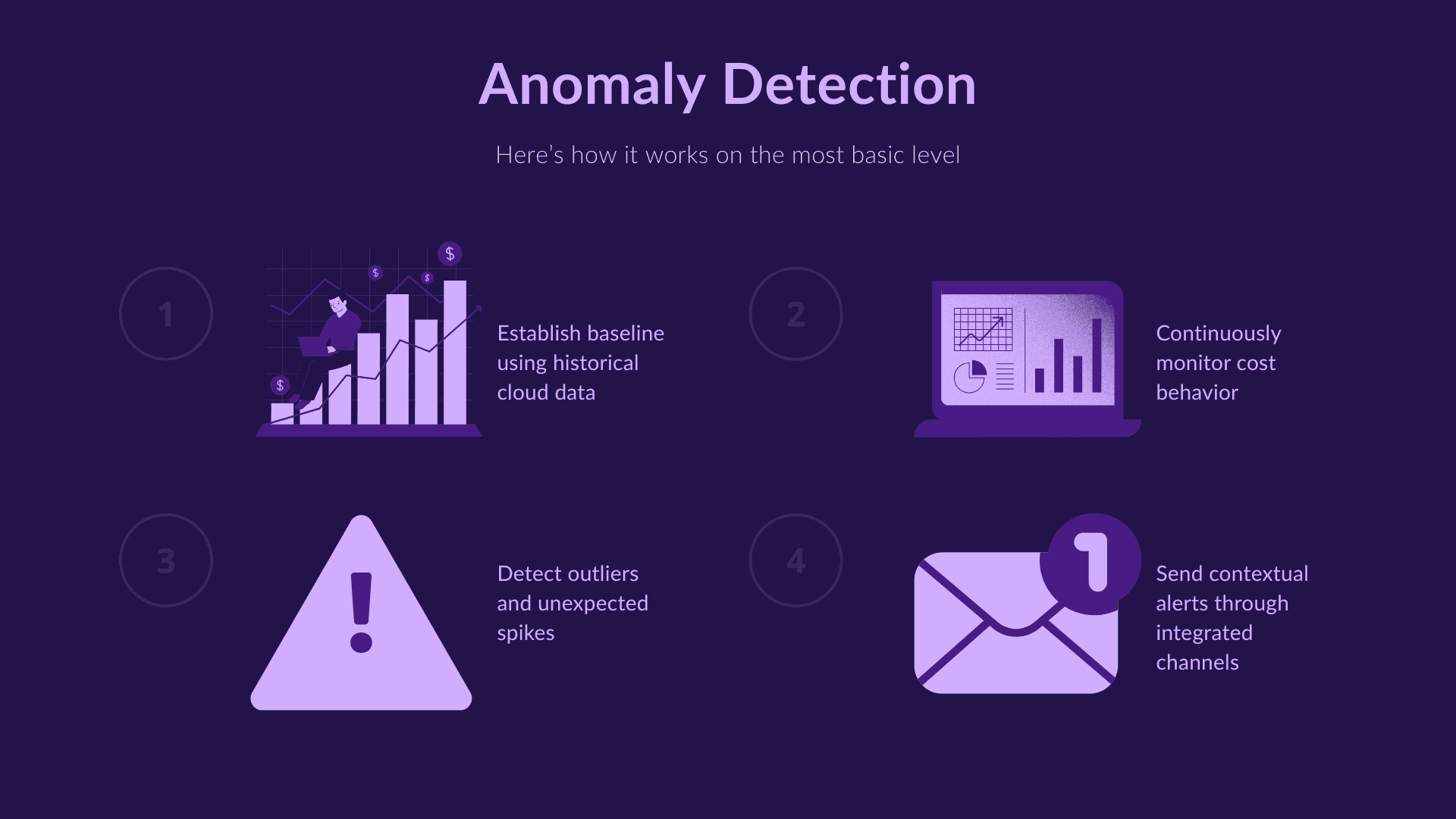
Establish a baseline: The system studies your historical spend per service, account, region and tag, then models what normal looks like. Machine learning baselines account for daily, weekly and seasonal rhythms, so a predictable Monday spike does not trigger a false alarm. These models need history to work. AWS Cost Anomaly Detection, for example, needs roughly ten days of spend data before its baseline is reliable, so new accounts get noisy results at first.
Monitor continuously: Cost and usage data flows in through provider billing APIs. The system tracks current spend against the baseline across every dimension it watches.
Detect outliers: When actual spend breaks past the expected range, the model flags it as an anomaly. Because the threshold is learned rather than fixed, detection adapts as your environment grows.
Alert with context: A useful alert does more than say spend went up. It names the service, account and tag driving the change, estimates the dollar impact and points toward a likely root cause so the right owner can investigate fast.
The difference between a good system and a noisy one lives in that last step. Detection without context just moves the investigation work onto an already busy engineer.
Anomaly Detection vs Budget and Threshold Alerts
Teams often assume a budget alert already covers them. It does not and the distinction matters.
A threshold or budget alert fires when spend crosses a number you set in advance, such as 80 percent of a monthly budget. It is simple, but it is blind to context. It cannot tell a planned increase from a problem, it needs constant manual tuning and it usually fires late in the billing cycle once the damage is done.
Anomaly detection learns a baseline per service and tag, then alerts when behavior deviates from that pattern, not when it crosses a static line. It catches a spike that is small in absolute terms but abnormal for that service and it stays quiet when an increase is normal. As more history accumulates, the signal sharpens and the noise drops.
The two are complementary. Use budgets to enforce a ceiling and anomaly detection to catch the unexpected movement long before that ceiling is in sight.
The Limits of Native Cloud Anomaly Detection
Every major provider ships free cost anomaly detection and these tools are a sensible starting point. They also share real limits that matter once you run at scale.
AWS Cost Anomaly Detection runs once per day, so a spike that starts at 2 a.m. surfaces in an alert by the next morning rather than in the moment.
Google Cloud runs anomaly detection hourly on billing accounts and ranks the top contributors to a deviation, which makes it the fastest native option.
Microsoft Azure detects daily spend anomalies at the subscription and resource group scope through its cost alerts framework.
The deeper limit is structural. Each native tool only sees its own cloud. A team running across AWS, Azure and Google Cloud cannot compare a spike in one against the others from inside any single console and none of them watch SaaS or Kubernetes spend in the same view. Native detection also stops at the alert. It rarely assigns the anomaly to an owner or opens a ticket to fix it.
Cloud Cost Anomaly Detection in Multi-Cloud and Kubernetes
Modern architecture multiplies the places an anomaly can hide. A useful detection approach has to cover all of them in one place.
Multi-cloud spend: Watching AWS, Azure and Google Cloud separately means three baselines, three alert formats and no shared view. A unified layer normalizes cost across providers so an anomaly reads the same no matter where it starts.
Kubernetes clusters: Container spend is hard because many teams share one cluster. Detection has to work at the namespace, pod and node level to find which workload drove the change, not just that the cluster got more expensive. This connects directly to Kubernetes cost management, where allocation is the foundation that makes container anomalies legible.
Shared services and tags: Costs that span teams, such as logging, networking, or managed database spend, need clean cost allocation methods and tag awareness so an anomaly maps to the team that caused it.
The common thread is allocation. You can only detect an abnormal team or product cost if your spend is already attributed cleanly to teams and products.
The Benefits of Cloud Cost Anomaly Detection
Done well, anomaly detection delivers value beyond catching one bad bill.
An early warning system: You hear about a problem in hours, not at the end of the month. Pairing detection with the right cloud cost observability metrics keeps the signal sharp.
Root cause visibility: A contextual alert points at the service, account and tag behind the spike, which cuts investigation time sharply.
Faster incident response: When the alert reaches the right owner with dollar impact attached, the fix starts immediately. Minutes of runaway GPU or data egress add up quickly.
Stronger accountability: Tag-aware anomalies route to the team that owns the spend, which builds cost ownership instead of central firefighting.
More accurate forecasting: Removing surprise spikes from the record produces cleaner baselines, which feeds better cloud cost forecasting and budgeting.
How Anomaly Detection Fits Into FinOps
Anomaly detection is not a standalone tool. It is one stage of the FinOps lifecycle, sitting in the operate phase where teams continuously monitor and act on cloud spend. The FinOps principles call for timely, accessible cost data and decisions driven by business value and fast anomaly detection serves both.
The shift that separates mature practices is moving from detection to action. An alert that lands in an inbox and dies there changes nothing. The value comes when an anomaly automatically routes to an owner, opens a ticket and stays tracked until it is resolved.
This is where Amnic fits. Beyond detecting spikes across multi-cloud, SaaS and Kubernetes in one view, Amnic AI agents turn anomalies into assigned work through Slack, email and Jira, pair them with cost optimization recommendations and the Governance Agent monitors budget drift and runs root cause analysis across environments to compress the time between a spike and its fix.
Conclusion
Cloud cost anomaly detection closes the gap between the moment spend goes wrong and the moment you find out. It learns your normal, watches continuously and flags the deviation early enough to matter, where a budget alert and a monthly review both arrive too late.
The strongest setup combines a learned baseline, coverage across every cloud and cluster you run, contextual alerts that name a root cause and a path from alert to owner to resolution. As part of a wider cloud FinOps practice, it turns cost surprises into managed, owned work. If you are evaluating where to start, this overview of cloud cost anomaly detection tools breaks down the options.
Frequently Asked Questions
What is cloud cost anomaly detection?
It is the practice of identifying cloud spend that deviates from a learned baseline of normal usage across services, accounts, regions and tags. It catches abnormal spikes early so teams can act before the charge appears on the monthly invoice.
How does cloud cost anomaly detection work?
It establishes a baseline from your spend history, monitors current cost continuously through billing APIs, detects spend that breaks past the expected range and sends a contextual alert naming the service, account and likely root cause behind the deviation.
How is anomaly detection different from a budget alert?
A budget alert fires when spend crosses a fixed number you set. Anomaly detection learns a per-service baseline and alerts on abnormal behavior, catching spikes that are small in total but unusual for that service, often well before a budget threshold is reached.
Can cloud cost anomaly detection work in real time?
Detection speed varies. Google Cloud runs hourly and AWS runs once per day, so native tools alert within hours, not seconds. Dedicated platforms shorten the gap, but truly instant detection usually needs complementary tools like billing alarms.
Does anomaly detection work across AWS, Azure and GCP together?
Native tools only see their own cloud, so they cannot compare spend across providers. A dedicated multi-cloud platform normalizes cost across AWS, Azure, Google Cloud and Kubernetes in one view, so an anomaly reads the same wherever it starts.
Why do cloud cost anomalies happen?
Common causes include forgotten test environments, autoscaling that never scaled back down, orphaned resources, runaway batch or training jobs and unexpected data egress or third-party charges. Most are misconfigurations that compound quietly until the bill arrives.
Better visibility and management into AI Tokens?
Start with a 30 day trial
Connect leading LLMs
24 hour time to value
Stay ahead of AI Spend

Make AI spend visible, controllable, and accountable.
Gain insights into your AI token costs at a team, customer, business unit and individual user level to measure and manage AI utilization.
Recommended Articles
What Is Cloud Cost Observability? Definition, Capabilities and Tools
Read More

Cloud Cost Allocation Methods: 5 Models to Assign Cloud Spend Accurately
Read More

10 Cloud Cost Observability Metrics You Should Track
Read More

Cloud Adoption: Key Drivers, Challenges and How to Get It Right
Read More
What is a Content Delivery Network (CDN)? How It Works and What It Costs
Read More
12 Cloud Cost Management Strategies for 2026 (With Real Examples)
Read More






