10 Best Cloud Cost Intelligence Tools in 2026
14 min read
Tools
Cloud 101
Table of Contents
Comparing the top cloud cost intelligence tools for 2026 are 1. Amnic, 2. CloudZero, 3. Vantage, 4. Finout, 5. Apptio Cloudability, 6. Kubecost, 7. CAST AI, 8. Datadog Cloud Cost Management, 9. New Relic Cloud Cost Intelligence, and 10. nOps.
Cloud cost intelligence tools are platforms that ingest billing data from AWS, Azure, Cloudflare and GCP and turn it into business insight. They allocate spend to teams, products, features, and customers, detect anomalies, model unit economics, and surface persona-aware recommendations through AI agents so finance and engineering teams act on the same number.
Amnic ranks first on this list for teams that want multi-cloud coverage across AWS, Azure, GCP, Oracle Cloud, and Alibaba Cloud, four context-aware AI agents on top of a unit economics modeling backbone, and read-only deployment.
Start free with Amnic · Book a demo
Top 10 Cloud Cost Intelligence Tools in 2026
Amnic: Multi-cloud and Kubernetes cost intelligence with four AI agents and read-only deployment for engineering, finance, and leadership on the same data.
CloudZero: Strongest unit economics engine for SaaS teams that need cloud spend mapped to cost per customer, cost per feature, and cost per deployment.
Vantage: Multi-cloud cost analytics with a free Starter tier up to $2,500 tracked spend and 20+ provider integrations including Datadog, Snowflake, OpenAI, and Anthropic.
Finout: MegaBill data layer with AI-Powered Vtags for retroactive cost allocation across AWS, GCP, Azure, OCI, Kubernetes, and SaaS spend.
Apptio Cloudability: Enterprise chargeback and showback for finance teams that close cloud books monthly. Sold through IBM enterprise agreements with professional services.
Kubecost: Kubernetes cost allocation by namespace, label, deployment, and pod. Now part of IBM Apptio after the 2024 acquisition, with the OSS tier still maintained.
CAST AI: Free cluster savings report before sign-up, pod bin-packing, and automated node optimisation across EKS, AKS, and GKE.
Datadog Cloud Cost Management: Add-on that joins cost data to Datadog APM, log, and trace events using existing tag hierarchies.
New Relic Cloud Cost Intelligence: Telemetry-driven cost views with hourly updates, right-sizing recommendations, and seasonality-aware suggestions inside the New Relic platform.
nOps: Five-module suite (Inform, Operate, Optimize, Clara, MAP Manager) on AWS, Azure, GCP, Kubernetes, and SaaS with AI commitment laddering and GenAI cost tracking.
Comparison Table: Top 10 Cloud Cost Intelligence Software in 2026
The table below summarises each tool by best-fit buyer, standout capability, pricing model, and current G2 rating. Confirm G2 ratings on publish day before going live.
Tool | Best For | Standout Capability | Pricing Model | G2 Rating |
Amnic | Multi-cloud teams that want AI-agent querying on a unified FinOps platform | Four context-aware AI agents (X-Ray, Insights, Governance, Reporting) with read-only deployment | Custom, 0.25% to 1% of monitored cloud spend; 1-month free trial | 4.8 / 5 |
CloudZero | SaaS engineering leaders who need cost per customer and cost per feature | CostFormation allocation engine plus AnyCost API for non-cloud SaaS spend | Tiered, contract-only; no public rate card; "pays for itself in less than 3 months" per CloudZero | 4.6 / 5 |
Vantage | Startups and mid-market teams that want fast multi-cloud cost analytics | Free Starter tier, 20+ providers including AI APIs (OpenAI, Anthropic, Cursor) | Free up to $2,500 spend; $30/mo Pro up to $7,500; $200/mo Business up to $20,000; custom Enterprise | 4.7 / 5 |
Finout | Teams with messy tagging that need retroactive allocation | MegaBill data layer with AI-Powered Vtags rule engine | Contract-based, no public rate card | 4.8 / 5 |
Apptio Cloudability | Large enterprises that need audit-ready chargeback and showback | Policy-based allocation with mature commitment analytics across AWS, Azure, GCP | IBM enterprise agreements; no self-serve; no free trial; typical deploy 6 to 12 weeks | 4.3 / 5 |
Kubecost | Kubernetes-first teams that want namespace and label cost allocation | Open-source agent with allocation across EKS, AKS, GKE, OpenShift | Free OSS tier; managed and enterprise tiers via IBM Apptio | 4.5 / 5 |
CAST AI | Kubernetes engineers who want savings projection before contract | Free pre-sign-up savings report on actual cluster data | Percentage of Kubernetes savings; no upfront fee | 4.7 / 5 |
Datadog Cloud Cost Management | SREs already on Datadog who want cost data next to APM and logs | Cost anomaly correlation with APM traces and log events | Add-on to Datadog subscription; billed by cloud accounts monitored; rate not publicly disclosed | 4.3 / 5 |
New Relic Cloud Cost Intelligence | Observability-first teams that want telemetry-driven cost views | Hourly cost updates from telemetry; FinOps agent for guided workflows | Included in New Relic usage-based pricing | 4.3 / 5 |
nOps | AWS-heavy SaaS and AI teams that want commitment automation | Adaptive Laddering for Reserved Instances and Savings Plans plus GenAI cost views | Pricing not publicly disclosed on product page; contact sales | 4.8 / 5 |
Pricing tiers and ratings reflect public sources as of May 2026. Confirm with the vendor before publishing or buying.
What Are Cloud Cost Intelligence Tools?
Cloud cost intelligence tools are platforms that turn raw cloud bills into business answers. They pull spend data from AWS, Azure, GCP, and Kubernetes and connect every dollar to a team, product, feature, or customer. Finance, engineering, and leadership finally read the same number.
Under the hood, a cloud cost intelligence platform sits on top of cloud billing exports like the AWS Cost and Usage Report, Azure billing exports, and GCP billing exports. It applies an allocation engine, a virtual tagging layer, and an anomaly detection model to surface spend deviations, idle resources, and rightsizing actions. Many platforms now layer AI agents on top so a CFO or SRE queries cost data in plain language without learning SQL or cloud taxonomy.
If you run a SaaS or AI-native company on AWS, Azure, or GCP and your engineering team blew past a quarterly cloud budget by 20 to 40%, the cloud cost intelligence layer is what closes the gap between what was spent and what should have been spent. Finance gets unit economics and audit-ready chargeback. Engineering gets attribution at the resource and Kubernetes pod level. Leadership gets one number, presented in a format each persona can act on.
How We Evaluated These Tools
Cloud cost intelligence tools are scored on how clearly they connect cloud spend to business decisions, not on how many dashboards they ship.
We used six criteria a real buyer cares about:
Allocation depth: Can it map every dollar to a team, product, feature, customer, or shared service at daily granularity?
Anomaly intelligence: Does it catch spend deviations at the service, account, tag, or product level before the next invoice closes?
AI-agent querying: Can a CFO or SRE ask a question in plain language and get a chart or sentence back without learning cloud taxonomy?
Multi-cloud coverage: Does it support AWS, Azure, GCP and the long tail like Oracle Cloud, Alibaba Cloud, and Kubernetes in one view?
AI workload cost intelligence: Does it track Bedrock, OpenAI, Anthropic, or other model inference cost lines?
Time to first insight: How long from sign-up to a working chart you can show your CFO?
The brand sections below are ranked by total score against these six criteria for US-based mid-market and enterprise FinOps teams.
10 Best Cloud Cost Intelligence Software Tools in 2026
These 10 platforms cover the full intelligence workflow, from raw billing ingest to allocation, anomaly intelligence, unit economics, AI-agent querying, and persona-aware reporting across compute, storage, network, Kubernetes, and AI workloads.
1. Amnic
Best for: Multi-cloud teams that want unified visibility, AI-agent querying, cost anomaly intelligence, and read-only deployment with documented 20% to 50% reductions on specific cost lines.
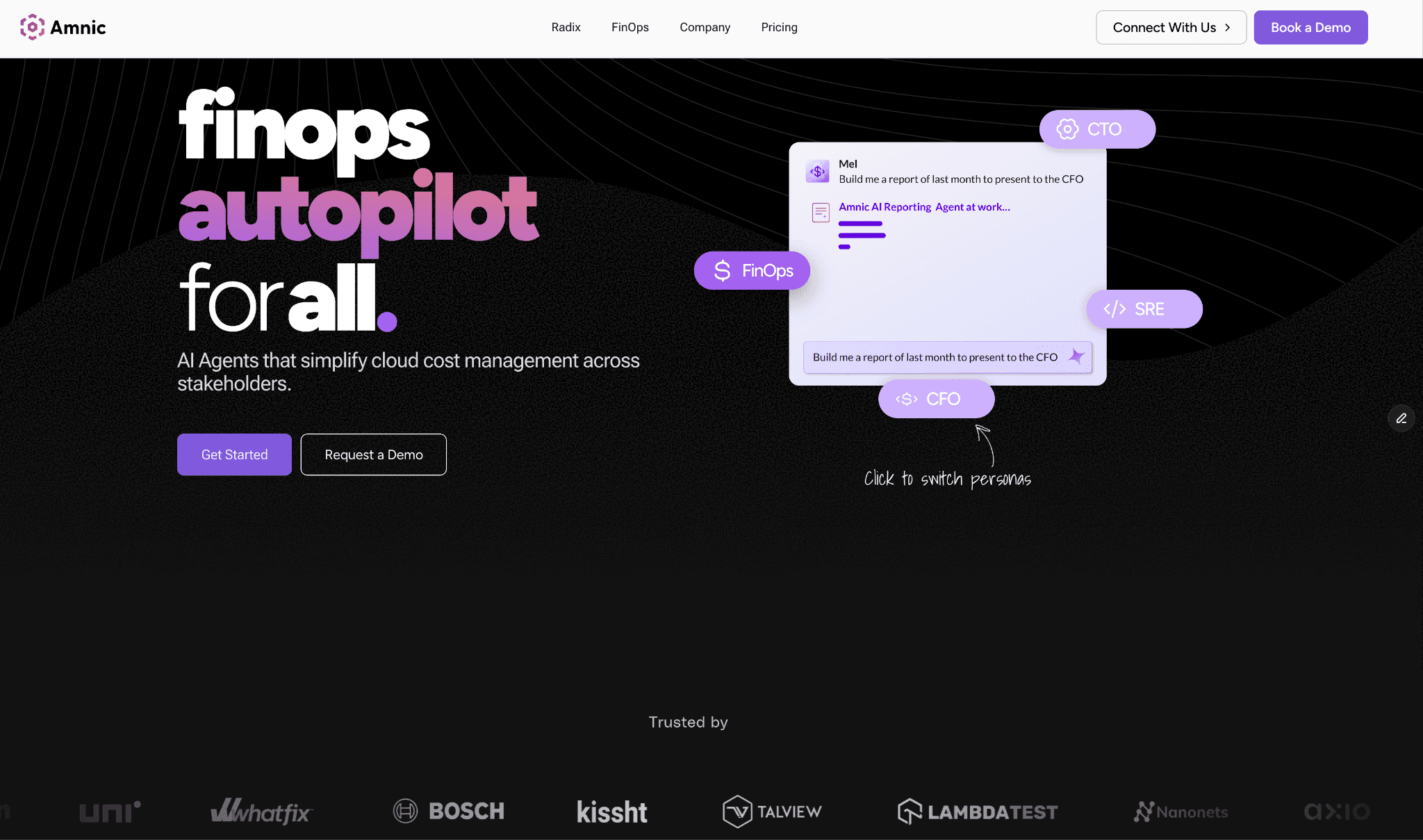
Amnic is a FinOps OS built on a multi-cloud cost allocation engine. It connects to AWS, Azure, GCP, Oracle Cloud, and Alibaba Cloud and ties every dollar to a team, product, feature, or customer through a context-aware AI agent layer (X-Ray, Insights, Governance, Reporting). Engineering, finance, and leadership read the same dashboard, each in a view shaped for their role.
The platform drills from account to service to resource level. A team analyses an S3 bucket cost by operation and resource ID, or builds persona-aware cost dashboards tailored to engineers, managers, and CFOs. That role-based granularity is the clearest separation from native cloud reporting.
Key features that matter to decision makers:
Four context-aware AI agents on a unit economics modeling backbone. X-Ray Agent benchmarks cloud financial health in under 30 seconds. Insights Agent answers persona-aware questions in plain language. Governance Agent catches budget drift and tag hygiene gaps. Reporting Agent builds CFO-ready reports on demand.
Cost anomaly intelligence with custom thresholds at the tag, product, or service level. The module catches spend spikes early and has saved customers 10 to 15% of yearly cloud spend.
Virtual tagging layer that combines prod, PROD, and production into one clean rule without changes to underlying infrastructure.
Kubernetes cost intelligence at the container, pod, node, and PVC level. One customer ran a cluster where developers requested 923 cores, used 457 cores, and accepted Amnic's recommendation to scale down to 735 cores, saving 188 cores in a single recommendation cycle.
Shared-infrastructure allocation with three split rule types: fixed percentages, proportional splits, and meter-based rules that distribute cost based on actual API calls, query counts, or other usage signals.
FinOps for AI cost tracking on Amazon Bedrock today, with OpenAI and Anthropic coverage on the roadmap.
Cloud inventory intelligence that maps every deployed resource by IP, product, and team, so security and cost data sit in one workflow.
Read-only architecture with SOC 2 Type II, ISO 27001, and GDPR compliance. Security teams approve deployment in days rather than months.
Pricing:
Custom, typically 0.25% to 1% of monitored cloud spend. Amnic offers a one-month free trial on the startup tier with no credit card.
Enterprise plans scope to your cloud footprint and include access to a named Amnic cost expert. See the full Amnic pricing page for tier breakdowns. Cost grows with what you actually monitor rather than a fixed seat license.
Pros:
Covers AWS, Azure, GCP, Oracle Cloud, and Alibaba Cloud in one view. The only platform on this list that goes beyond the standard three hyperscalers.
Four context-aware AI agents let any persona query cost data in plain language. A CFO, SRE, or FinOps analyst gets the same answer in a format shaped for their role, without SQL or cloud taxonomy knowledge.
Read-only deployment removes the security review class that blocks write-access platforms. Most US security teams clear Amnic in days.
Unit economics modeling ties cloud spend to business metrics like cost per loan processed or cost per query. Finance and product leaders get a view native cloud tools cannot produce.
Documented customer outcomes span 20% to 50% reductions on specific cost lines. Named case studies include LambdaTest (30% NAT and CloudWatch reductions), Nanonets (40% compute reduction, 50% S3 reduction, 60% intra-region network reduction), MetaMap (33% EC2 reduction), Uni (20% infrastructure reduction), Open Financial (30% cloud reduction), and Jiffy.ai (50% cluster reduction).
Cons:
AI workload cost tracking covers Amazon Bedrock today. OpenAI and Anthropic intelligence is on the roadmap, so teams that need active tracking across all three model providers should confirm the timing during the sales conversation.
Pricing grows with cloud spend on the percentage-of-spend model. Larger enterprises should negotiate a spend cap during contracting.
"Using Amnic has been nothing short of transformational. The platform is able to analyze our cloud costs at a depth that would take us several hours, if not days to understand better. We are able to spend a few hours each week and save costs that run into thousands of dollars, but what's more impressive is how Amnic has become an integral part of our cloud toolchain."
Ajeesh Achuthan, Co-Founder & CTO, Open Financial. Read the Open Financial case study.
Start free with Amnic · Book a demo
2. CloudZero
Best for: SaaS engineering teams that need cloud spend mapped to product features, customers, or deployments rather than service-level totals.
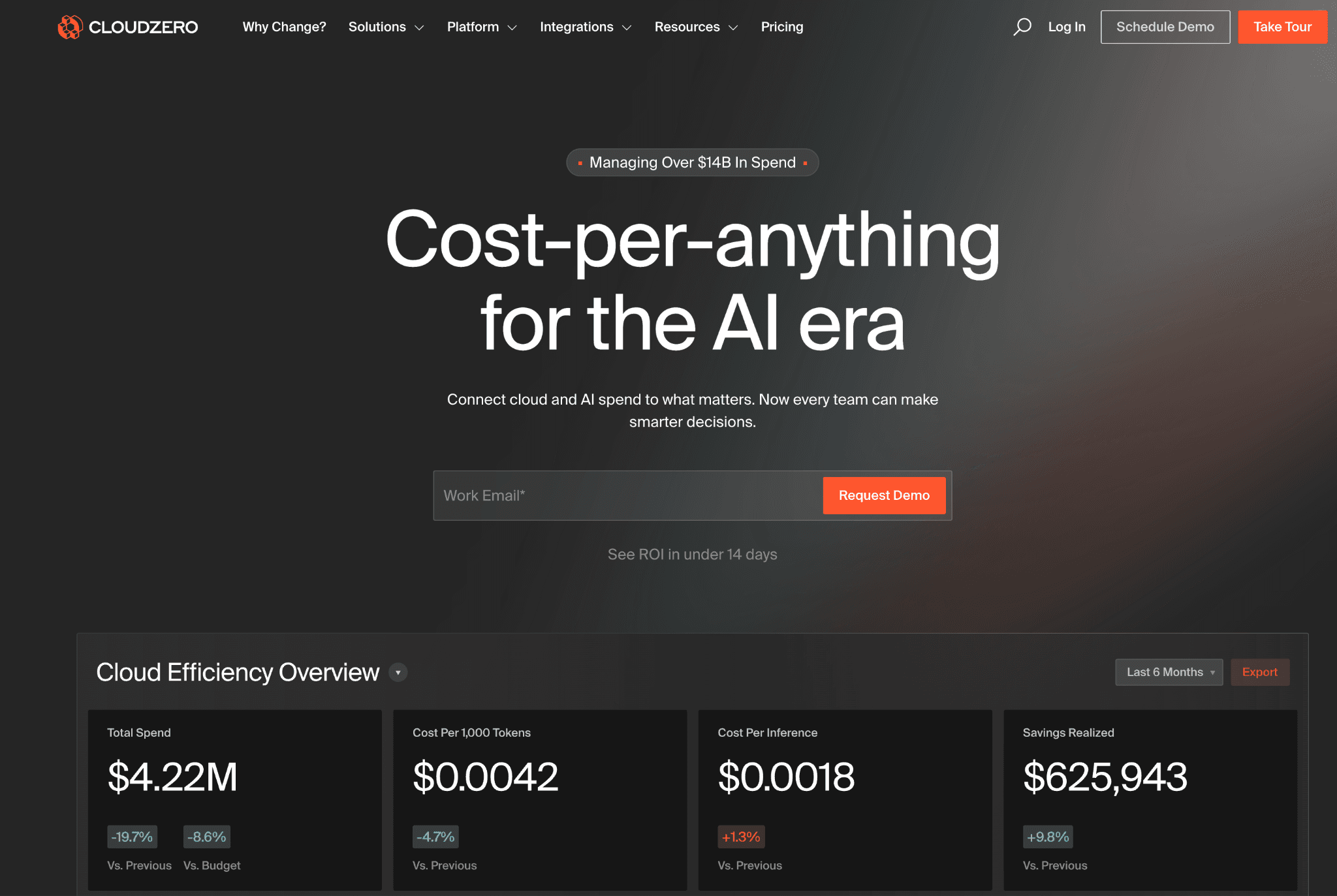
CloudZero connects cloud and AI spend to business outcomes like cost per customer, cost per feature, and cost per deployment. The CostFormation allocation engine is the differentiator that engineering leaders at growth-stage SaaS companies most often cite.
Public CloudZero customer logos include Coinbase, Salesloft, Hiya, Malwarebytes, and Nubank. CloudZero claims the platform "pays for itself in less than 3 months" on its pricing page, though no public numbers back up the claim.
Key features:
CostFormation allocation engine that maps every cloud dollar to a product feature, customer, or deployment using your own business metrics. No SQL required.
AnyCost API for non-cloud SaaS spend ingest. Pulls in Snowflake, Databricks, and other SaaS line items so the full cost of a feature includes every dependency.
Anomaly alerts at team and product level with Slack and email routing.
Kubernetes cost views with allocation by workload and namespace.
Claude Code plugin that embeds cost intelligence into engineering workflows (added in the 2026 product cycle).
Monthly check-ins with a named FinOps Account Manager included in every paid tier.
Pricing:
Tiered and contract-only. CloudZero does not publish a rate card. The pricing page lists "request pricing" only. Customers report mid-five-figures to mid-six-figures annual contracts depending on cloud spend under management.
No self-serve tier and no free trial. Most evaluations require a formal sales engagement before access.
Pros:
CostFormation is the most-cited unit economics layer for SaaS companies. Engineering leadership at growth-stage SaaS firms uses it as the reference tool for cost-per-customer reporting.
AnyCost API pulls Snowflake and Databricks spend into the same allocation view as AWS or Azure, which is rare in this category.
Unlimited user access on every paid tier removes seat-license friction for cross-functional FinOps teams.
Cons:
Enterprise-only pricing with no self-serve option rules CloudZero out for teams under roughly $500K annual cloud spend.
Kubernetes coverage is lighter than dedicated K8s tools. Heavy EKS or GKE workloads typically still need a second platform alongside CloudZero.
No native LLM cost tracking for Bedrock, OpenAI, or Anthropic published on the product page at time of writing. AI-heavy teams should confirm coverage directly.
No public pricing makes budgeting and procurement harder than it needs to be.
Customer signals: Coinbase, Salesloft, Hiya, Malwarebytes, Nubank logos on the pricing page. We did not find a verifiable verbatim G2 review at publish time. Verify on the CloudZero G2 page before publishing.
3. Vantage
Best for: Startups and mid-market teams that need multi-cloud and SaaS cost analytics without going through a sales conversation.
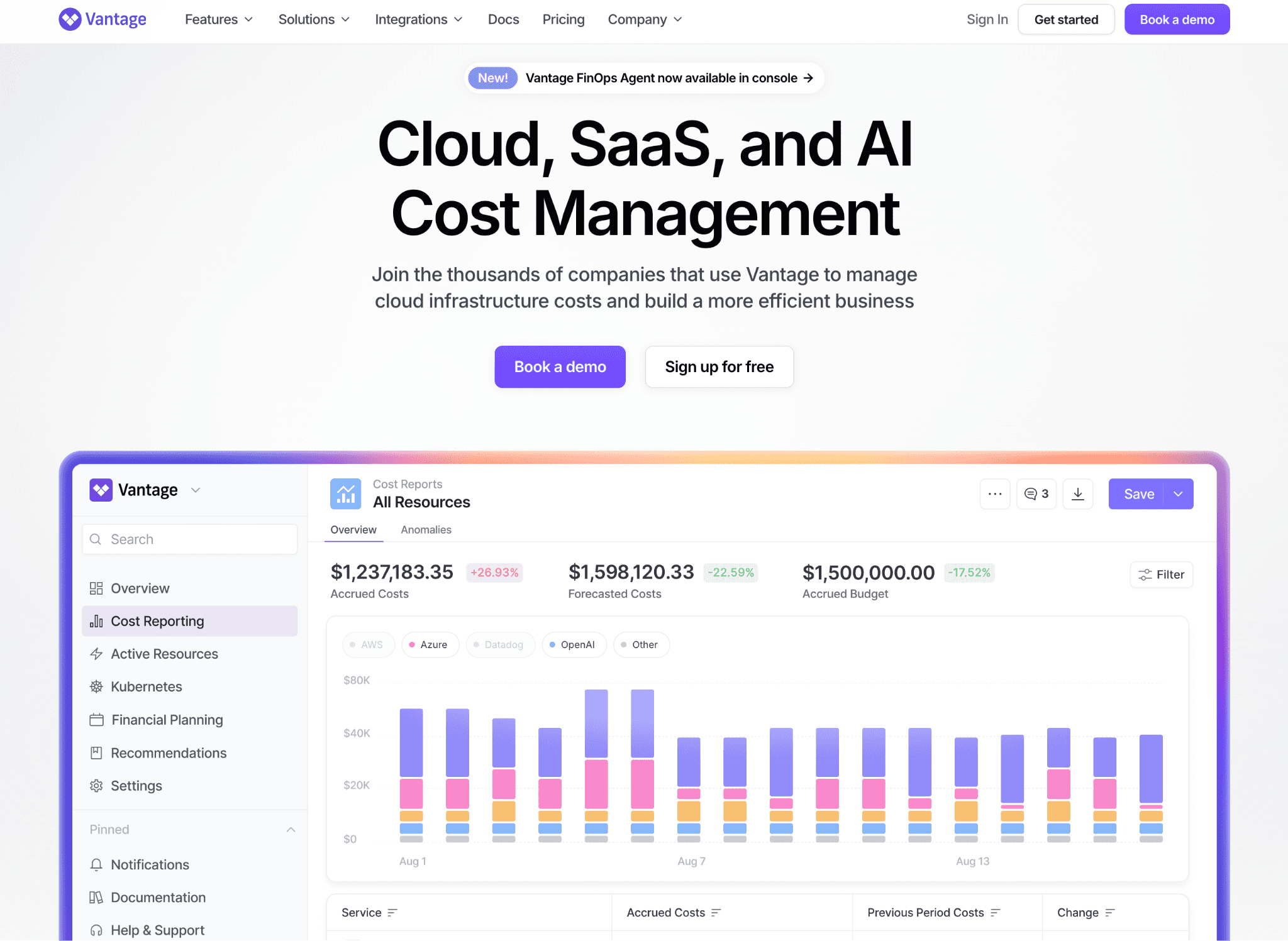
Vantage publishes the most transparent pricing in this category and supports 20+ providers in one view. Named customers on the pricing page include Square, PBS, FanDuel, PlanetScale, Barstool Sports, CircleCI, Canva, Boomi, Rippling, HelloFresh, Joybird, Starburst, and Metronome.
Key features:
20+ provider integrations including AWS, Azure, Google Cloud, Oracle Cloud, Kubernetes, Datadog, Snowflake, OpenAI, Anthropic, Cursor, MongoDB, Databricks, Grafana, GitHub, New Relic, Confluent, Twilio, PlanetScale, ClickHouse, Linode, Coralogix, Vercel, Fastly, Temporal, Redis, CircleCI, Elastic, and Anyscale.
Cost report builder with tag, account, service, and time-range scoping that any team member can use without admin access.
Active anomaly notifications with team-level routing based on cost report ownership.
Autopilot for AWS Savings Plans on the Pro tier and above, which automates commitment purchase decisions.
Virtual tagging on Pro tier and above for retroactive allocation.
Automated FinOps Agent on the Enterprise tier for natural-language cost queries.
SAML SSO on every tier including the free Starter tier.
Pricing (publicly listed):
Starter: Free. Up to $2,500 in tracked cloud spend. 3 users. 6-month data retention.
Pro: $30 per month. Up to $7,500 tracked spend. Adds Autopilot, virtual tagging, 5 users. 14-day trial.
Business: $200 per month. Up to $20,000 tracked spend. 10 users. 12-month data retention.
Enterprise: Custom. Unlimited tracked spend, unlimited users, unlimited retention, dedicated account rep, Automated FinOps Agent.
Pros:
Most transparent pricing in this list. A team knows what every tier costs before talking to sales.
Free Starter tier with no time limit makes Vantage usable as a long-term layer for small teams, not just a trial.
20+ provider integrations including AI APIs (OpenAI, Anthropic, Cursor) and data tools (Snowflake, Databricks, MongoDB Atlas) make it the strongest pick for teams that want total infrastructure cost in one place.
Autopilot for AWS Savings Plans handles commitment decisions at the Pro tier and above without write access to your full cloud account.
Cons:
The tracked-spend caps on Starter and Pro tiers ($2,500 and $7,500) mean any team with material spend ends up on Business or Enterprise within months.
Natural language querying lives in the Enterprise tier (FinOps Agent), so smaller customers do not get AI-assisted cost analysis.
Anomaly governance is mostly alert-based. Ownership routing, tag hygiene policies, and budget enforcement are thinner than dedicated platforms.
Alibaba Cloud support is absent.
Customer signals: Square, PBS, FanDuel, PlanetScale, Barstool Sports, CircleCI, Canva, Boomi, Rippling, HelloFresh, Joybird, Starburst, Metronome named on the pricing page. We did not find a verifiable verbatim G2 review at publish time. Verify on the Vantage G2 page before publishing.
4. Finout
Best for: Teams with inconsistent or incomplete tagging that need retroactive cost allocation across cloud, Kubernetes, and SaaS spend.
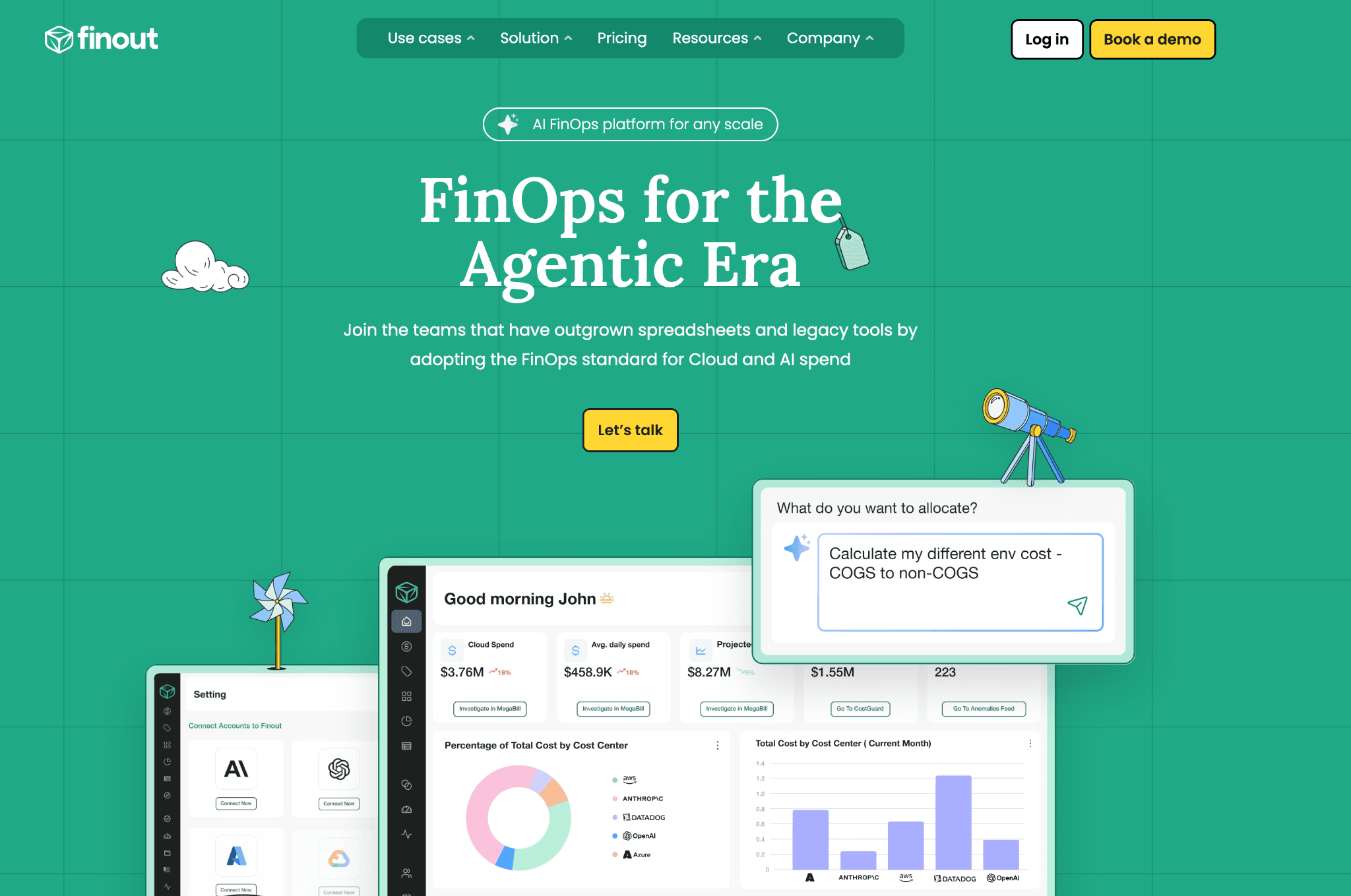
Finout's value sits in its MegaBill data layer and the AI-Powered Vtags rule engine, which retroactively assigns costs to the right owner even when engineers forgot to tag resources. The product covers AWS, GCP, Azure, and Oracle Cloud (OCI), plus Kubernetes and major SaaS providers in one view.
Key features (named modules from Finout):
MegaBill: unified cost data layer that normalises cloud, Kubernetes, and SaaS spend into one schema.
AI-Powered Vtags (Virtual Tags): rule engine that applies AI to assign untagged resources to the right team retroactively.
Shared Cost: allocation module for shared infrastructure across teams and business units.
CostGuard and CostGuard Scans: rightsizing and waste identification engine.
Anomaly Detection: spend deviation alerts at cost dimension level.
FinOps Dashboard: persona-aware reporting and visualisation.
Financial Plans: budget, forecast, and planning module.
Integrations: OpenAI, Anthropic, Kubernetes, Snowflake, Databricks, Slack, Datadog, Jira, ServiceNow, Microsoft Teams.
SOC 2 Type II, ISO 27001, GDPR compliant. RBAC and SSO/SAML on every tier.
Pricing:
Contract-based. No public rate card. Most engagements start with a guided proof of concept.
Pros:
AI-Powered Vtags is the strongest retroactive allocation layer in this category. Teams with three years of badly tagged spend can assign it to the right cost centres without re-tagging cloud resources.
Includes OpenAI and Anthropic cost integrations natively, which is rare in this category.
Multi-cloud plus SaaS plus Kubernetes coverage in one view, similar to Vantage with deeper rule-based allocation logic.
Named customer outcomes published on the Finout site: Choice Hotels (98% allocation, 90% faster response), Alchemy (98% allocation, 30% cost reduction, 90% faster fixes), Holland & Barrett (saved $60K+ on Datadog), Demandbase (90% allocation, 10x faster insights).
Cons:
No self-serve or free tier, so smaller teams hit procurement friction.
Kubernetes cost intelligence is functional but lighter than purpose-built K8s tools like Kubecost or CAST AI.
Pricing is not publicly disclosed, which makes budgeting and side-by-side comparison harder.
Customer signals: Choice Hotels, Alchemy, Holland & Barrett, Demandbase with public outcome metrics on the Finout product page. We did not find a verifiable verbatim G2 review at publish time. Verify on the Finout G2 page before publishing.
5. Apptio Cloudability
Best for: Large enterprises that need finance-grade chargeback and showback intelligence with audit-ready policy controls.
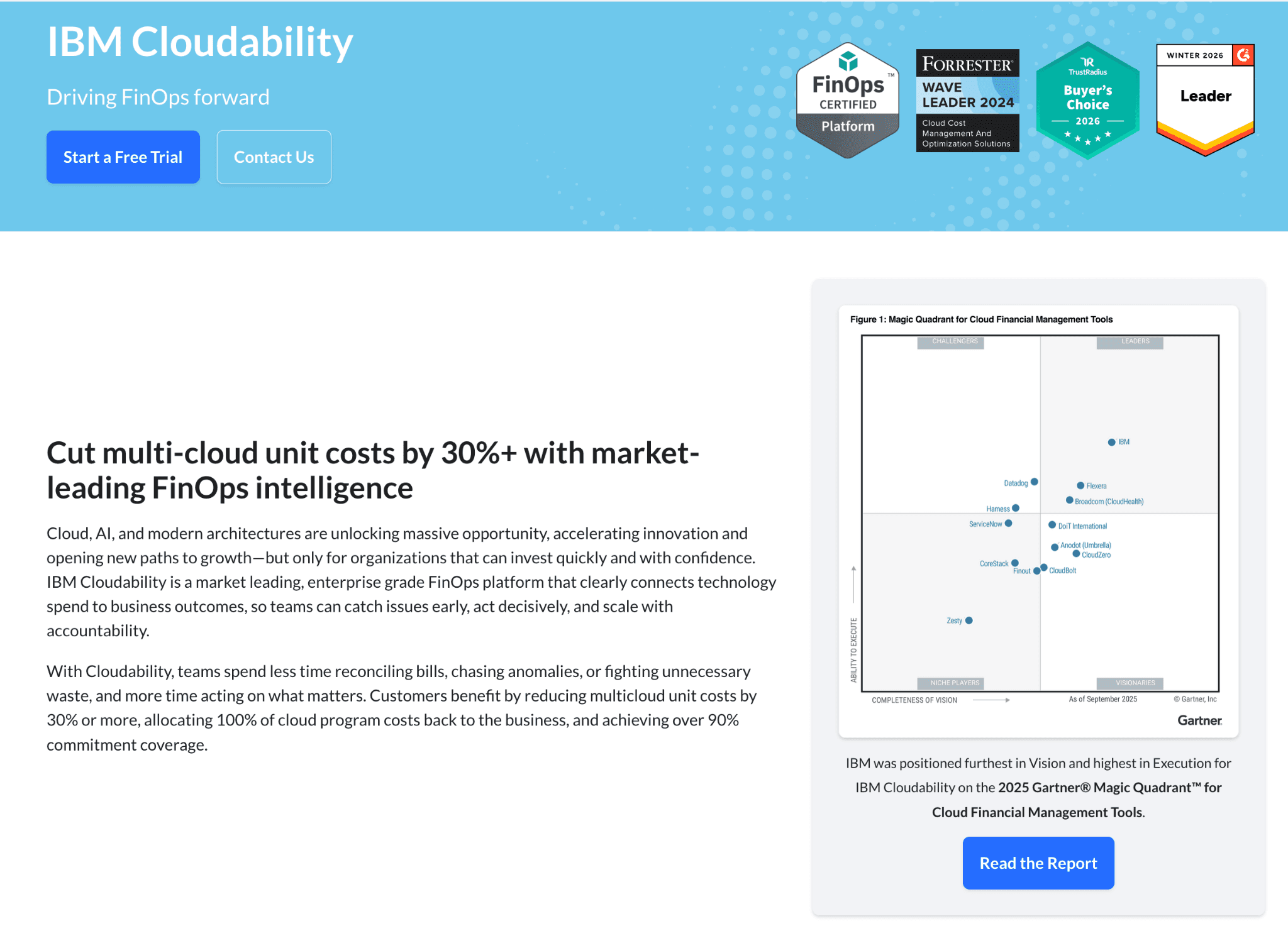
Cloudability is part of IBM Apptio after the 2023 acquisition. It carries veteran reporting depth and enterprise governance and fits organisations with a dedicated FinOps team that runs monthly business reviews and reports to a CFO.
Key features:
Policy-based allocation across AWS, Azure, and GCP with audit trail for finance reviews.
Chargeback and showback reports with documented allocation rules for shared services.
Reservation and Savings Plan analytics with coverage modelling against actual usage.
BI tool integrations including Tableau and Power BI on a scheduled export basis.
Multi-cloud governance with policy enforcement and approval workflows for budget breaches.
Recently consolidated with Kubecost under the IBM Apptio brand, which is bringing Kubernetes allocation directly into the Cloudability product.
Pricing:
Sold through IBM enterprise agreements. No self-serve option. No free trial. Most deployments include IBM professional services. Typical deploy timeline is 6 to 12 weeks. Pricing is not publicly disclosed.
Pros:
One of the most established platforms in this category, with over a decade of enterprise deployments. CFOs and procurement teams who prefer proven vendors tend to default to it.
Chargeback intelligence is among the most detailed available, with policy rules that hold up under finance audit requirements.
Reservation analytics and committed-use discount modelling cover AWS, Azure, and GCP in a single view, reliable for enterprises with large commitment portfolios.
Kubecost consolidation gives Cloudability customers Kubernetes allocation without a second vendor.
Cons:
Deployment takes 6 to 12 weeks and typically requires IBM professional services, which delays time to first insight and adds to the total cost of ownership.
The interface is designed for trained FinOps analysts. Engineering teams and non-specialists find the learning curve steep.
Product runs on IBM's release cycle, slower than independent FinOps vendors. Roadmap clarity has softened since the IBM acquisition.
No public pricing makes side-by-side procurement comparison difficult.
Customer signals: Cloudability is widely used across Fortune 500 enterprises. Specific named US customer logos are not consistently displayed on the public Apptio site. We did not find a verifiable verbatim G2 review at publish time. Verify on the Cloudability G2 page before publishing.
6. Kubecost (now part of IBM Apptio)
Best for: Kubernetes-first teams that want granular cost allocation by namespace, label, and pod, and are comfortable with the open-source heritage.
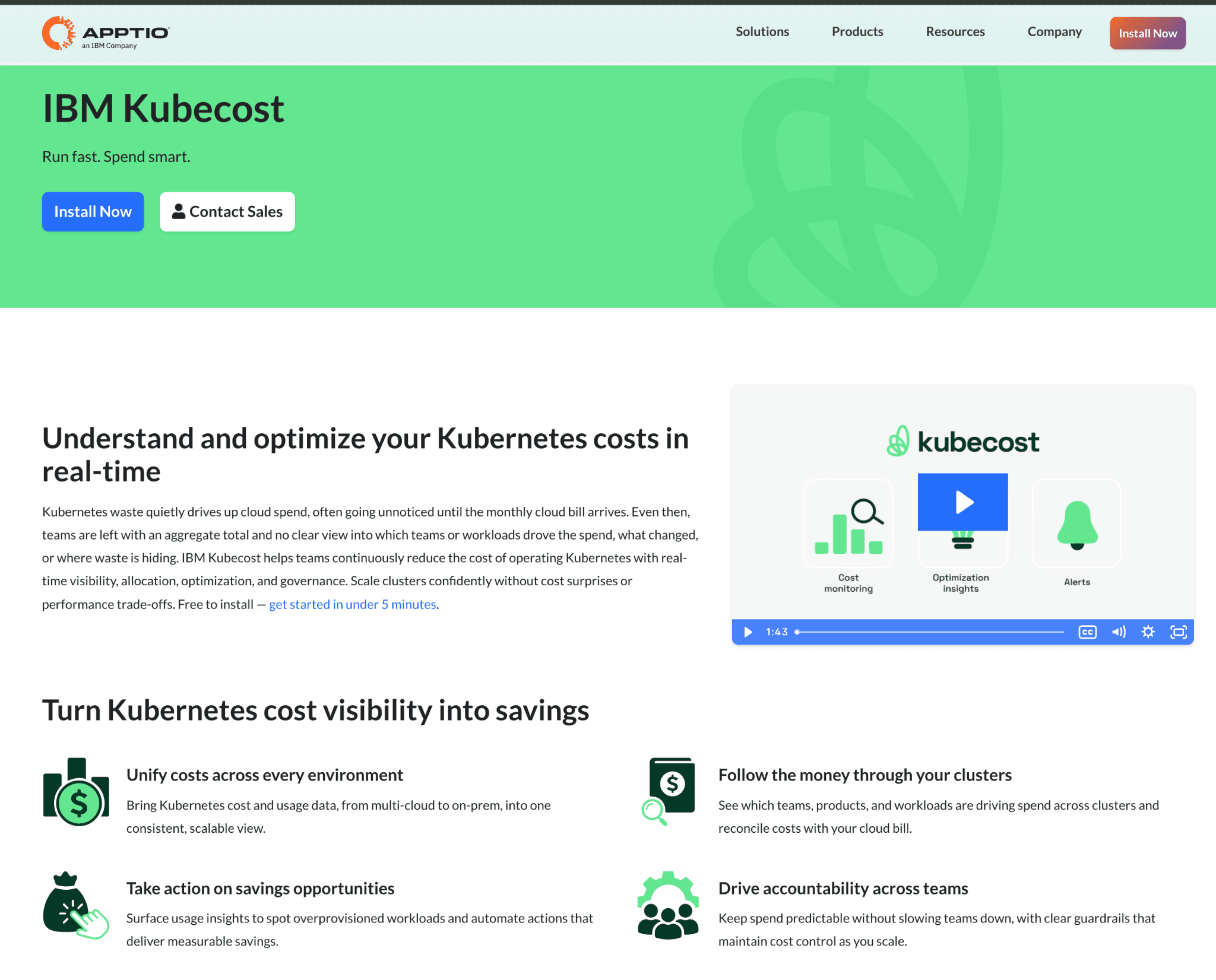
Kubecost is the open-source-rooted Kubernetes cost intelligence platform. IBM completed its acquisition through Apptio, and kubecost.com now redirects to the IBM Apptio product page. The OSS tier remains maintained, but new feature development and enterprise pricing run through IBM.
Key features:
Open-source agent that runs inside your cluster and exports cost data to a dashboard.
Allocation by namespace, label, deployment, statefulset, and pod with daily granularity.
Rightsizing recommendations for pods and nodes based on actual usage.
Multi-cluster views across EKS, AKS, GKE, and OpenShift.
Prometheus integration that matches what most platform engineering teams already run for observability.
Now bundled with Apptio Cloudability for enterprise customers who want Kubernetes plus broader chargeback in one contract.
Pricing:
Free open-source tier covers single-cluster basics. Managed and Enterprise tiers are sold through IBM Apptio under enterprise agreements. Exact pricing is not publicly disclosed and is shaped by the broader Cloudability contract for most buyers.
Pros:
An open-source agent lets engineering teams deploy and prove value before any procurement conversation.
Allocation granularity is among the deepest in the Kubernetes cost intelligence category. Namespace, label, deployment, statefulset, and pod-level views are available out of the box.
Active Prometheus integration matches the observability stack most platform teams already run.
Cons:
Kubernetes-only scope means teams with EC2, RDS, or S3 spend need a second platform alongside Kubecost.
The IBM acquisition has slowed independent roadmap velocity. Confirm release cadence and roadmap during evaluation.
If you are also evaluating Apptio Cloudability, you may end up buying Kubecost twice through different SKUs. Clarify scope with IBM sales.
The brand is being absorbed. Customers who valued Kubecost as an independent vendor should weigh that shift.
Customer signals: Kubecost has a strong open-source user base across the CNCF community. Named enterprise customer logos are not consistently displayed since the IBM transition. Verify on the Kubecost G2 page before publishing.
7. CAST AI
Best for: Kubernetes engineering teams that want cluster cost analytics with a free savings projection before any contract conversation.
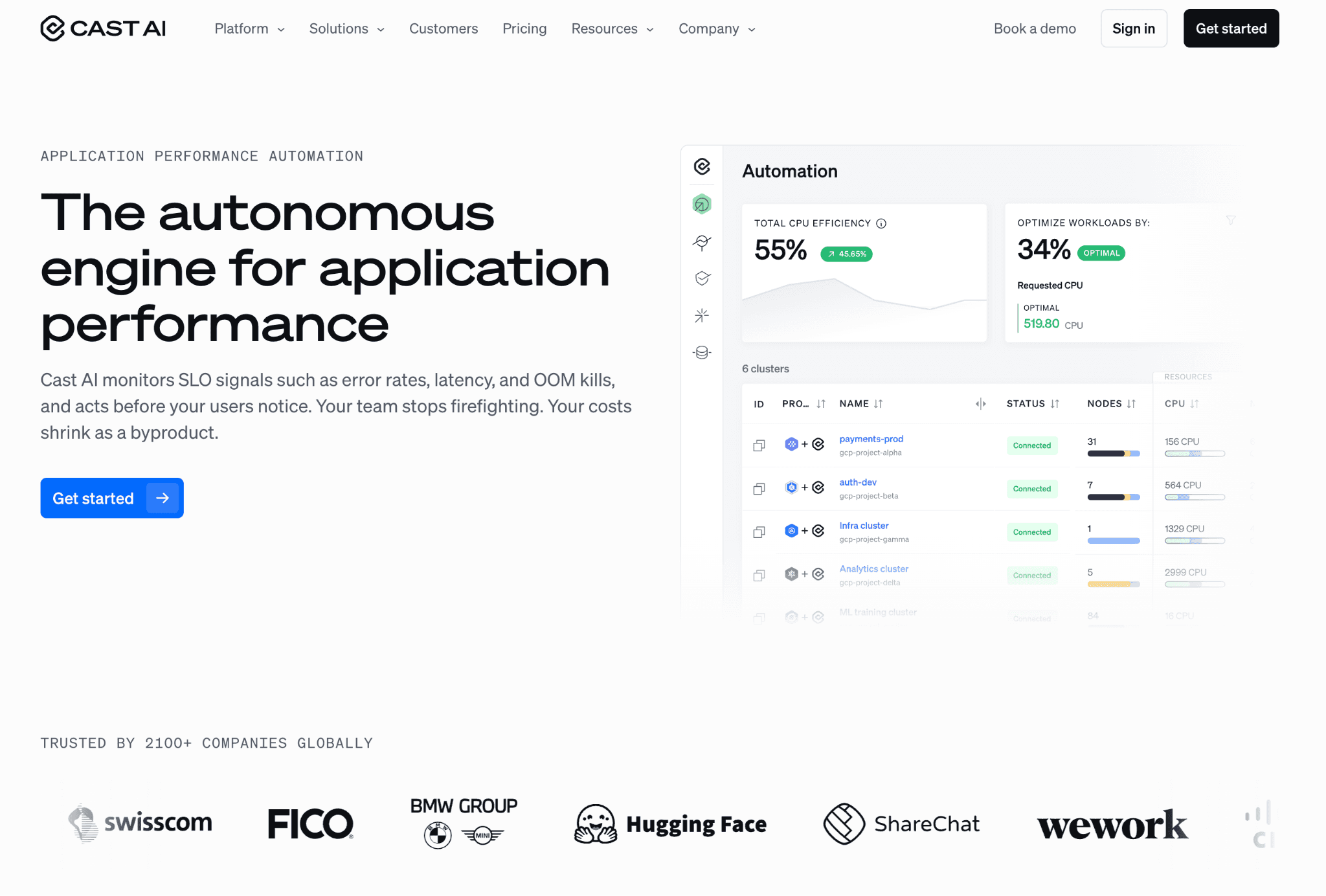
CAST AI delivers Kubernetes cost analytics with automated rightsizing for pods and nodes. The free cluster savings report before sign-up is a real differentiator in a category where most vendors require a full sales process first.
Key features:
Pod rightsizing and bin packing based on actual container CPU and memory consumption. Savings estimates show before any change is applied.
Node type selection that evaluates instance families and switches to cheaper options when workload requirements allow.
Spot fallback and rebalancing with automated pod movement when spot nodes are reclaimed.
Free savings report on your actual cluster data before any commitment, viewable inside your account in under 30 minutes.
Security posture scanning that surfaces RBAC misconfigurations and over-privileged workloads alongside cost data.
Multi-cloud Kubernetes coverage across EKS, AKS, and GKE in one platform.
Pricing:
Percentage of Kubernetes cost savings delivered, with no upfront fee. CAST AI does not publish the exact percentage on the public site. The savings-share model is easy to justify internally since the tool pays for itself out of realised savings, but teams should model the long-term share before signing.
Pros:
Pod rightsizing recommendations are based on actual workload data from inside the cluster rather than conservative buffer estimates, which typically yields larger savings than rules-based tools.
The free pre-sign-up savings report shows a concrete number before asking for any commitment. Most teams use it to get internal budget approval before procurement.
Multi-cloud Kubernetes coverage across EKS, AKS, and GKE in one platform.
Cons:
Kubernetes-only scope. Teams with meaningful EC2, RDS, or S3 spend need a second platform alongside CAST AI.
Full automation requires write access at the cluster level. Some security teams will not approve this, particularly in regulated industries.
Finance and executive reporting is minimal. No chargeback reports, no unit economics modelling, no budget governance, so CAST AI cannot serve a CFO as a standalone cost intelligence layer.
Pricing percentage is not publicly disclosed, which makes contract comparison harder.
Customer signals: Public CAST AI customer logos include Akamai, BMW, Snyk, Hugging Face, and Hyatt. We did not find a verifiable verbatim G2 review at publish time. Verify on the CAST AI G2 page before publishing.
8. Datadog Cloud Cost Management
Best for: Observability-first SRE teams already running Datadog that want cost data correlated with APM, log, and trace events.
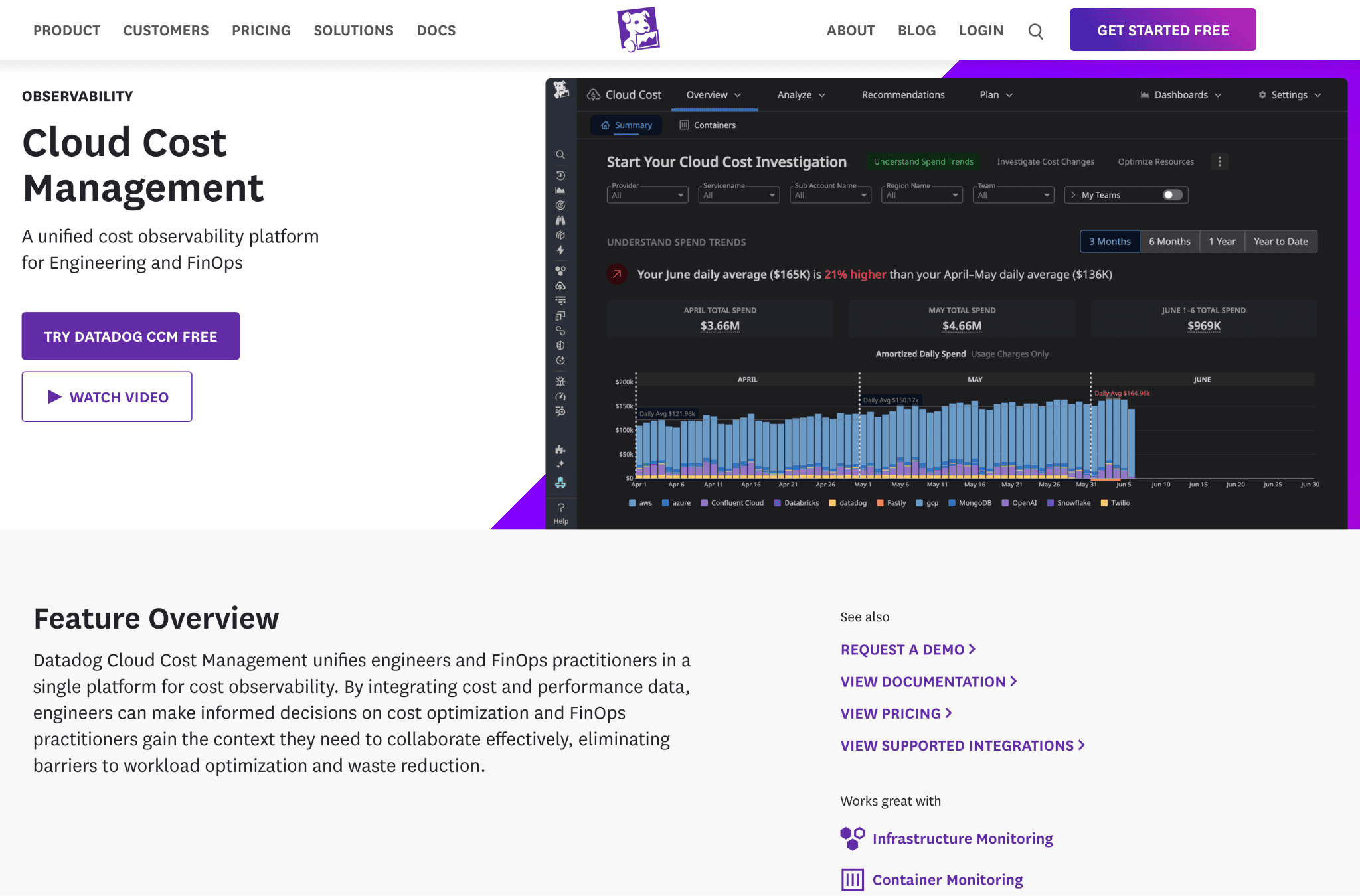
Datadog Cloud Cost Management adds cost views to the Datadog observability platform. The pitch is one tool for performance and cost. The reality is that pricing scales with hosts and ingestion, so total cost of ownership grows quickly for teams whose primary need is cost intelligence, not observability.
Key features:
Cost views joined with APM, log, and trace data in a single dashboard.
Custom allocation by tag using Datadog's existing tag hierarchies. Teams avoid building a separate tagging strategy.
Anomaly detection on cost metrics using Datadog's statistical models.
Existing Datadog dashboard infrastructure carried over to cost widgets. Teams add cost panels to existing operational runbooks.
Alert routing through existing Datadog incident channels and team structures.
AWS, Azure, and GCP cost data ingested via cloud provider integrations.
Pricing:
Add-on to an existing Datadog subscription, billed by the number of cloud accounts monitored. The exact per-account rate is not publicly disclosed on the Datadog pricing page.
Pros:
SREs already in Datadog get cost data in the same dashboard as latency, error rates, and logs. The context switch most FinOps tools require disappears.
Correlating cost anomalies with APM traces is a capability no other tool on this list offers out of the box.
Existing Datadog alert routing, team structures, and tag hierarchies carry over to CCM without extra setup.
Cons:
Datadog pricing scales with hosts, log volume, and ingestion. Adding CCM to a large Datadog deployment pushes the combined bill well above what a purpose-built cost intelligence tool would cost.
No unit economics modelling, no chargeback reports, and no budget governance layer. Finance teams cannot use it as their primary cost platform.
Multi-cloud allocation rules and tag hygiene enforcement are thinner than purpose-built FinOps platforms.
Pricing is not publicly disclosed.
Customer signals: Datadog has thousands of public customer logos across observability, but specific CCM case studies are limited. We did not find a verifiable verbatim G2 review specific to CCM at publish time. Verify on the Datadog G2 page before publishing.
9. New Relic Cloud Cost Intelligence
Best for: Observability-first teams that want telemetry-driven cost views updated hourly inside the New Relic platform.
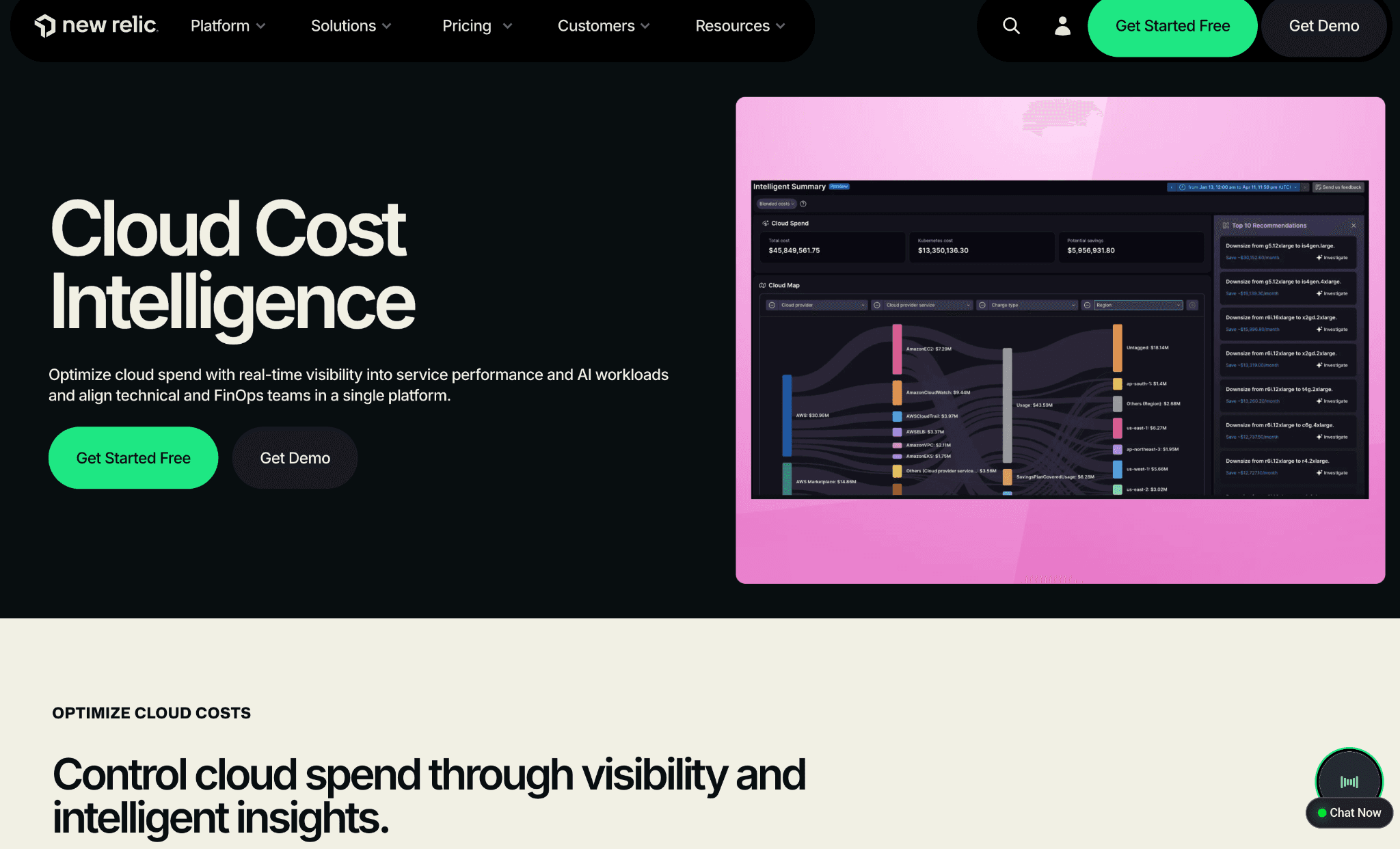
New Relic Cloud Cost Intelligence is the only product on this list literally named "Cloud Cost Intelligence." It connects cloud cost data with New Relic telemetry and observability workflows, so spend ties to actual infrastructure usage and service performance rather than to billing data alone.
Key features:
Real-time cost change monitoring across AWS, Azure, GCP, and Kubernetes.
Drill-down from applications to individual resources.
Budget guardrails with threshold-based alerting at team, product, and environment level.
Right-sizing recommendations based on actual usage patterns from telemetry data.
Savings plan suggestions grounded in observed infrastructure usage.
Seasonality-aware recommendations that account for known traffic patterns.
Cost attribution by product, team, service, and resource.
FinOps agent for step-by-step guidance through cost workflows.
Combined cost and performance data in one dashboard, so teams trace cost spikes to deployment events or traffic surges.
Pricing:
Included with the New Relic platform on usage-based pricing. No separate add-on fee for CCI in most plans. Total cost depends on data ingest volume and user count.
Pros:
Hourly cost granularity is among the fastest in the category. Most CUR-based platforms refresh once daily.
Telemetry-driven cost data reflects infrastructure changes within an hour of resource provisioning, useful for incident response when a deploy unexpectedly spikes spend.
Tight integration with New Relic APM, infrastructure, and Kubernetes telemetry for teams already on the platform.
New Relic is a FinOps Foundation Member, which signals practice alignment for buyers who care about that.
Cons:
Requires a paid New Relic subscription, so the cost intelligence layer is not available as a standalone purchase.
Unit economics modelling is limited compared to dedicated platforms like CloudZero or Amnic. Cost-per-customer and cost-per-feature views require manual setup.
Multi-cloud coverage exists but Azure and GCP depth is lighter than AWS in current product reviews.
No chargeback or showback reporting designed for finance audits.
Customer signals: New Relic has thousands of public observability customers. CCI-specific case studies are limited at time of writing. Verify on the New Relic G2 page before publishing.
10. nOps
Best for: AWS-heavy SaaS and AI engineering teams that want automated commitment intelligence plus Kubernetes and GenAI cost views in one platform.
nOps ships five named modules: Inform (cost analysis and reporting), Operate (allocation and showback), Optimize (savings recommendations), Clara (a FinOps AI agent for natural-language queries), and MAP Manager (AWS MAP milestone tracking). The platform manages "$4B+ in annual cloud spend" per their public claim and is AWS-led with secondary Azure and GCP support.
Key features:
40+ filters across multicloud, Kubernetes, SaaS, and GenAI spend, with hourly granularity.
Real-time anomaly detection across the full cost surface.
Container-level cost breakdowns matched 100% to the AWS Cost and Usage Report at the pod level.
Automatic showbacks using metadata, even when tagging is incomplete (uses Environment, Account, Usage Type, Kubernetes labels and namespaces).
Rightsizing, idle cleanup, and purchasing recommendations in one feed with effort-versus-impact scoring.
Adaptive Laddering for automated Reserved Instance and Savings Plan management.
GenAI cost views that compare OpenAI, Bedrock, Amazon Nova, and Anthropic Claude in a single dashboard. Token, API, and GPU spend visibility included.
AWS MAP Manager for milestone and credit tracking on AWS MAP-funded migrations.
AWS Advanced Technology Partner, FinOps Foundation Premier Member, SOC 2 compliant.
Pricing:
Not publicly disclosed on the product page. Earlier industry reporting cited a percentage-of-savings model on the commitment intelligence product, but the current product page does not specify. Contact sales for current terms.
Pros:
Adaptive Laddering for Reserved Instances and Savings Plans handles AWS commitment decisions without manual quarterly reviews. Public claim is 50% or more autonomous savings.
GenAI cost views cover OpenAI, Bedrock, Nova, and Claude in one place, which is the broadest model-provider coverage on this list.
Container-level cost data matched to the Cost and Usage Report at the pod level closes the gap between AWS billing and Kubernetes allocation.
Named customers include Sonos, Roku, Arlo, Camlin, Comment Sold, iSpotTV, SignalFire, StartPoint, and WGTwo.
G2 rating of 4.8 as of May 2026.
Cons:
AWS-first scope means Azure and GCP coverage is lighter. True multi-cloud teams should evaluate Vantage or Amnic alongside.
Commitment automation requires write access to your AWS account, which some security teams will not approve.
The platform leans engineering-first. Finance teams who need audit-ready chargeback should pair nOps with Cloudability or Amnic.
Pricing is not publicly disclosed.
Customer signals: Sonos, Roku, Arlo, Camlin, Comment Sold, iSpotTV, SignalFire, StartPoint, WGTwo named on the nOps product page. G2 4.8 rating. Verify a specific verbatim review on the nOps G2 page before publishing.
How Cloud Cost Intelligence Is Different From Native Cloud Reporting
AWS Cost Explorer, Azure Cost Management + Billing, and GCP Cost Management each give you a slice of the picture. They show what one cloud charged you, broken down by service, account, region, and tag. That is reporting, not intelligence.
A cloud cost intelligence platform sits on top of those exports and adds three things native tools cannot produce. First, it normalises spend across AWS, Azure, GCP, Oracle Cloud, Alibaba Cloud, and Kubernetes into one schema, so a CFO sees one number. Second, it applies an allocation engine that maps spend to teams, products, features, and customers, which is unit economics, not service-level totals. Third, it adds an anomaly intelligence layer and AI-agent querying so cost questions answer themselves instead of waiting for a FinOps analyst to write a query.
The simple rule: use native cloud reporting if you have one hyperscaler and one engineering team. Add a cloud cost intelligence platform the moment you have two clouds, two teams, or two stakeholders who need different views of the same number.
Common Mistakes Buyers Make When Choosing a Cloud Cost Intelligence Platform
Five traps come up in nearly every buyer evaluation:
Chasing dashboards instead of decisions. A platform that ships 40 dashboards is not the same as a platform that answers "what does this customer cost us?" Buy the second one. Test it during your trial by asking that question.
Skipping the write-access risk review. Automation-led platforms need write access to your cloud account. That is a security review your team has to clear before procurement, not after. Read-only platforms like Amnic and most reporting-led tools remove this class of risk entirely.
Buying without a unit economics view. Service-level totals tell you what AWS charged. Cost per customer, cost per feature, or cost per query tells you what your product is worth. If the platform cannot model unit economics, it is a reporting tool with a nice UI.
Ignoring AI workload cost intelligence. AI inference cost is the fastest-growing line item for AI-native teams. Confirm the platform supports Bedrock, OpenAI, and Anthropic tracking before you sign, not after your AI bill quadruples. One Amnic customer reported their AI spend hit 4x the budget within the first quarter of integrating LLM features.
Buying for one persona only. A CFO and an SRE ask different questions of the same data. Platforms with persona-aware reporting (Amnic agents, CloudZero engineering views, Cloudability chargeback) outperform platforms with one universal dashboard.
How to Pick the Right Cloud Cost Intelligence Tool for Your Stage
Match the platform to your stage and the dominant constraint on your team:
Startup, single cloud, under $50K monthly spend: Vantage Starter (free tier, up to $2,500 tracked spend) or the Amnic startup trial. Time-to-insight matters more than enterprise governance.
Mid-market, multi-cloud, $50K to $500K monthly spend: Amnic or CloudZero. Amnic if you need multi-cloud plus Kubernetes plus AI agents on a read-only deployment. CloudZero if SaaS unit economics through CostFormation is your single most important output.
Enterprise, regulated industry, $500K to several million monthly spend: Cloudability for audit-grade chargeback, Amnic for AI-agent querying on top of read-only deployment, or both. Most enterprises run two platforms by year three.
Kubernetes-first team, container costs dominate: Kubecost (with the IBM Apptio caveat) for namespace allocation, CAST AI for cluster analytics with savings projection, or Amnic Kubernetes intelligence if you also need multi-cloud coverage.
AI-heavy team, model inference is your fastest-growing line: nOps for OpenAI, Bedrock, Nova, and Claude coverage in one view; Amnic for Bedrock today plus the rest on roadmap; Finout for OpenAI and Anthropic integrations alongside cloud cost.
Observability-first SRE team: Datadog CCM or New Relic Cloud Cost Intelligence as a layer on top of an existing observability stack. Pair with a dedicated FinOps platform for unit economics.
When Amnic Is the Right Pick (And When It Is Not)
Three reasons Amnic fits:
You run on two or more clouds, plus Kubernetes, and want one platform that covers all of them with persona-aware views. The five-cloud coverage (AWS, Azure, GCP, Oracle, Alibaba) is unique on this list.
You want a CFO, SRE, or FinOps analyst to query cost data in plain language without learning cloud taxonomy. The four AI agents (X-Ray, Insights, Governance, Reporting) are designed for that, with persona-aware response formatting.
Your security team rejects write-access platforms or stalls them in review for months. Amnic deploys read-only and clears most US security reviews in days.
Two reasons Amnic is not the right pick:
You only run on AWS and only need Reserved Instance and Savings Plan automation with write access. nOps or ProsperOps will fit better.
You only need Kubernetes cluster rightsizing with automated execution. CAST AI is purpose-built for that single use case.
Honest evaluation matters more than ranking position. If Amnic is not the right fit, the other nine platforms on this list each cover a different buyer.
Frequently Asked Questions
What is the difference between cloud cost intelligence and FinOps?
FinOps is the operating model that aligns finance, engineering, and leadership around cloud spend decisions. Cloud cost intelligence is the data and tooling layer that makes FinOps possible. FinOps without intelligence is a meeting cadence. Intelligence without FinOps is a dashboard nobody acts on.
How is cloud cost intelligence different from generic cost reporting?
Generic cost reporting (AWS Cost Explorer, Azure billing, GCP billing) shows what each cloud charged you broken down by service. Cloud cost intelligence platforms normalise spend across clouds, allocate it to teams, products, features, and customers, detect anomalies, and answer plain-language questions through AI agents. Reporting tells you what happened; intelligence tells you what to do about it.
Which cloud cost intelligence tools support multi-cloud (AWS, Azure, GCP)?
Amnic, CloudZero, Vantage, Finout, Apptio Cloudability, and Datadog Cloud Cost Management all support AWS, Azure, and GCP in one view. Amnic adds Oracle Cloud and Alibaba Cloud coverage, which no other platform on this list offers. CAST AI, Kubecost, and nOps focus more on AWS plus Kubernetes.
Do cloud cost intelligence tools need write access to my cloud?
Most do not. Read-only platforms like Amnic, CloudZero, Vantage, Finout, and Cloudability work with billing exports and metadata only. Automation-led platforms like CAST AI and parts of nOps (specifically Adaptive Laddering for commitments) need write access to execute changes. Confirm with your security team before procurement.
Can cloud cost intelligence tools track AI and LLM spend?
Some do. nOps covers OpenAI, Bedrock, Nova, and Claude. Finout has OpenAI and Anthropic integrations natively. Vantage adds OpenAI, Anthropic, and Cursor. Amnic tracks Amazon Bedrock today with OpenAI and Anthropic on the roadmap. CloudZero, Cloudability, Datadog, and New Relic have partial coverage. Confirm current support during the sales conversation since this category ships fast.
Which cloud cost intelligence tools cover Kubernetes cost allocation?
Amnic, Kubecost, CAST AI, nOps, and CloudZero offer Kubernetes allocation with daily granularity. Kubecost and CAST AI go deepest at the namespace, label, and pod level. Amnic ties Kubernetes cost intelligence into the same dashboard as multi-cloud allocation, which is rare in the category.
How much do cloud cost intelligence tools cost?
Pricing splits three ways. Percentage of cloud spend (Amnic at 0.25% to 1% of monitored spend) is predictable and grows with your bill. Percentage of savings (CAST AI, nOps Adaptive Laddering) carries no upfront fee but compounds over time. Enterprise contracts (CloudZero, Cloudability) start in the high five figures annually and require a sales process. Vantage publishes a transparent four-tier list price (Free, $30, $200, Enterprise).
What is unit economics in cloud spend?
Unit economics in cloud spend means tying every cloud dollar to a business metric like cost per customer, cost per feature, cost per loan processed, or cost per query. It moves cloud cost from a finance line item to a product decision input. Amnic, CloudZero, and Finout model unit economics natively; native cloud tools cannot.
Ready to See Your Cloud Spend in One Console?
Start free with Amnic to connect AWS, Azure, GCP, and Kubernetes in a read-only console and run your first cost intelligence query in under five minutes. The startup tier includes a one-month free trial with no credit card. If you would rather see a guided walkthrough first, book a 30-minute demo with an Amnic cost expert.
Start free with Amnic · Book a demo · Talk to FinOps experts
Better visibility and management into AI Tokens?
Start with a 30 day trial
Connect leading LLMs
24 hour time to value
Stay ahead of AI Spend

Make AI spend visible, controllable, and accountable.
Gain insights into your AI token costs at a team, customer, business unit and individual user level to measure and manage AI utilization.
Recommended Articles

8 Best Llama Cost Management Tools in 2026
Read More

8 Best Amazon Bedrock Cost Optimization Tools for 2026
Read More

7 Best Amazon Bedrock Cost Monitoring Tools
Read More

8 Best Gemini Cost Visibility Tools for 2026
Read More

7 Best Multimodal Cost Optimization Tools for 2026
Read More

5 Best Anthropic Cost Allocation Tools for 2026
Read More






