7 Best Cloud Cost Allocation Software in 2026
13 min read
Tools
Cost Attribution
Table of Contents
Comparing the top cloud cost allocation tools for 2026 are 1. Amnic, 2. CloudZero, 3. Vantage, 4. Apptio Cloudability, 5. Finout, 6. CloudHealth by Broadcom and 7. nOps.
The best cloud cost allocation software maps every line item on your AWS, Azure, GCP and Kubernetes bill back to the team, product, customer, or feature that drove it, so finance and engineering work from one number instead of three different dashboards.
Amnic ranks first for teams that need multi-cloud cost allocation, including Oracle and Alibaba, container and pod-level Kubernetes attribution, GPU and AI cost allocation, and an AI agent layer that any CFO, SRE, or FinOps lead can query in plain language, all without write access to your cloud accounts.
7 Best Cloud Cost Allocation Tools in 2026
Amnic: Best overall for multi-cloud teams that want granular cost allocation across teams, products, and services including Kubernetes, shared infra and AI costs with read-only deployment.
CloudZero: Best for SaaS engineering teams that need cloud spend mapped to product features and cost per customer.
Vantage: Best for startups and mid-market teams that want self-serve allocation across cloud plus 25+ SaaS tools.
Apptio Cloudability: Best for large enterprises that need audit-ready chargeback and finance-grade business mapping.
Finout: Best for FinOps teams that want untagged cost allocation handled automatically with a fixed 1% of spend pricing.
CloudHealth by Broadcom: Best for enterprise governance with policy-driven budget enforcement across AWS, Azure and GCP.
nOps: Best for engineering teams that want 100% Kubernetes container-level allocation across AWS, Azure and GCP tied to commitment management.
What Is Cloud Cost Allocation Software?
Cloud cost allocation software takes the messy bill from your cloud providers and assigns every dollar to the team, product, environment, or customer that caused the spend, so each owner sees exactly what they are responsible for.
Under the hood, these platforms ingest the AWS Cost and Usage Report, Azure cost exports, GCP billing exports and Kubernetes metrics, then apply tag rules, virtual tags, business mappings and split logic to allocate shared infrastructure across the right cost centers down to the resource, container, or pod level.
For CTOs, FinOps practitioners and CFOs running multi-cloud and Kubernetes workloads, this is the layer that turns raw billing into chargeback you can defend in a board review, unit economics you can take to product and engineering accountability that does not depend on perfect tagging hygiene.
Comparison Table: Top 7 Cloud Cost Allocation Software in 2026
Tool | Cloud + Kubernetes Coverage | Allocation Depth & Method | Pricing Model | Best Fit |
1. Amnic | AWS, Azure, GCP, Oracle, Alibaba, Kubernetes | Account, service, resource, container, pod, PVC; virtual tags, business rules, fixed/proportional/usage-based split rules; AI and GPU cost lines | Approx. 0.25% - 1% of cloud spend; 1 month free trial on startup tier, no credit card | CTOs, FinOps leads and CFOs at startups to enterprises that need multi-cloud plus K8s plus AI allocation in one place |
2. CloudZero | AWS, Azure, GCP, Kubernetes (basic) | Cost per customer, feature, deployment via CostFormation; AnyCost API for Snowflake, Databricks; tag intelligence | Custom enterprise; no public pricing, no free trial | SaaS engineering teams that need unit economics tied to product features |
3. Vantage | AWS, Azure, GCP, Kubernetes, 25+ SaaS | Tag, account and service-based reports; resource explorer; per-team cost reports any user can build | Free tier; paid plans scale with cloud spend | Startups and mid-market teams that want self-serve multi-cloud plus SaaS allocation |
4. Apptio Cloudability | AWS, Azure, GCP, Kubernetes | Business Mapping rules, telemetry-based allocation, virtual tagging, True Cost Explorer; full chargeback for untagged and shared spend | Enterprise via IBM; no free trial, professional services typical | Large enterprise FinOps teams that need finance-grade chargeback and shared service allocation |
5. Finout | AWS, Azure, GCP, OCI, Kubernetes, SaaS | MegaBill with AI-driven allocation of tagged and untagged spend; Virtual Tags; 100% shared cost allocation | Fixed ~1% of cloud bill, no savings fees | FinOps teams with poor tagging hygiene that want allocation handled automatically |
6. CloudHealth by Broadcom | AWS, Azure, GCP | Perspectives engine for grouping resources, policy-driven allocation, chargeback reports | ~2.2%–2.5% of tracked cloud spend; 12/24/36-month contracts | Enterprise governance teams with multi-year commitment appetite |
7. nOps | AWS, Azure, GCP, Kubernetes | 100% allocation to container, pod, namespace and node; tagless cost allocation that auto-allocates by Kubernetes labels and code-based context even without infrastructure tags | Custom; savings-share for commitment and spot products | Engineering teams that want deep Kubernetes allocation across AWS, Azure and GCP alongside commitment automation |
Pricing reflects public sources as of May 2026. Always confirm current pricing with the vendor.
How We Evaluated These Cloud Cost Allocation Tools
A cost allocation platform is only as good as the answer it gives when a CFO asks "what did this customer cost us last month" or an SRE asks "which deployment caused that EC2 spike”. We scored each tool on six criteria a real buyer cares about:
Allocation granularity: Does it allocate at account, service, resource and container level, or stop at the service line?
Untagged and shared cost handling: Can it allocate the resources nobody tagged, plus shared infrastructure like networking and support, without manual spreadsheet work?
Multi-cloud and Kubernetes parity: Are AWS, Azure, GCP and Kubernetes treated as first-class citizens, or is one provider better than the others?
Chargeback and reporting depth: Will finance accept the output for monthly close and can engineering use the same data without reformatting?
Time to first allocation view: How long from signup to a working chargeback report?
AI and GPU cost coverage: Does the platform track Bedrock, OpenAI, Anthropic and GPU spend, which is the fastest-growing cost line for most teams?
The 7 tools below scored highest against these criteria for mid-market and enterprise FinOps teams in the US.
The 7 Best Cloud Cost Allocation Software in 2026
1. Amnic
Best for: Multi-cloud teams that need container-level Kubernetes attribution, GPU and AI cost allocation, finance-grade unit economics and read-only deployment that security teams approve in days, not months.
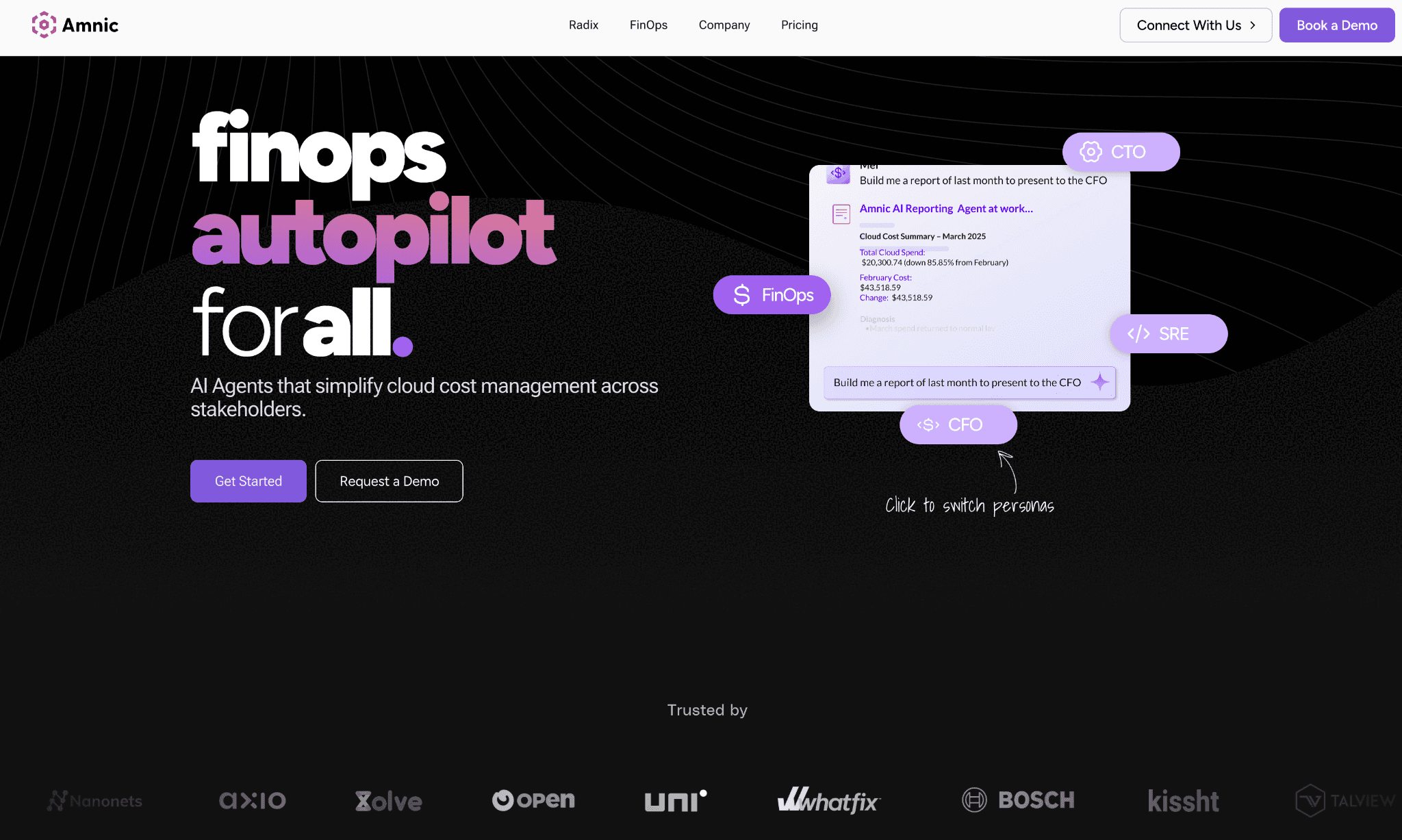
Amnic is a multi cloud cost allocation platform built so finance, engineering and product all work from the same cost truth. It connects to AWS, Azure, GCP, Oracle and Alibaba, ingests Kubernetes metrics from EKS, AKS and GKE and breaks every dollar down by team, product, customer, environment, or any custom business dimension.
Where most allocation tools stop at tag-based grouping, Amnic adds a layer of virtual tags, business rules and flexible split logic, so resources that nobody tagged still land in the right cost center. A CFO asking for cost per API Call, cost per customer, or cost per inference query gets a real answer instead of a "we will need to tag everything first" reply.
Key features for cloud cost allocation:
Account to resource drill-down across AWS, Azure, GCP, Oracle and Alibaba in a single view, including S3 by operation and resource ID, EC2 by instance and RDS by database
Virtual tags that unify inconsistent labels like "prod”, "production”, and "PROD" into one clean attribution rule without changing any underlying infrastructure
Shared infrastructure allocation with three split methods: fixed percentage, proportional to direct spend and usage-based meters from logs or API calls
Kubernetes cost allocation at container, pod, instance, persistent volume claim and DNS level for EKS, AKS and GKE
Unit economics modeling that ties cloud spend to business metrics such as cost per customer, cost per transaction and cost per feature
GPU and AI cost allocation covering Amazon Bedrock today with OpenAI and Anthropic rolling out
Chargeback and showback dashboards with persona-specific views for CFO, FinOps, CTO and SRE
Amnic AI agents (X-Ray, Insights, Governance, Reporting) that let any user query allocation data in plain language without SQL
Anomaly detection on allocated cost lines with custom thresholds at tag, product, or team level
Budget tracking with alerts at 50%, 70% and 85% consumption against per-team or per-product budgets
Read-only access to AWS, Azure, GCP and Kubernetes; SOC 2 Type II, ISO 27001 and GDPR compliant; SSO and Jira integration for enterprise governance
Pricing: Amnic uses a percentage of monitored cloud spend, typically in the 0.25% to 1% range, scoped to your actual cloud footprint rather than a fixed seat license.
The startup tier ships with a one-month free trial and no credit card required and enterprise plans include access to dedicated Amnic cost experts.
Pros:
Allocates across AWS, Azure, GCP, Oracle and Alibaba in one view, the only platform in this list that goes beyond the standard three providers
Three split methods (fixed, proportional, usage-based) for shared infrastructure, where most competitors offer one
Read-only architecture means security teams approve deployment in days rather than the months write-access tools require
Unit economics modeling ties cloud spend to product and customer metrics, giving CFOs an answer native cloud tools cannot produce
Four AI agents let any persona run allocation queries without learning SQL or cloud taxonomy
Documented customer outcomes span 20% to 50% reduction on specific cost lines across SaaS, AI/ML and fintech
Read-only deployment completes in minutes with no professional services dependency
Cons:
LLM cost coverage tracks Amazon Bedrock today; native OpenAI and Anthropic allocation is rolling out
Percentage-of-spend pricing scales with your cloud bill, so large enterprises should negotiate a spend cap at the contract stage
2. CloudZero
Best for: SaaS engineering teams that need cloud spend mapped to features, customers and deployments rather than service-level totals.
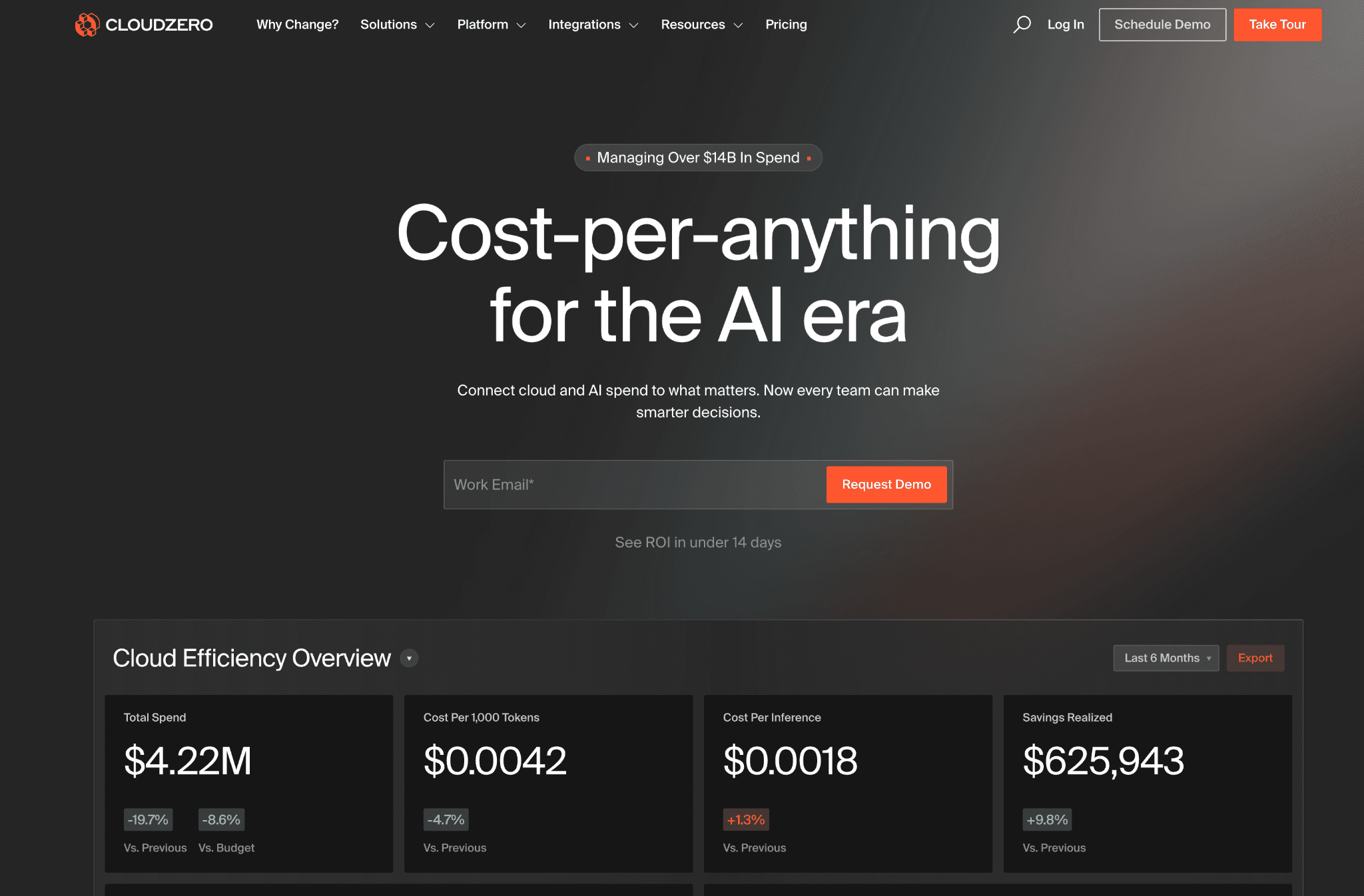
CloudZero focuses on unit economics for SaaS companies. The allocation engine, CostFormation, lets teams define custom cost dimensions in code, so spend can be sliced by product feature, customer tier, or deployment without retrofitting tags on every resource.
It is one of the strongest platforms in the category for engineering-led teams that already track product analytics and want a single number for cost per customer.
Key features for cloud cost allocation:
CostFormation engine that defines allocation dimensions as code, allowing custom slices like cost per feature or cost per tenant without SQL
AnyCost API that ingests non-cloud spend from Snowflake, Databricks and other SaaS tools into the same allocation view
Cost per customer, cost per feature and cost per deployment dashboards ready for engineering reviews and quarterly business reviews
Tag intelligence that flags missing or inconsistent tags and recommends fixes so allocation coverage improves over time
Anomaly detection at team, product and deployment level with context on which release caused the change
Kubernetes cost views by namespace, label and deployment for EKS, AKS and GKE
Pre-built dashboards for VPs of Engineering that show cost per sprint, per deployment and per customer segment
Pricing: CloudZero sells through enterprise contracts only, with no public rate card and no self-serve onboarding.
Pricing is tied to managed cloud spend and typically requires a sales and scoping cycle before access.
Pros:
CostFormation is one of the most flexible allocation engines in the category for SaaS unit economics
AnyCost API pulls non-cloud SaaS spend into the same allocation view, useful when Snowflake or Databricks is a meaningful cost line
Strong dashboarding and reporting designed for engineering managers and VPs of Engineering rather than central FinOps only
Tag intelligence improves allocation coverage over time without a one-off tagging project
Cons:
Enterprise-only pricing rules it out for teams under $500K cloud spend who cannot justify the sales cycle
Kubernetes coverage lacks the pod and PVC granularity dedicated K8s tools offer
No native LLM cost allocation for Bedrock, OpenAI, or Anthropic at time of writing
No public pricing or self-serve trial, so initial evaluation requires a formal scoping engagement
3. Vantage
Best for: Startups and mid-market teams that want fast, self-serve cost allocation across cloud and SaaS without an enterprise contract.
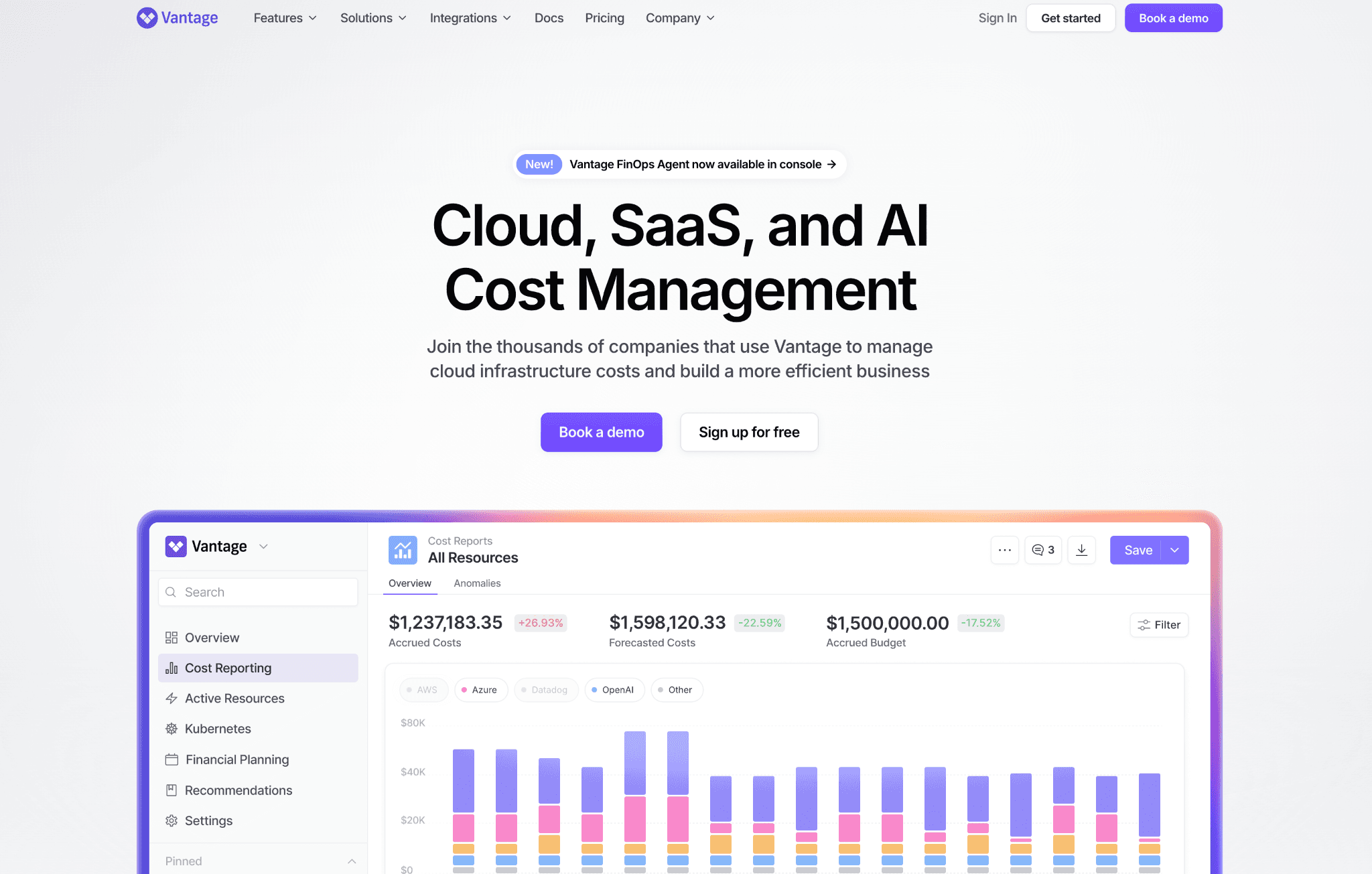
Vantage offers a clean dashboard, more than 25 integrations covering cloud plus SaaS tools and a free tier that smaller teams can use as a long-term solution. It is the easiest tool in this list to evaluate without a sales conversation.
Allocation is primarily tag and account based, with cost reports that any team member can build and share, which reduces the bottleneck on central FinOps.
Key features for cloud cost allocation:
Cost reports scoped by tag, account, service, or custom filter that any team member can build and share without admin access
Resource explorer that breaks down spend at the individual resource level for accounts, services and tags
25+ integrations including Snowflake, Databricks, Datadog and MongoDB Atlas so allocation reflects total infrastructure cost, not just cloud line items
Reservation, savings plan and committed-use coverage tracking with allocation per team
Active anomaly notifications with team-level routing based on report ownership
Issues tracker that flags idle EC2, unattached EBS volumes and underused reservations for allocation cleanup
Multi-cloud allocation across AWS, Azure and GCP plus Kubernetes cost reports at the cluster and account level
Pricing: Vantage has a free tier with no time limit that fits smaller cloud footprints.
Paid plans scale as a percentage of managed spend and unlock longer data history, team-based access controls and priority support.
Pros:
Fastest onboarding in this list, with a working allocation view in hours and no professional services
Free tier is rare in this category and works as a long-term solution for startups and small teams
Strongest SaaS coverage of any tool on this list, useful when total infrastructure cost includes Snowflake, Datadog and MongoDB
Self-serve setup means a small team can stand it up without involving FinOps, finance, or procurement
Cons:
Allocation depth is lighter than enterprise tools; shared cost split rules are limited compared to Cloudability or Amnic
No Oracle or Alibaba support, so multi-cloud teams outside the AWS, Azure and GCP trio look elsewhere
Untagged resource allocation requires manual rules rather than automatic mapping
Anomaly governance and policy enforcement are thinner than dedicated enterprise platforms
4. Apptio Cloudability
Best for: Large enterprises that need finance-grade chargeback, shared service allocation and audit-ready monthly close reports.
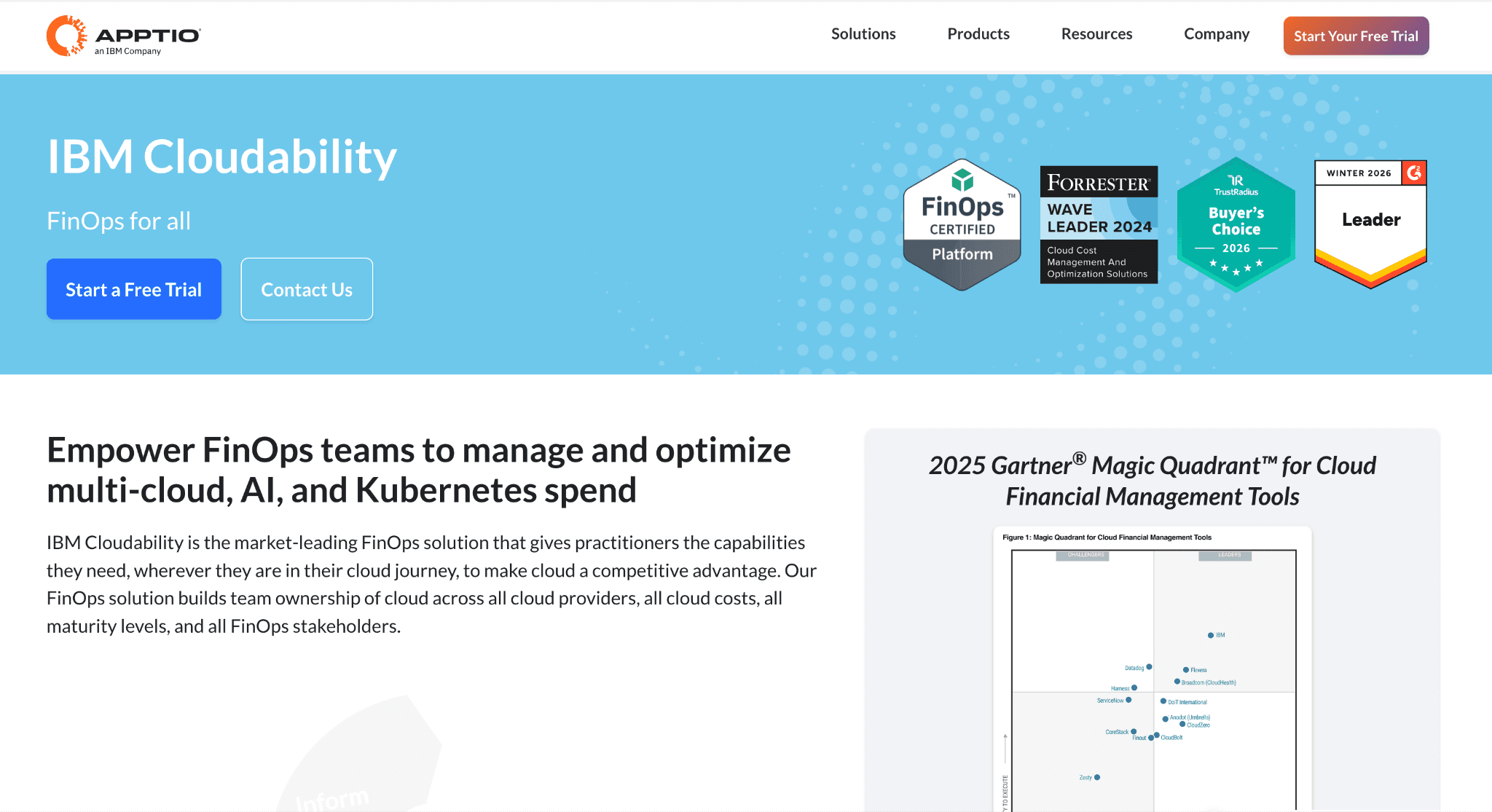
Cloudability, part of IBM, brings veteran reporting depth and enterprise governance. Its Business Mapping feature maps resources to organizational structure using user-defined rules that include untaggable resources, which is the part finance teams care about most.
It is the choice for organizations with a dedicated FinOps team that runs monthly business reviews tied to a CFO.
Key features for cloud cost allocation:
Business Mapping engine that allocates resources from AWS, Azure and GCP using user-defined rules, including untaggable line items
Telemetry-based allocation that splits shared services such as enterprise support, networking and third-party tools like Snowflake and Databricks across consuming teams
Virtual tagging that lets teams allocate and reallocate spend instantly without changing infrastructure
True Cost Explorer for amortized cost views that account for reservations and savings plans
Full chargeback and showback reporting with audit trail across business units, ready for finance month-end close
Policy-based budget enforcement with alerts and approval workflows when a team breaches its agreed budget
Reservation and committed-use modeling across AWS, Azure and GCP with projected coverage and ROI
Kubernetes Containers module that allocates EKS, AKS and GKE cost by namespace, label and workload
Scheduled data exports to Tableau, Power BI and Snowflake so finance can work in tools they already use
Pricing: Cloudability is sold through IBM enterprise agreements, scoped to cloud spend volume and accounts under management.
No self-serve option exists and most deployments include a professional services engagement.
Pros:
One of the most mature platforms in the category, with over a decade of enterprise FinOps deployments
Business Mapping handles untagged and shared resources without rebuilding your tagging strategy
Chargeback and showback reporting is among the most detailed available, designed for finance audit requirements
Reservation and committed-use modeling is reliable for enterprises with large discount portfolios
Strong export and BI integrations so finance does not have to learn a new dashboard
Cons:
Deployments typically take 6 to 12 weeks and require IBM professional services in most cases
Interface is built for trained FinOps analysts; engineering teams find the learning curve steep
Roadmap runs on IBM's release cycle, which is slower than independent FinOps vendors
Total cost of ownership is higher than the license fee once services and onboarding time are included
5. Finout
Best for: FinOps teams with imperfect tagging that want AI-driven automatic allocation, especially across cloud, Kubernetes, AI and SaaS in a single MegaBill.
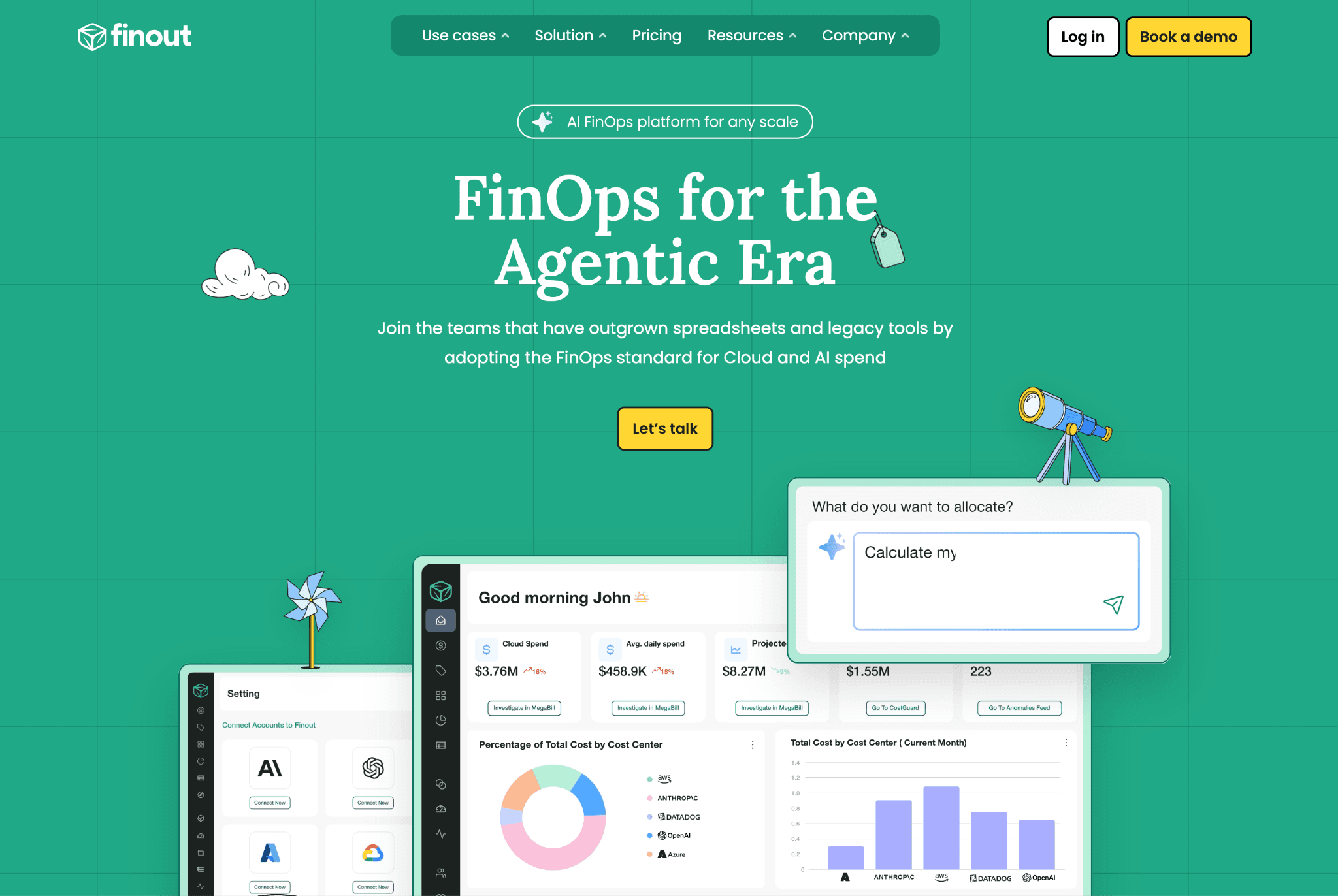
Finout's core idea is that you should not need perfect tagging to allocate 100% of your spend. The MegaBill normalizes AWS, Azure, GCP, OCI, Kubernetes and SaaS tools like Databricks, Snowflake and Datadog into one view, then uses AI to assign tagged and untagged spend to the right owner.
The Virtual Tag feature lets teams combine and divide the bill into as many cost centers as needed, regardless of how the underlying resources were originally labeled.
Key features for cloud cost allocation:
MegaBill that consolidates AWS, Azure, GCP, OCI, Kubernetes and SaaS spend into one normalized cost view
AI-driven allocation of tagged and untagged spend across cloud, Kubernetes and AI lines
Virtual Tags for flexible cost grouping without changing infrastructure or retagging resources
100% shared cost allocation in both single and multi-tenant Kubernetes environments
Cost per customer, cost per feature and cost per environment dashboards
Showback and chargeback reports with budget alerts and forecasting against allocated budgets
Reservation and savings plan tracking with allocation visibility per team
Kubernetes cost allocation at namespace, label and pod level
SaaS spend tracking for Databricks, Snowflake, Datadog and others alongside cloud cost
Pricing: Finout uses a fixed pricing model at approximately 1% of the cloud bill, held constant for the contract term regardless of usage swings.
No savings fees and no per-seat charges.
Pros:
Predictable 1% pricing with no overage or savings fees is easier to forecast than tiered or savings-share models
Strong allocation when tagging hygiene is poor, which matches the realistic state of most enterprises
Integrates non-cloud SaaS spend into the same allocation view as cloud
Multi-cloud and Kubernetes coverage is solid out of the box without separate modules
Cons:
Heavier focus on allocation and showback than on optimization automation
No Oracle or Alibaba support
Smaller customer base than Cloudability and CloudHealth, so reference checks can be uneven in some regions
Self-serve onboarding is limited; most enterprise deployments still involve a sales-led setup
6. CloudHealth by Broadcom
Best for: Large enterprises that want policy-driven governance across AWS, Azure and GCP and are willing to commit to a multi-year contract for it.
CloudHealth, now part of Broadcom, uses a Perspectives engine to group cloud resources by business unit, application, or environment and then enforces budget and tagging policies on top. It is widely deployed in Fortune 500 IT teams.
The platform leans toward governance and finance reporting, with less emphasis on the engineering side compared to newer FinOps-native tools.
Key features for cloud cost allocation:
Perspectives engine that groups cloud resources for allocation by custom dimensions like business unit, application, or environment
Policy-driven allocation and budget enforcement across AWS, Azure and GCP with automated alerts on breach
Chargeback and showback reports with executive dashboards for CFO and CIO reviews
Reservation and savings plan modeling across providers with coverage and utilization analytics
Asset inventory and rightsizing recommendations that feed back into allocation hygiene
Tag governance workflows that flag missing tags and enforce naming conventions
Anomaly detection on allocated spend with custom thresholds
Multi-cloud cost reports across AWS, Azure and GCP in a single view
Pricing: CloudHealth typically charges around 2.2% to 2.5% of tracked cloud spend, with 12, 24, or 36-month contract commitments.
Three-year terms include modest discounts (around 12% savings); overages run roughly $0.03 per dollar above the contracted amount.
Pros:
Well-established enterprise platform with a long Fortune 500 deployment history
Strong policy enforcement and budget governance suit large IT organizations
Reservation modeling across AWS, Azure and GCP is mature
Perspectives engine is flexible for organizations with complex business unit structures
Cons:
Multi-year contract commitments remove flexibility if priorities or vendors shift
Pricing sits at the higher end of the percentage-of-spend models in this list, with overage fees on top
Public reviewers consistently call out a steep learning curve and gaps in the central recommendations view
Allocation depth is built around the Perspectives engine and is less granular at the container and resource level than Kubernetes-native or AI-led platforms
7. nOps
Best for: Engineering teams that want 100% Kubernetes container-level allocation across AWS, Azure and GCP, paired with automated commitment management.
nOps is an independent FinOps platform that allocates 100% of spend down to the container level across AWS, Azure and GCP, with automatic mapping based on Kubernetes labels and code context even when infrastructure tags are missing. It calls this approach tagless cost allocation.
The platform pairs that allocation depth with automated reserved instance and savings plan management across all three providers, which is rare in cost allocation tools.
Key features for cloud cost allocation:
100% spend allocation down to container, pod, namespace and node across AWS, Azure and GCP
Tagless cost allocation that auto-allocates by Kubernetes labels and code-based context, with no infrastructure tagging required
Showback and chargeback reports for engineering teams, services and environments
nOps Inform with integrations for GCP, Azure, Datadog and Databricks so allocation reflects multi-cloud and SaaS spend
Anomaly detection on allocated spend with team-level routing
Compute Copilot that handles spot orchestration based on interruption probability and live pricing
Commitment management that purchases, exchanges and manages reserved instances and savings plans on a rolling basis across AWS, Azure and GCP
Full-stack reporting across cloud, Kubernetes, SaaS and AI spend in one workspace
Pricing: nOps does not publish a rate card; pricing is custom and varies by product.
Spot orchestration and commitment management products use a savings-share model with no upfront fee.
Pros:
Container-level Kubernetes allocation is among the deepest in this list and works without pre-existing tags
Pairs allocation with commitment automation across AWS, Azure and GCP, removing the need for a separate optimization vendor
Savings-share pricing on optimization products aligns the vendor's incentive with measurable cost reduction
Independent and venture-backed, so the roadmap is not subject to portfolio decisions at a larger parent company
Cons:
Full optimization automation requires write access, which security teams at regulated companies may not approve without review
Finance-facing chargeback features are thinner than Cloudability or CloudHealth for monthly close workflows
Pricing is not transparent until a sales engagement, which can slow internal procurement
Reporting and dashboards lean engineering-first, so CFOs and finance directors often need a paired tool for executive views
Cloud Storage Cost Allocation: Why It Matters in 2026
Storage is the cost line most teams under-allocate. S3, Azure Blob and GCS bills run into millions for data-heavy SaaS, but the spend usually shows up as one line in the cloud bill rather than per bucket, per environment, or per customer.
The best cloud cost allocation software breaks storage down by bucket, prefix, storage class and operation (PUT, GET, data transfer), then maps that spend to the team or product that owns the data. Without this, finance signs off on a six-figure storage line that nobody can defend in detail.
Amnic, Cloudability and Finout handle storage allocation at the bucket and operation level; most other tools in this list stop at the account or service level for storage.
GPU and AI Cost Allocation
GPU spend on EC2 P5, Azure ND and GCP A3 instances, plus token spend on Bedrock, OpenAI and Anthropic, is the fastest-growing cost line for AI-heavy teams in 2026. A tool that does not allocate AI cost today will be blind to your biggest cost center in 12 months.
Amnic tracks Bedrock spend today with OpenAI and Anthropic rolling out and allocating GPU compute alongside the model it serves. CloudZero, Vantage and Finout offer partial AI cost views. CloudHealth, Cloudability and the rest treat AI as standard compute, which misses the per-model and per-team picture.
If AI is more than 15% of your bill, allocation depth on this line is a deal-breaker criterion, not a nice-to-have.
AWS, Azure and Multi-Cloud Cost Allocation Considerations
AWS cloud cost allocation depends on Cost Allocation Tags, Cost Categories and the Cost and Usage Report. Tag-based allocation works in theory and breaks in practice the moment a team forgets to label a new EC2 instance. Look for a platform that handles untagged AWS spend automatically, with virtual tags or telemetry-based rules.
Azure cloud cost allocation uses tags, management groups and enrollment-level exports. Azure's tag inheritance behavior is inconsistent across resource types, so a platform that normalizes Azure tags against AWS and GCP conventions saves weeks of cleanup.
Multi-cloud cost allocation software has to reconcile three different billing data models, three different tag inheritance rules and three different discount mechanics. Tools that bolt Azure and GCP onto an AWS-first design show their seams within the first month. Amnic, Cloudability and CloudHealth were built multi-cloud from day one.
Common Mistakes When Choosing Cost Allocation Plan Software
Buying for current tagging hygiene instead of reality. Most teams have 60% tag coverage at best. Pick a platform that allocates the other 40% without a tagging project.
Assuming Kubernetes allocation comes for free. Half the tools in this list need a separate Kubernetes feature flag or a paired tool. Confirm pod and container coverage in the demo.
Skipping the security review on write-access tools. Several optimization-focused platforms need write access. If your security team will not approve it, you will spend three months in review and never deploy.
Picking on demo flash, not customer outcomes. Ask every vendor for three named customer chargeback reports with measurable results. If they cannot share two within 48 hours, that is your answer.
Underestimating time to first allocation view. Some platforms take 6 to 12 weeks to produce a usable chargeback. If your CFO needs cost per business unit this quarter, that timeline kills momentum.
Treating AI and GPU cost as standard compute. Bedrock, OpenAI and GPU spend will be your biggest line item within 18 months. Allocate it now or pay later.
How to Choose the Best Cloud Cost Allocation Software
The best cost allocation software is the one that produces a defendable chargeback report in the first 90 days, not the one with the longest feature list.
Pick by the problem you are actually solving:
Multi-cloud and Kubernetes: Amnic, Cloudability, or CloudHealth
SaaS unit economics: CloudZero or Amnic
Imperfect tagging: Finout or Amnic
Multi-cloud Kubernetes plus commitments: nOps
Enterprise chargeback for finance: Cloudability, CloudHealth, or Amnic
Self-serve startup setup: Vantage or Amnic startup tier
GPU and AI cost lines: Amnic
Write down your top two allocation problems. Compare only those two. You will pick faster and avoid paying for features you will not use.
Why Decision Makers Choose Amnic
Amnic is built on the belief that cloud cost should be transparent for every role, not just FinOps specialists.
Three things separate it for the buyers we work with every week.
Multi-cloud allocation that goes deep. Most competitors stop at AWS, Azure and GCP. Amnic covers all three plus Oracle and Alibaba, allocates from account to service to specific resource ID and treats Kubernetes as a first-class allocation surface from day one.
Read-only access by design. Amnic never writes to your cloud. Your DevOps team owns every change. That single architectural choice is why security teams approve Amnic in days instead of months.
AI agents any role can use. Amnic AI ships four agents (X-Ray, Insights, Governance, Reporting) that turn natural-language questions into filtered allocation views. A CFO can ask "what did we spend on AI per customer last month" and get an answer in 30 seconds.
Read the full case studies on the Amnic customers page.
Frequently Asked Questions
What is cloud cost allocation software?
Cloud cost allocation software assigns every line item on your AWS, Azure, GCP and Kubernetes bill to the team, product, customer, or feature responsible for the spend. It uses tags, virtual tags, business rules and split logic to turn raw cloud billing into chargeback and unit economics that finance and engineering can both work from.
What is the difference between cloud cost allocation and cloud cost management?
Cloud cost management is the broader category that includes reporting, anomaly detection, recommendations and forecasting. Allocation is the specific layer that maps spend to owners. Most modern platforms, including Amnic, do both.
How does cloud cost allocation work for shared infrastructure?
Shared infrastructure such as networking, security tools and enterprise support cannot be tagged to one team. The best cloud cost allocation software offers three split methods: fixed percentages, proportional to direct spend and usage-based meters from logs or API calls. Amnic supports all three.
Does cloud cost allocation software work without good tags?
Yes. Virtual tags, business mapping rules and label-based allocation let platforms like Amnic, Finout and Cloudability assign untagged resources to the right owner without changing your infrastructure. You do not need a tagging project to start.
Which cloud cost allocation software is best for Kubernetes?
Amnic and nOps both allocate at container and pod level. Amnic adds Oracle and Alibaba coverage plus AI and GPU cost allocation alongside Kubernetes, which makes it a single platform for teams that do not want to run two tools.
How long does it take to deploy cost allocation plan software?
Read-only platforms like Amnic and Vantage onboard in hours. Enterprise tools like Cloudability and CloudHealth take 6 to 12 weeks and usually require professional services.
Can cost allocation software track GPU and AI spend?
Some can. Amnic allocates Amazon Bedrock cost today with OpenAI and Anthropic rolling out and tracks GPU compute alongside the model it serves. CloudZero, Vantage and Finout offer partial AI views. Most enterprise tools still treat AI as a standard compute.
What is the most effective cloud cost allocation software for multi-cloud teams?
Amnic, Cloudability and CloudHealth lead on multi-cloud. Amnic stands out by covering AWS, Azure, GCP, Oracle and Alibaba in one view with AI-driven querying and read-only deployment, while still handling Kubernetes at container level.
Is cloud cost allocation software worth it for a small team?
If your monthly cloud bill is under $10,000, native cost explorers may be enough. Above that, a dedicated platform pays for itself within the first quarter through better unit economics and faster chargeback close.
See Every Cloud Dollar Mapped to Its Owner
If you are a CFO, FinOps lead, or VP of Engineering who needs a chargeback report your finance team can defend and your engineers can act on, Amnic gives you cost allocation that works from day one, even when tagging hygiene is imperfect.
Book a 30-minute demo and see your AWS, Azure, GCP and Kubernetes spend mapped to teams, products and customers before the call ends.
Related Articles:
Better visibility and management into AI Tokens?
Start with a 30 day trial
Connect leading LLMs
24 hour time to value
Stay ahead of AI Spend

Make AI spend visible, controllable, and accountable.
Gain insights into your AI token costs at a team, customer, business unit and individual user level to measure and manage AI utilization.
Recommended Articles

8 Best Llama Cost Management Tools in 2026
Read More

8 Best Amazon Bedrock Cost Optimization Tools for 2026
Read More

7 Best Amazon Bedrock Cost Monitoring Tools
Read More

8 Best Gemini Cost Visibility Tools for 2026
Read More

7 Best Multimodal Cost Optimization Tools for 2026
Read More

5 Best Anthropic Cost Allocation Tools for 2026
Read More






