Vantage Alternatives: 8 Cloud Cost Tools Compared by a Practitioner
11 min read
Comparisons
Table of Contents
Looking for a Vantage alternative? Here are eight cloud cost management tools worth comparing: 1. Amnic, 2. Finout, 3. IBM Cloudability, 4. nOps, 5. ProsperOps, 6. Kubecost, 7. CAST AI and 8. Datadog Cloud Cost Management. Each one fixes a different gap that Vantage leaves open. This guide sorts them by allocation depth, automation, AI cost coverage and pricing transparency.
The best Vantage alternative tools:
Amnic: Multi-cloud cost optimization with four dedicated AI agents, Virtual Tags and FinOps for AI from day one, priced 0.25 to 1% of cloud spend.
Finout: Tagless allocation via MegaBill, best for finance-led FinOps with broken AWS tagging.
IBM Cloudability: Decade-plus showback and chargeback maturity for Fortune 500 governance.
nOps: Savings-share commitment automation for AWS-heavy teams that want outcome-based pricing.
ProsperOps: Autonomous adaptive laddering across AWS, Azure and GCP commitments.
Kubecost: Kubernetes-only allocation with a genuinely useful free tier, now under IBM.
CAST AI: Kubernetes automation that writes back to your cluster (rightsizing, Spot, bin-packing).
Datadog CCM: Cost data sitting next to performance data for teams already on Datadog.
Why teams look for Vantage alternatives
Vantage does the easy part well. It connects to your billing APIs, gives you sharp reports and ships a free tier that covers small teams. The reasons people start shopping are consistent across PeerSpot reviews and the wider FinOps community.
Visibility outpaces action. Autopilot covers AWS Savings Plans only. Reserved Instances, rightsizing, scheduling and Spot management sit outside it.
Dashboard configuration feels capped. Reviewers consistently mention limited chart options and shallow drill-downs in custom dashboards.
Data freshness lags. Cost data updates run roughly a day behind and AWS Marketplace onboarding can take up to two days because entitlements are tied to the AWS Organization ID.
AI cost coverage is new and narrow. The FinOps Agent and MCP integration are recent additions. They trail tools that built AI cost coverage from the start.
Self-serve has a ceiling. Multi-account enterprise customers report less white-glove support than they would get from a Cloudability or a Finout at the same spend tier.
One PeerSpot reviewer captured the pattern bluntly. They cut their costs by roughly 50 percent with Vantage, then added: "a more generic API would be needed and lower cost with Vantage Cloud Cost Platform, as right now it is costing me a few dollars a day without any usage" (Abhishek, DevSecOps, PeerSpot).
Top Vantage alternatives Tools Comparison
Tool | Best for | Pricing model | Allocation model | Automation depth | Multi-cloud + K8s + AI scope |
|---|---|---|---|---|---|
Amnic | Multi-cloud teams that want AI-agent-driven optimization end-to-end | 0.25 to 1% of cloud spend, one-month startup trial, no card | Virtual Tags plus split rules with meter | Four dedicated agents (X-Ray, Insights, Governance, Reporting) plus Amnic Assistant | AWS, Azure, GCP, Kubernetes, FinOps for AI from day one |
Finout | Tagless allocation for finance-led FinOps | Flat tiered (Business, Pro, Enterprise) | MegaBill plus Virtual Tags, no code | CostGuard recommendations | AWS, Azure, GCP, OCI, K8s, Snowflake, Databricks, Datadog |
IBM Cloudability | Enterprise governance, chargeback and showback | Percent of spend on 12-month contracts | Tag-based plus business mappings | Rightsizing and commitment recommendations | AWS, Azure, GCP, plus container via Kubecost merger |
nOps | AWS-heavy teams that want outcome-based commitment automation | Savings-share for rate optimization, fixed for visibility | Multi-cloud, SaaS, AI | Autonomous commitment management plus Clara agent | AWS first, then Azure and GCP, K8s, AI |
ProsperOps | Autonomous discount management without spend-percent fees | Percent of realized savings, plus flat per resource for scheduler | Not applicable (commitments layer) | ADM for RIs, SPs, CUDs, ARM for scheduling | AWS, Azure, GCP |
Kubecost | Kubernetes-only allocation with a usable free tier | Foundations free up to 250 cores, Enterprise paid | Namespace, label, controller | Recommendations and GPU optimization | Kubernetes only (EKS, AKS, GKE, on-prem) |
CAST AI | In-cluster Kubernetes automation that writes back to your cluster | Custom, undisclosed | In-cluster | Autoscaling, Spot, bin-packing, GPU | Kubernetes only (EKS, GKE, AKS, OpenShift) |
Datadog CCM | Teams already standardized on Datadog | Add-on tied to Datadog account | Tag-based plus Software Catalog | Recommendations for AWS, Azure, GCP | AWS, Azure, GCP, OCI, plus container via Datadog |
How we evaluated these Vantage alternatives
Six criteria, weighted toward the gaps Vantage actually leaves open:
Cost visibility scope. Does the tool see AWS, Azure, GCP, Kubernetes and the SaaS line items (Snowflake, Databricks, Datadog) that show up on a modern bill?
Allocation model. Tag-based, tagless, or code-based. Tagless wins because it survives broken taxonomy.
Automation depth. Does the tool just recommend, or does it close the loop on Savings Plans, RIs, CUDs, rightsizing, scheduling and Spot?
AI cost coverage. Token-level visibility on Bedrock, OpenAI, Anthropic, plus GPU cost on managed Kubernetes.
Pricing predictability. Flat tier, percent of spend, or outcome-based. Each has tradeoffs at different spend bands.
Time-to-first-insight. Days are acceptable. Weeks are not.
8 best Vantage alternatives
1. Amnic: Best overall for multi-cloud cost optimization with dedicated AI agents
Best for: Multi-cloud engineering, FinOps, SRE and finance teams who want allocation, governance and persona-aware AI insights in one platform without paying enterprise FinOps rates.
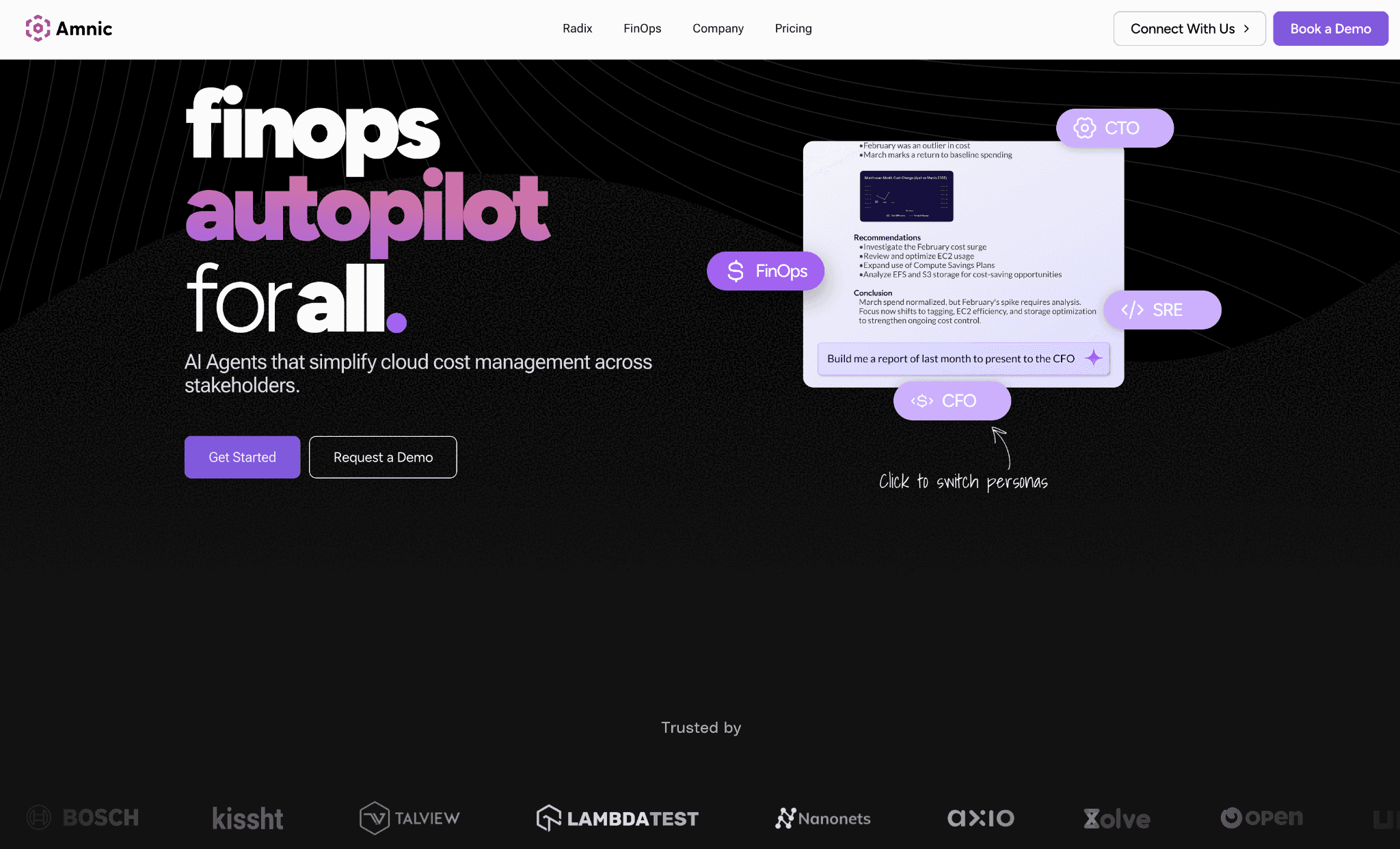
Amnic is a multi-cloud cost optimization platform with dedicated AI agents for cloud cost diagnostics, anomaly detection, governance and reporting. It is built on top of a cost observability layer for AWS, Azure, GCP and Kubernetes.
Why it is the strongest Vantage alternative:
Acts where Vantage reports. Vantage's Autopilot handles AWS Savings Plans only. Amnic ships four dedicated AI agents purpose-built for cloud cost work (X-Ray, Insights, Governance, Reporting) plus Amnic Assistant. The X-Ray Agent delivers a cloud financial health check in under thirty seconds.
Solves the taxonomy problem. Virtual Tags bridge inconsistent native tagging ("prod" versus "Prod" versus "production"). Split rules with meter allocate shared costs proportional to actual utilization instead of even splits.
Multi-cloud, Kubernetes and AI from day one. Kubernetes cost management drills down to container, pod, instance, PVC and DNS level. Bedrock, OpenAI and Anthropic token spend uses the same allocation model as the rest of the bill.
What the platform actually lets you do:
Slice and dice cost data by service (EC2, RDS, S3, EKS, Bedrock), time (hour, day, week), region, account, team, product, or customer.
Diagnose spikes: if AWS bills jump at 2 a.m. on a Tuesday, Amnic shows which service caused it, which team owns the workload and whether an anomaly threshold already flagged the spike.
Allocate cost to products, services, teams, business units, customers and applications, which is what makes unit economics and gross-margin views possible instead of theoretical.
Budget per team, per project, or per environment, with Governance Agent drift alerts before month-end close.
Forecast spend by service and by team using anomaly-adjusted models, so the CFO and a junior analyst are looking at the same number.
Drill from the consolidated bill all the way to a single pod, PVC, or DNS query in one tool.
Ajeesh Achuthan, Co-founder and CTO at Open Financial, put it this way: "Using Amnic has been nothing short of transformational. The platform is able to analyze our cloud costs at a depth that would take us several hours, if not days to understand better. We are able to spend a few hours each week and save costs that run into thousands of dollars."
Pricing: Transparent: 0.25 to 1% of cloud spend. One-month startup trial, no credit card required.
Pros:
Agentless, read-only deployment, no write access to your infrastructure. Five-minute onboarding.
Four dedicated cost-AI agents plus Amnic Assistant, covering diagnostics, persona insights, governance and reporting in one platform.
Virtual Tags plus split rules with meters solve the messy-taxonomy problem without code changes.
Slice-and-dice across service, time, region, account, team, product, or customer with sub-pod-level drilldown.
Budgeting and forecasting per team or project, with anomaly-adjusted forecasts and Governance Agent drift alerts.
FinOps for AI from day one: Bedrock, OpenAI and Anthropic token spend allocated on the same model as the rest of the bill.
SOC 2 Type II, ISO 27001 and GDPR compliant.
Everest Group's PEAK Matrix recognition, G2 High Performer, AWS Marketplace AI Agents and Tools listing.
Cons:
Younger brand than IBM Cloudability and Apptio. Procurement teams that weigh vendor age heavily flag this in evaluation.
Read-only by design means no in-cluster execution. Pair with CAST AI if you want a tool that writes directly to your Kubernetes cluster.
2. Finout:
Best for: Mid-market and enterprise organizations where finance owns FinOps and tagging hygiene is already broken.
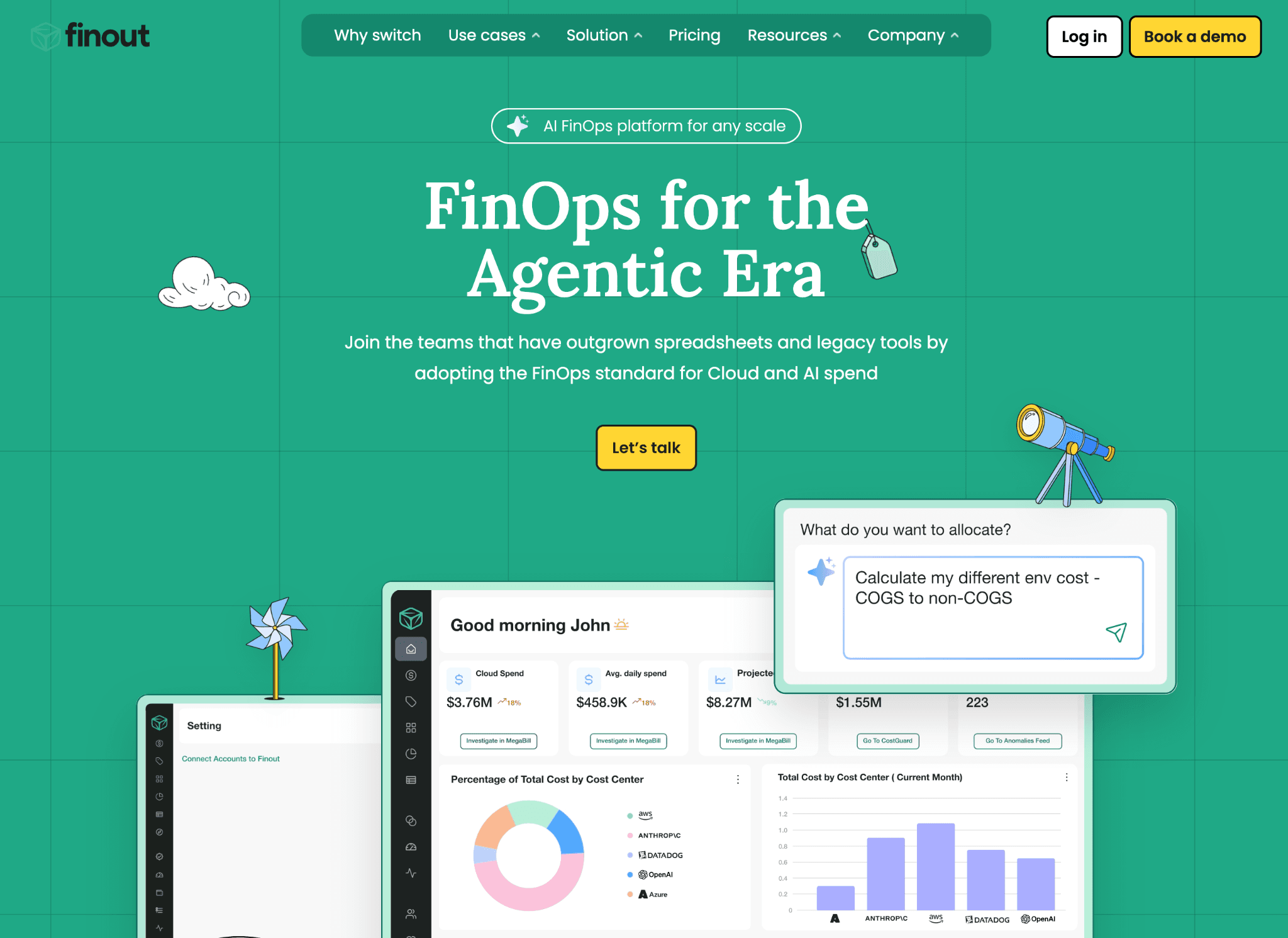
Finout is an enterprise FinOps platform built around a unified MegaBill view and no-code Virtual Tags that let finance teams allocate cloud costs without waiting on engineering to fix taxonomy.
Who gets benefited. FinOps leads and finance teams at companies with multi-cloud sprawl plus heavy SaaS (Snowflake, Databricks, Datadog) on the same bill.
In practice:
MegaBill pulls AWS line items, Snowflake credits, Databricks DBUs and Datadog usage into a single invoice-style view, so finance closes the month without exporting CSVs into a spreadsheet.
Virtual Tags then run business rules on top of that unified bill, which is how a team with broken AWS tagging still produces a clean chargeback.
The tradeoff is that Finout assumes you want a finance-first workflow. If engineering owns FinOps, the same flow can feel heavier than it needs to be.
Pricing model: Flat-fee tiered subscription based on forecasted cloud spend. Three tiers (Business, Pro, Enterprise), differentiated by included cost centers and add-ons. Additional cost centers cost $250 on Business and $500 on Pro.
Pros:
Tagless allocation via MegaBill and Virtual Tags, no engineering tickets needed.
Wide coverage: AWS, Azure, GCP, OCI, Kubernetes, Snowflake, Databricks, Datadog, Confluent.
CostGuard surfaces waste and optimization opportunities across the unified bill.
Anomaly detection runs across cloud and SaaS line items on the same MegaBill view, not separate dashboards.
Customizable FinOps dashboards on every tier, with shared reporting across teams.
Cons:
Enterprise contract structure. Cost-center add-on fees mean the price moves when your org chart changes.
Recommendation engine, not an action engine. You still need a separate tool for in-cluster Kubernetes execution or commitment management.
3. IBM Cloudability:
Best for: Fortune 500 cloud centers of excellence and CFO-led FinOps teams that need rigorous chargeback and audit-grade reporting.
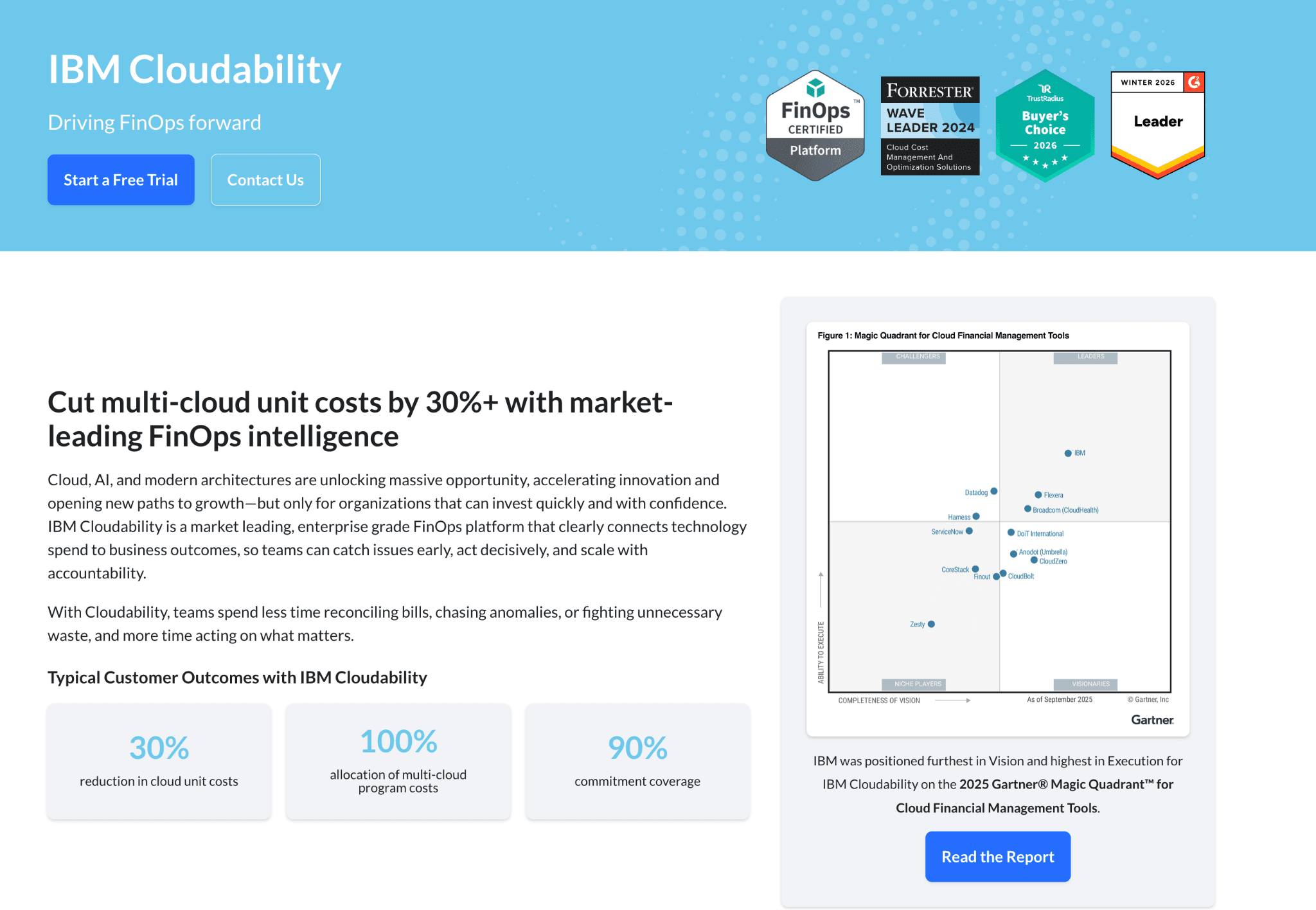
IBM Cloudability is a legacy enterprise FinOps platform with deep cost allocation, showback and chargeback and governance capabilities, now combined with Kubecost under the Apptio umbrella.
Who gets benefited: FinOps practice leads at multi-business-unit enterprises with mature tagging and a procurement process that wants a long-tenured vendor.
In practice:
Cloudability has been around for more than a decade and you can feel it. The showback and chargeback workflows are the most mature on this list.
TBM-style business mappings (allocation across products, BUs and cost centers) have been refined over many enterprise rollouts.
The catch: the product expects weeks of setup in tag rules, business mappings and chargeback models before it pays off. Mid-market teams that want value in week one usually pick something else.
Pricing model: Percent of cloud spend on 12-month contracts. CloudZero's published pricing analysis estimates roughly $30,000 per year for $500K to $1M of annual cloud spend (about a 6 percent effective rate) and $76K to $132K per year at $3M to $6M of annual cloud spend.
Pros:
Deep multi-cloud cost aggregation across AWS, Azure and GCP with billing data inside 24 hours.
Mature showback and chargeback, rightsizing and commitment recommendations.
100 percent cost allocation including containers and AI-related spend.
Budget forecasting plus business-mapping for chargeback that survives audit.
Now bundled with Kubecost for container cost coverage under the Apptio and IBM portfolio.
Cons
Percent-of-spend pricing scales with your bill. Your FinOps tool gets more expensive precisely when you are trying to make your cloud bill cheaper.
12-month contract lock-in. No meaningful free or self-serve tier.
4. nOps:
Best for: Engineering-led teams with material AWS spend who want commitment management without paying a flat platform fee.
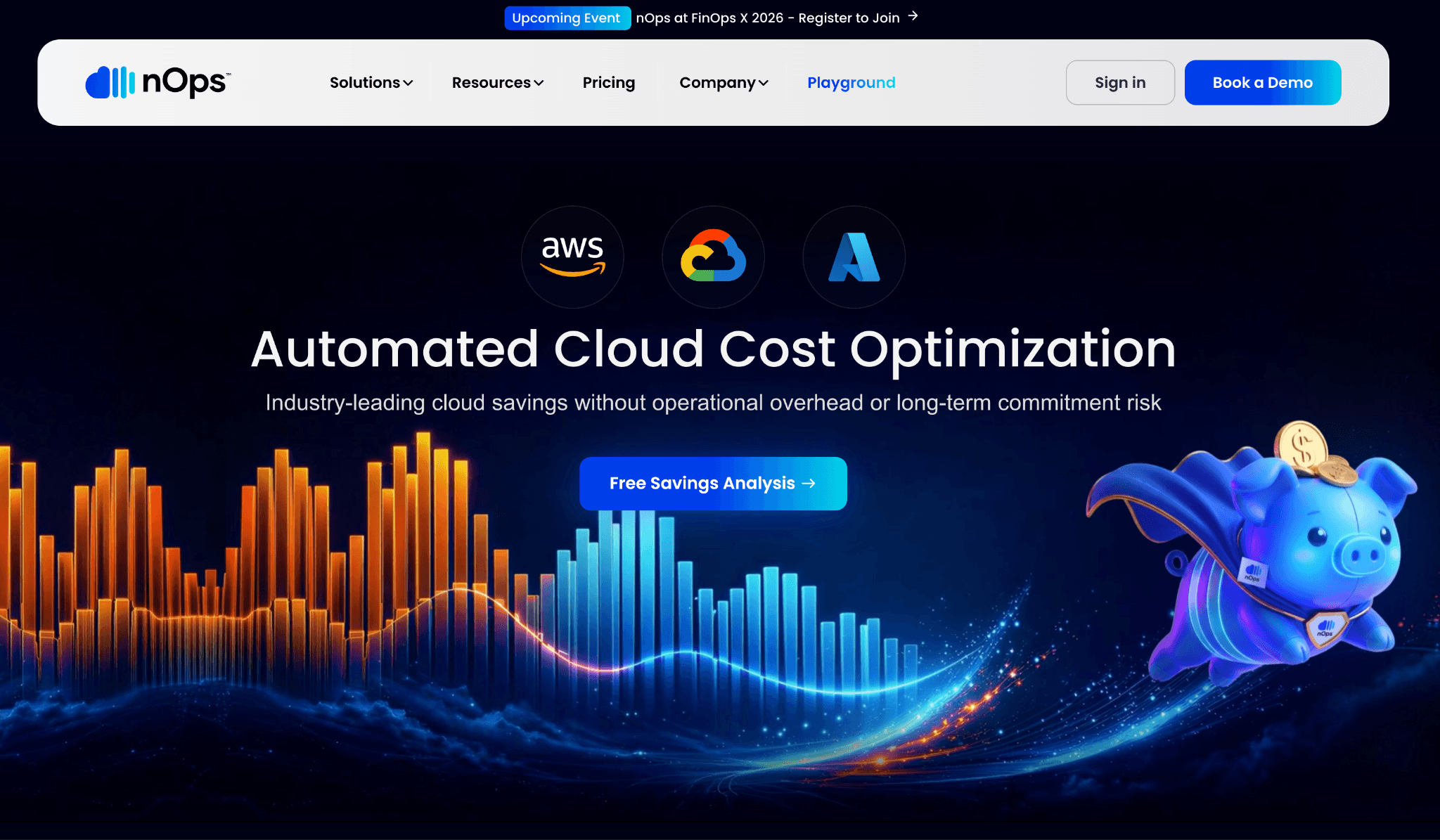
nOps is an AWS-first cloud cost optimization platform that pairs autonomous commitment management with cost visibility, priced on a savings-share model for the rate-optimization side.
Who gets benefited: Platform engineering and SRE teams who would rather pay only when the tool delivers savings.
In practice:
The savings-share model is the part teams argue about in procurement. nOps charges only against rate optimization, not against visibility or allocation usage.
That keeps the math predictable until your committed AWS spend scales into the eight figures. At that point, the share-of-savings number can rival a flat platform fee from a competitor.
Customers who run the comparison still pick nOps for the AWS-only depth and the AWS Marketplace billing path keeps procurement clean for Marketplace-billed accounts.
Pricing model: Hybrid. Autonomous Rate Optimization runs on a share-of-savings model. Cost Visibility and Allocation runs on a fixed fee based on cloud spend.
Pros:
Autonomous commitment management for RIs and Savings Plans with minimal IAM permissions.
Hourly visibility into multicloud, Kubernetes, SaaS and AI costs, plus the Clara FinOps agent.
Onboarding in under five minutes, 14-day free trial.
Available on AWS Marketplace with commitment alignment support, useful if your AWS Org is already on Marketplace billing.
Anomaly detection and root cause analysis run on the same hourly cost feed used for allocation.
Cons:
AWS depth is meaningfully stronger than Azure and GCP coverage.
Savings-share economics get expensive at very large committed spends. Run the math against your annual commitment volume before signing.
5. ProsperOps:
Best for: Sophisticated multi-cloud teams that want commitments handled completely outside human oversight.
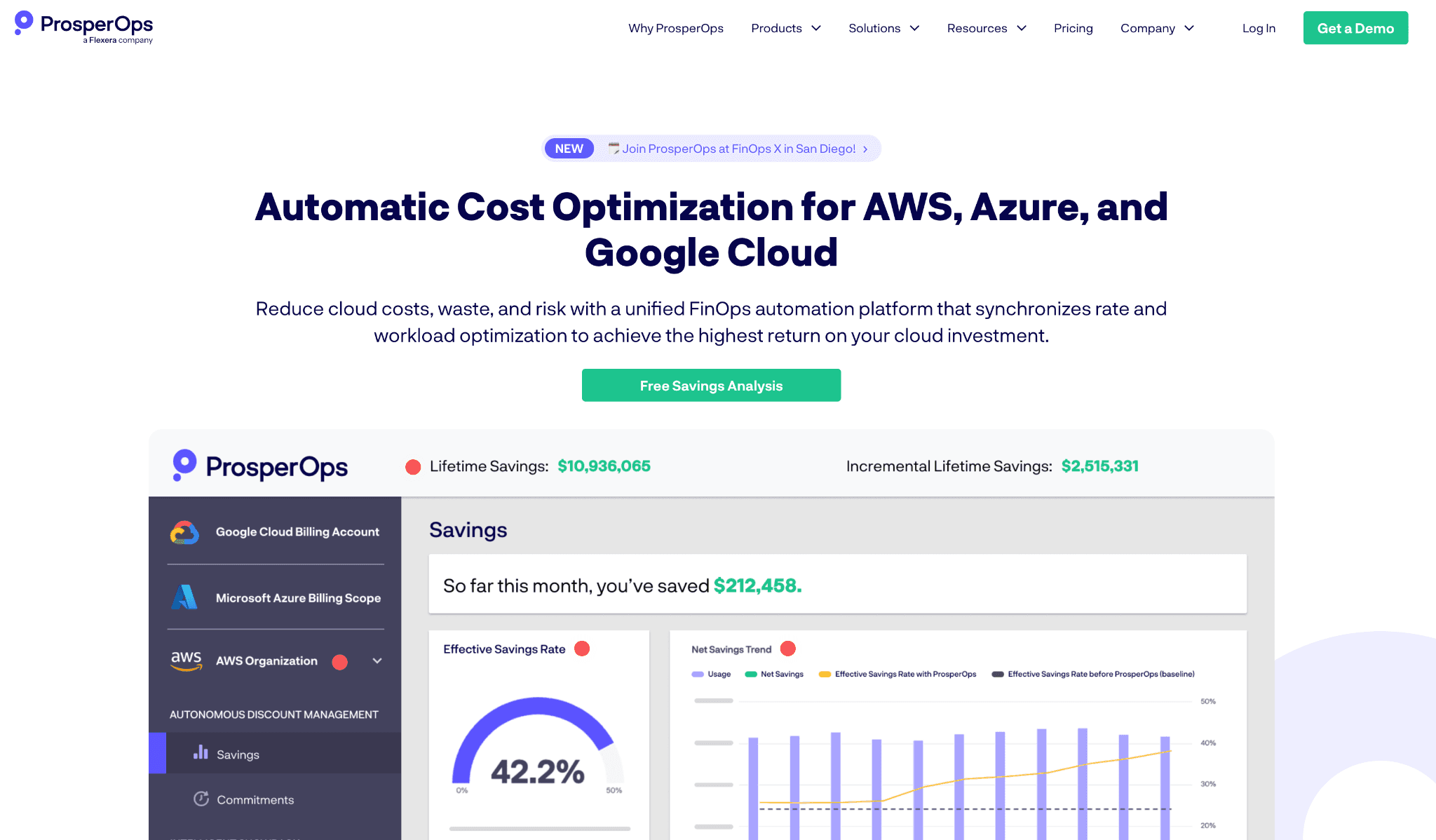
ProsperOps is an outcome-based commitment management platform that automatically purchases, optimizes and adapts RIs, Savings Plans and Committed Use Discounts across the big three clouds.
Who gets benefited: Finance, platform and SRE teams managing millions of dollars in annual cloud commitments who want to stop manually rebalancing portfolios.
In practice:
Adaptive laddering is the technical hook. Instead of locking you into a static one-year or three-year commitment, ProsperOps rolls a portfolio of shorter commitments that continuously refresh.
The effect is closer to insurance than to traditional procurement: you get committed-instance pricing without the lock-in pain.
Multi-cloud parity arrived after the AWS product matured, so the AWS path is still slightly more proven than the Azure or GCP paths.
Pricing model: Outcome-based. A small percentage of realized savings is determined by the cloud provider's billing system, not a percentage of cloud spend. Autonomous Resource Management (the Scheduler) is priced flat per resource.
Pros:
Outcome-based pricing aligns the vendor's incentives with yours.
Covers RIs, Savings Plans, CUDs and Compute Flexible CUDs across AWS, Google Cloud and Azure.
Real-time adaptive laddering reduces commitment lock-in risk.
ARM Scheduler covers workload-level scheduling alongside the rate-optimization layer.
Multi-cloud parity from day one of the multi-cloud rollout, not a tacked-on module.
Cons:
Commitments layer only. You still need a separate tool for cost visibility, allocation, anomaly detection and Kubernetes rightsizing.
Savings-share fees are real money at scale. Above a certain spend, a flat platform fee on a competitor can be cheaper.
6. Kubecost
Best for: Platform engineering teams running Kubernetes who need allocation but do not have multi-cloud or SaaS allocation needs.
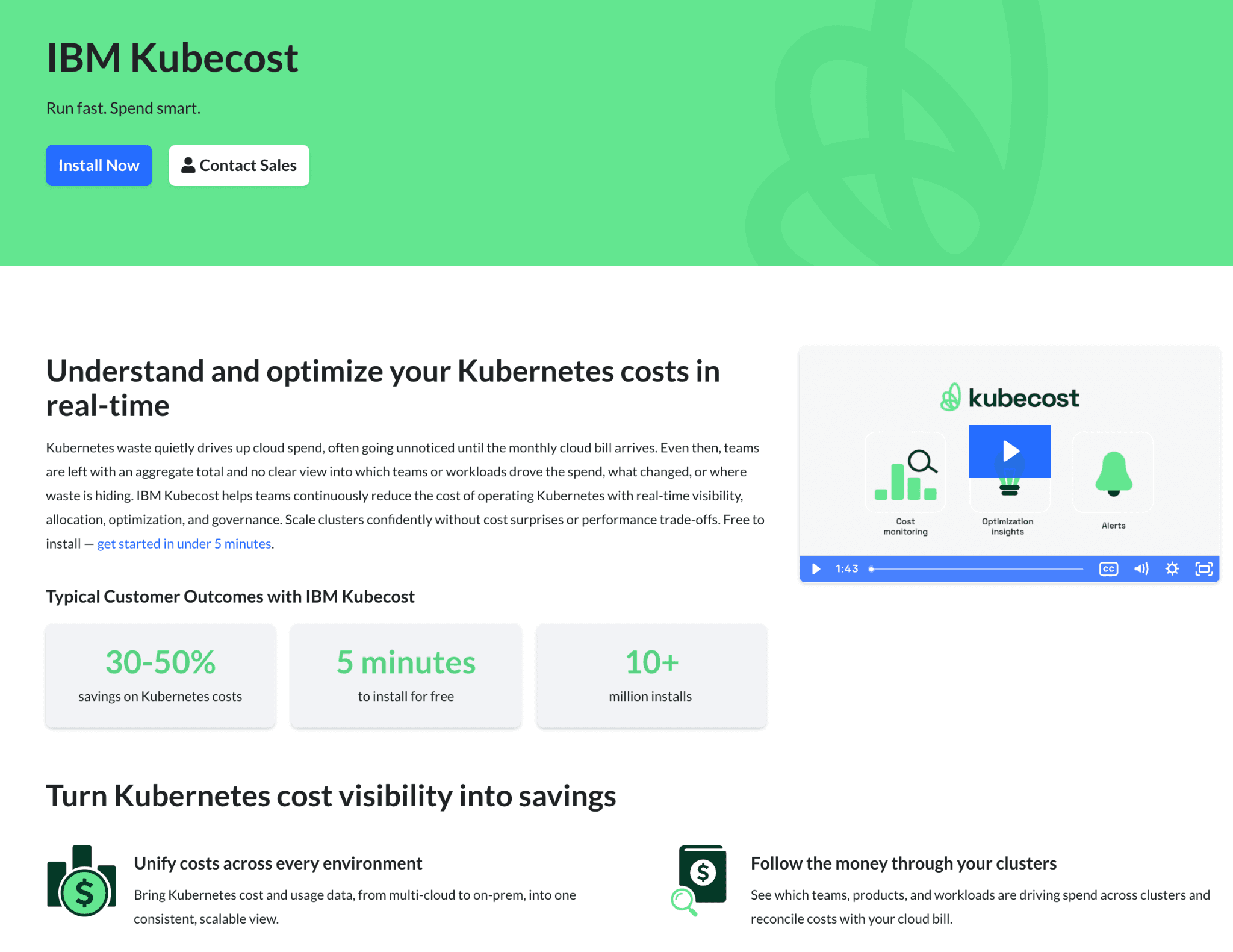
Kubecost is a Kubernetes-native cost allocation tool that breaks down spend by namespace, label, controller and pod, with a generous free tier and an enterprise upgrade path under Apptio and IBM.
Who gets benefited: SRE and platform leads at engineering-led organizations where Kubernetes is the dominant cost line item.
In practice:
Kubecost started as a community open-source project and that heritage still shows. Foundations is genuinely useful, not a crippled demo.
A single-team platform crew running EKS or GKE can sit on the free tier for quarters without hitting the 250-core ceiling.
The usual upgrade triggers are retention (15 days does not cover quarterly close) or cluster count growing past what one team can operate. Apptio acquired Kubecost recently and IBM had acquired Apptio before that.
Pricing model: Three tiers. Foundations is always free with unlimited clusters up to 250 cores and 15-day metric retention. Enterprise Self-Hosted and Enterprise Cloud are custom-priced for larger scale.
Pros:
Real free tier with unlimited clusters up to 250 cores.
Strong namespace-level and label-level allocation, GPU optimization and resource quota automation on Enterprise.
Reconciliation with cloud provider billing on every tier, including Foundations.
Enterprise Cloud option is managed SaaS with HA and DR included.
Supports EKS, AKS, GKE, on-prem and hybrid Kubernetes.
IBM and Apptio backing gives procurement-friendly enterprise support and integration into the broader Cloudability portfolio.
Cons
Kubernetes only. No multi-cloud allocation outside the cluster, no SaaS allocation.
The free tier's 15-day retention does not cover quarterly close.
7. CAST AI
Best for: Engineering teams that want a tool to actually act on Kubernetes cost recommendations, not just surface them.
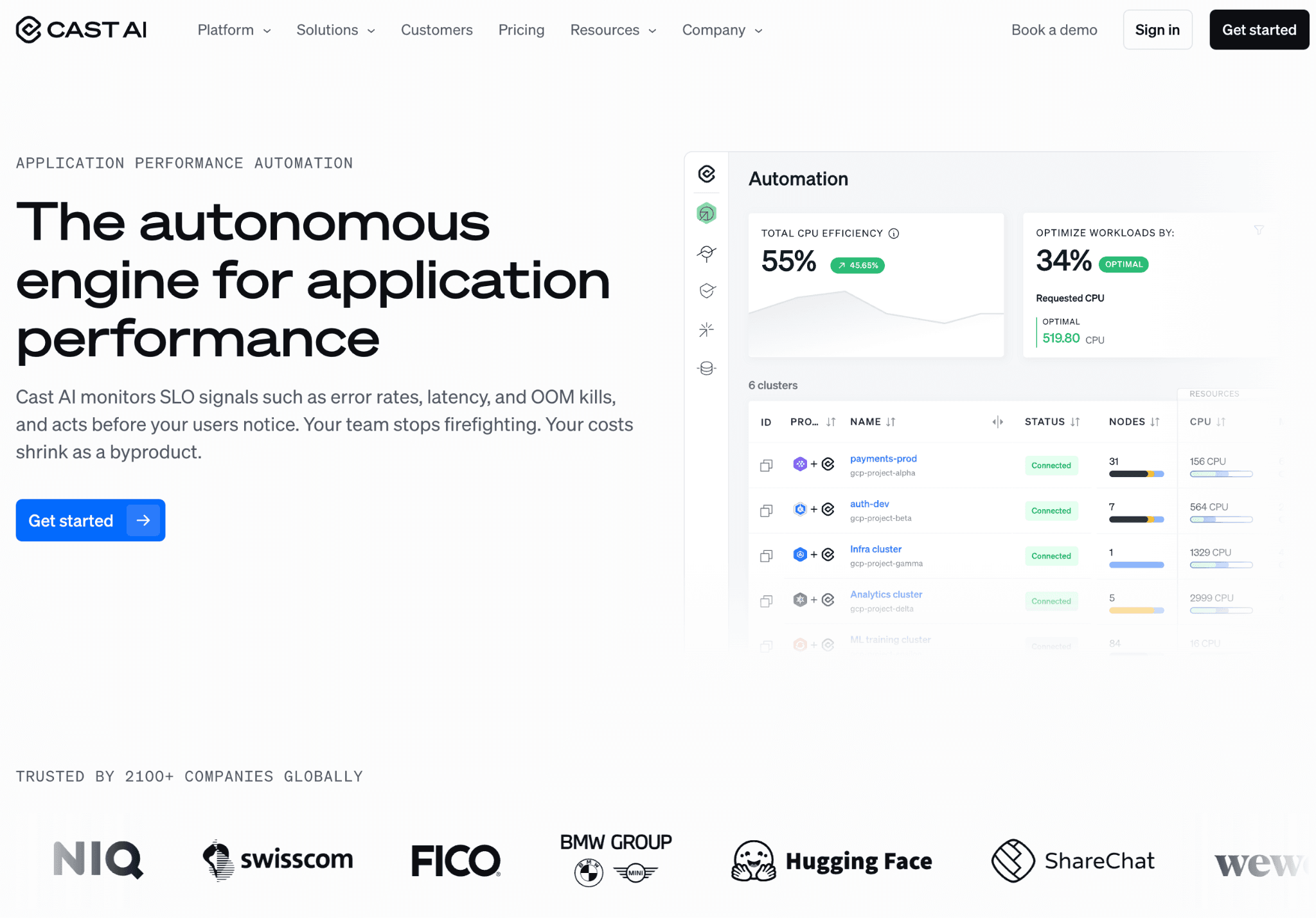
CAST AI is a Kubernetes automation platform that actively writes back to your cluster to rightsize workloads, run Spot instances safely and bin-pack nodes for cost efficiency.
Who gets benefited: Platform engineers who manage EKS, GKE, AKS, or OpenShift and are comfortable granting write access to a third party.
In practice:
What sets CAST AI apart is that it writes back to the cluster. Most tools on this list will tell you a deployment is over-provisioned. CAST AI rebalances the nodes itself.
It also swaps in Spot capacity where the workload tolerates it and bin-packs the cluster on a continuous loop. That is a meaningful productivity gain for platform teams.
It is also the reason security teams want a long conversation before signing. Cluster write access is not a trivial decision and the security review is passable but rarely fast.
Pricing model: Custom quote, undisclosed publicly. Pricing depends on environment specifics.
Pros:
Actively rightsizes, applies Spot and bin-packs nodes inside the cluster.
4.8 out of 5 rating across 70+ reviews, 2,100+ customers including BMW Group, Akamai and Hugging Face.
GPU infrastructure support called out explicitly, useful for AI workloads.
Migration services for teams moving onto Kubernetes from VMs or other orchestrators.
Supports EKS, GKE, AKS and OpenShift on AWS in the same automation layer.
Cons:
Requires write access to your cluster. Security and platform teams need to be aligned before procurement.
Kubernetes only. No coverage of EC2, RDS, S3, or any non-K8s line items and no SaaS cost allocation.
No published pricing makes it hard to compare against tools with a free tier.
8. Datadog Cloud Cost Management:
Best for: Engineering organizations are already heavily invested in Datadog who want cost data sitting next to performance data.
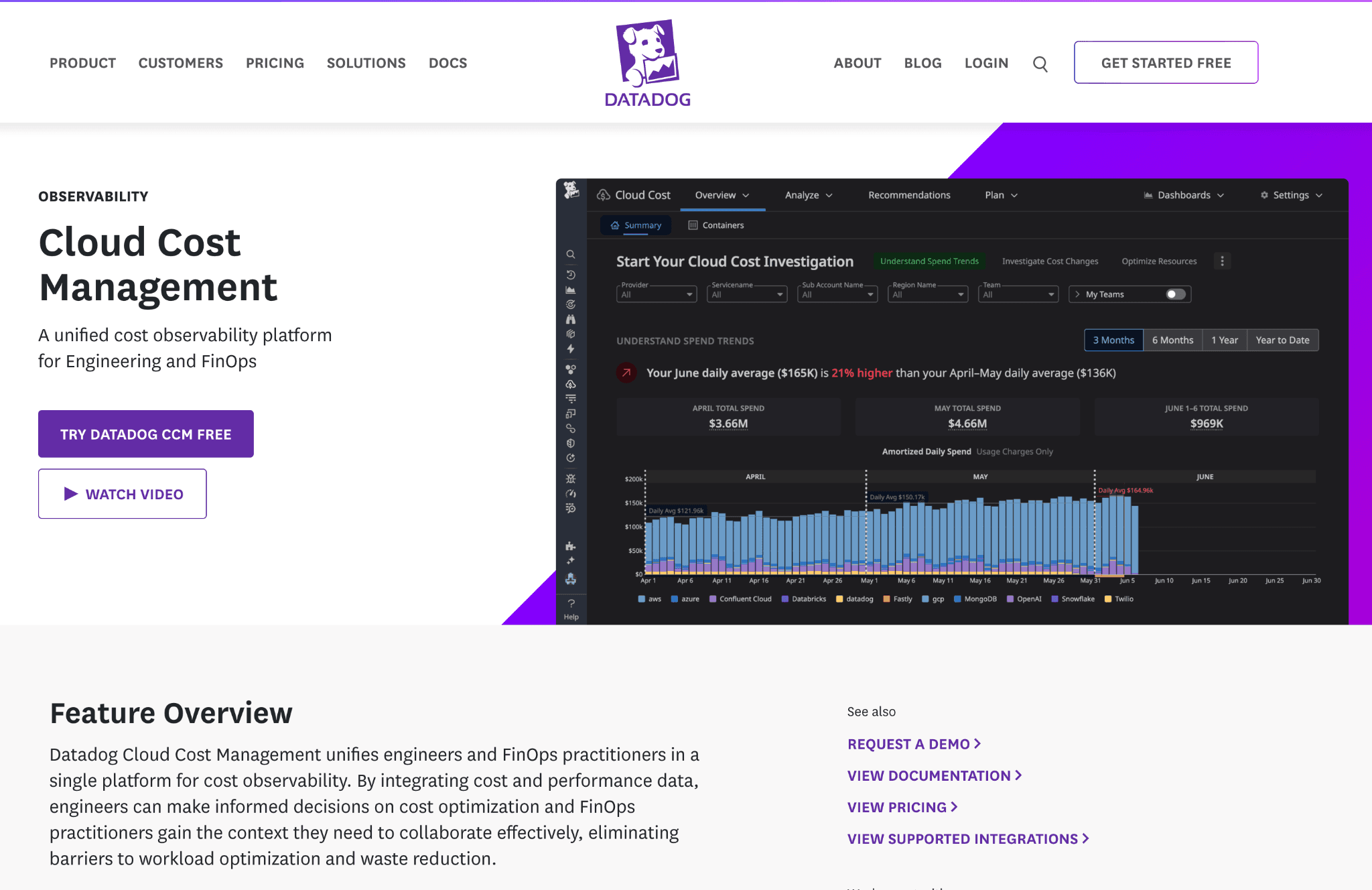
Datadog Cloud Cost Management is a cost observability add-on that brings cloud and SaaS spend into the same dashboards as Datadog Infrastructure Monitoring and APM.
Who gets benefited. SREs and platform engineers who already live inside Datadog and would rather not introduce another vendor.
In practice:
Cost lives in the same UI as performance, the same tags map across both and an SRE looking at a slow service can see the cost line in the same view.
That overlap is genuinely useful for on-call diagnosis and for capacity planning conversations between engineering and finance.
The flip side: you are paying Datadog rates to do FinOps work and if cost is not already living inside Datadog tags, there is real onboarding lift to map your AWS Org and Azure subscriptions into Datadog's tag taxonomy.
Pricing model: Add-on tied to a Datadog account, priced per host rather than as a percent of cloud spend.
Pros:
Cost data sits alongside infrastructure and container monitoring in the same dashboards.
Covers AWS, Azure, Google Cloud, OCI and SaaS spend and ingests FOCUS-format data.
Anomaly detection, budgets and commitment coverage management in-product.
Automated recommendations across AWS, Azure and Google Cloud, generated against the same telemetry Datadog already collects.
Cost attribution flows into the Software Catalog and Resource Catalog, letting service owners see their own spend without leaving Datadog.
Cons:
Not standalone. Without a Datadog account, the product is not relevant. Teams that do not already use Datadog will pay twice.
Per-host pricing rewards small fleets and penalizes large ones. Build the model before signing.
How to choose between Vantage and these alternatives
Pick by the dominant pattern in your environment:
Engineering-led with mature Kubernetes: CAST AI for the action layer, Kubecost for the allocation layer, Amnic if you want both Kubernetes and the rest of the bill in one tool.
Finance-led with messy tagging: Finout for MegaBill, Amnic for Virtual Tags plus split rules with meter. Pick the pricing model that matches your spend curve.
AWS-heavy and want savings without flat fees: nOps gives you visibility plus commitments. ProsperOps does commitments only and is the cleaner pick if you already have a visibility tool.
AI-spend-heavy with material Bedrock, OpenAI, or Anthropic token consumption: Amnic is built around this case. Most of the rest treat it as a roadmap item.
Multi-cloud at Fortune 500 scale needing showback, chargeback and audit-grade governance: IBM Cloudability is still the safest procurement story, with the caveat that the bill grows with your cloud bill.
Already on Datadog: Datadog CCM is the path of least resistance. If not, do not start.
Frequently asked questions
What is Vantage?
Vantage is a self-service cloud cost management platform built for engineering teams. Free tier covers up to $2,500 of tracked monthly spend, with paid tiers at $30, $200 and custom Enterprise. Teams usually outgrow the free tier first, then start pricing in-product automation alternatives once the fixed-rate plan starts scaling with their bill.
What is the best alternative to Vantage?
Amnic. It matches Vantage on visibility, beats it on allocation depth (Virtual Tags plus split rules with meter), ships four dedicated AI agents covering diagnostics, insights, governance and reporting and covers Kubernetes and FinOps for AI from day one. Pricing is transparent at 0.25 to 1% of cloud spend.
Why are teams switching from Vantage?
Limited in-product automation outside AWS Savings Plans, capped dashboard configuration, a one-day cost data lag and AI cost coverage that is still catching up. The line you hear most often in community discussions: Vantage is great for dashboards, but you need something else to actually save money.
Is Vantage free or open-source?
Free, not open source. The free tier covers up to $2,500 of tracked monthly spend, three users and six-month retention. The product itself is closed-source SaaS. If you want true open-source Kubernetes cost allocation, Kubecost Foundations is the closer fit.
How does Amnic compare to Vantage?
They overlap on multi-cloud visibility and reporting. Amnic goes further on allocation (Virtual Tags plus split rules with meter), automation (four dedicated AI agents) and AI cost coverage built in from day one. Pricing is 0.25 to 1% of cloud spend, with a one-month startup trial and no credit card required.
Does Vantage cover Kubernetes and AI spend?
Kubernetes, yes: namespace and label level metrics plus rightsizing recommendations. AI spend, partially: OpenAI integration plus a newer FinOps Agent and MCP integration for LLM workflows. Token-level Bedrock and Anthropic allocation is less mature than tools that built FinOps for AI in from the start.
The category is shifting from visibility to action and from cloud to AI
The first generation of cloud cost tools shipped dashboards. That was the win. By now, dashboards are table stakes. Every tool on this list ships a competent reporting layer. Visibility is no longer the differentiator.
The next bar is action. Closed-loop commitment management. In-cluster Kubernetes rightsizing. Policy-driven governance that actually enforces tag hygiene and budget guardrails. Persona-aware insights that hand the CFO a finished answer instead of a chart.
The other shift is the bill itself. Bedrock tokens, OpenAI inference, Anthropic context and managed GPU on EKS are now the fastest-growing line items at most AI-heavy companies. Cost tools that bolt AI on as an afterthought are going to feel out of date quickly.
Amnic is positioned for exactly this shift. Four dedicated AI agents covering diagnostics, insights, governance and reporting. Virtual Tags and split rules with meters for the messy-taxonomy reality. Kubernetes plus FinOps for AI from day one. Agentless and read-only, so your security team does not have to give a vendor write access. Priced at 0.25 to 1% of cloud spend, with a one-month startup trial.
Start your free Amnic audit. See your cloud savings in 30 seconds.
Sources
Vantage product overview: vantage.sh
Vantage pricing tiers and free-tier limits: vantage.sh/pricing
Vantage FinOps Agent and MCP integration: docs.vantage.sh/vantage_finops_agent
nOps competitive analysis of Vantage gaps: nops.io/blog/vantage-alternatives
Finout pricing tiers, MegaBill, Virtual Tags, CostGuard: finout.io/pricing
IBM Cloudability product page: apptio.com/products/cloudability
Cloudability percent-of-spend pricing estimates: cloudzero.com/blog/cloudability-pricing
nOps pricing, Clara agent, AWS Marketplace path: nops.io/pricing
ProsperOps outcome-based pricing, ADM, ARM: prosperops.com/pricing
Kubecost tiers, IBM ownership, supported environments: apptio.com/pricing
CAST AI pricing, customer count, GPU support: cast.ai/pricing
Datadog Cloud Cost Management product page: datadoghq.com/product/cloud-cost-management
Better visibility and management into AI Tokens?
Start with a 30 day trial
Connect leading LLMs
24 hour time to value
Stay ahead of AI Spend

Make AI spend visible, controllable, and accountable.
Gain insights into your AI token costs at a team, customer, business unit and individual user level to measure and manage AI utilization.
Recommended Articles

Compare Input vs Output Token Pricing: Why Output Costs More and How to Budget for It
Read More

Vertex AI vs Bedrock: The Enterprise Platform Decision That Outlives the Token Price
Read More

Gemini vs GPT: Which AI Model Fits Your Workflow and Budget
Read More
H100 vs A100: Specs, Cost and Which GPU Wins for Your Workload
Read More
OpenCost vs Kubecost: Key Differences and How to Choose
Read More
6 Best Datadog Alternatives for Cloud Cost Management in 2026
Read More






