4 new updates to help you manage cloud costs better
New updates across Budgets, Tags, Analyzer, and Integrations.
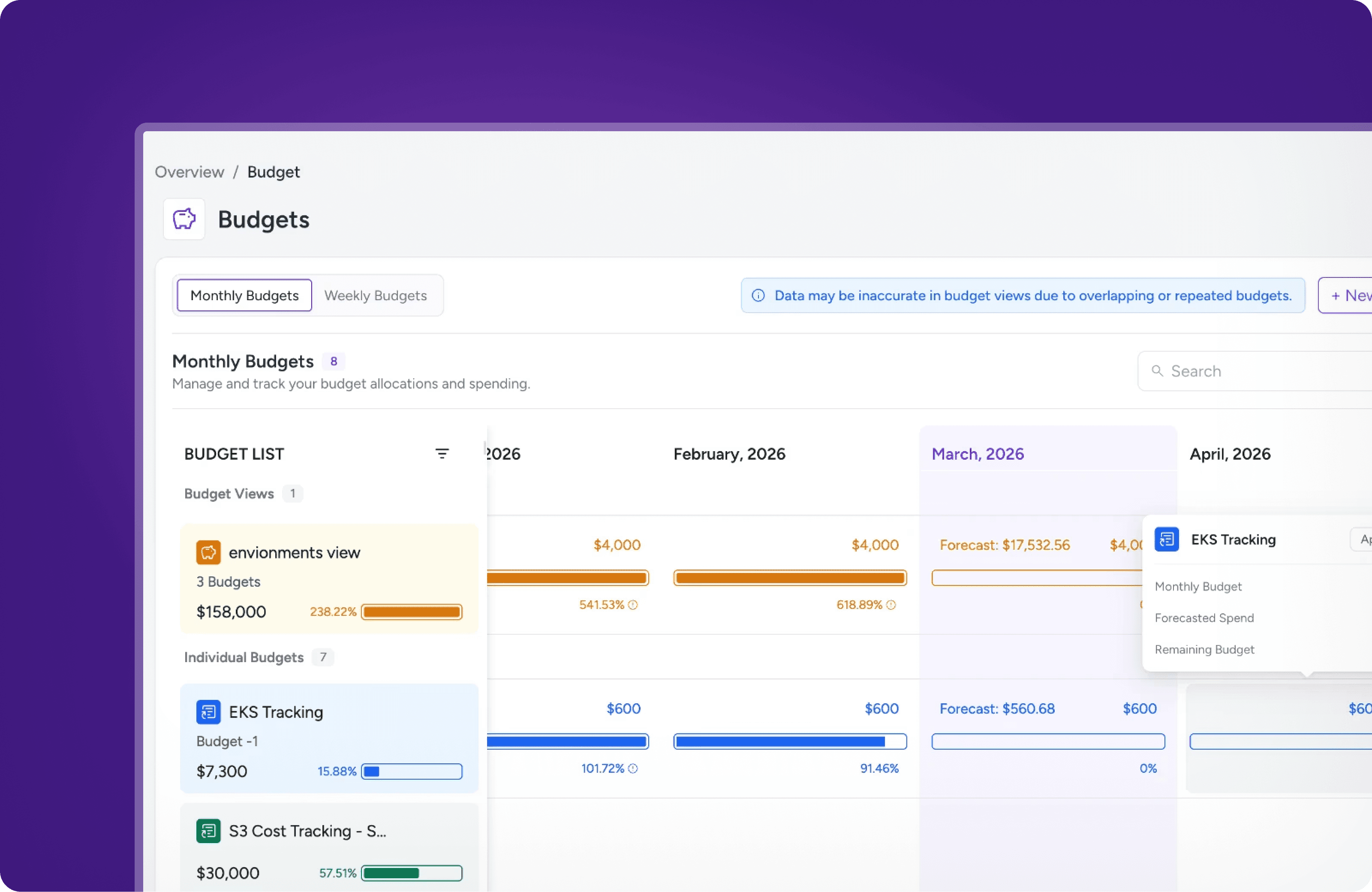
This release is packed with updates across Budgets, Virtual Tags, Cost Analyzer, and Integrations. Everything you need to get more control, more visibility, and more done on Amnic.
Track, forecast, and visualize your budgets like never before
Keeping tabs on your cloud budgets just got a lot easier. With three new enhancements, you can now group budgets into views, monitor spend and forecasts through KPI tiles, and bring it all together on your Custom Dashboard exactly the way you want it.
Budget views
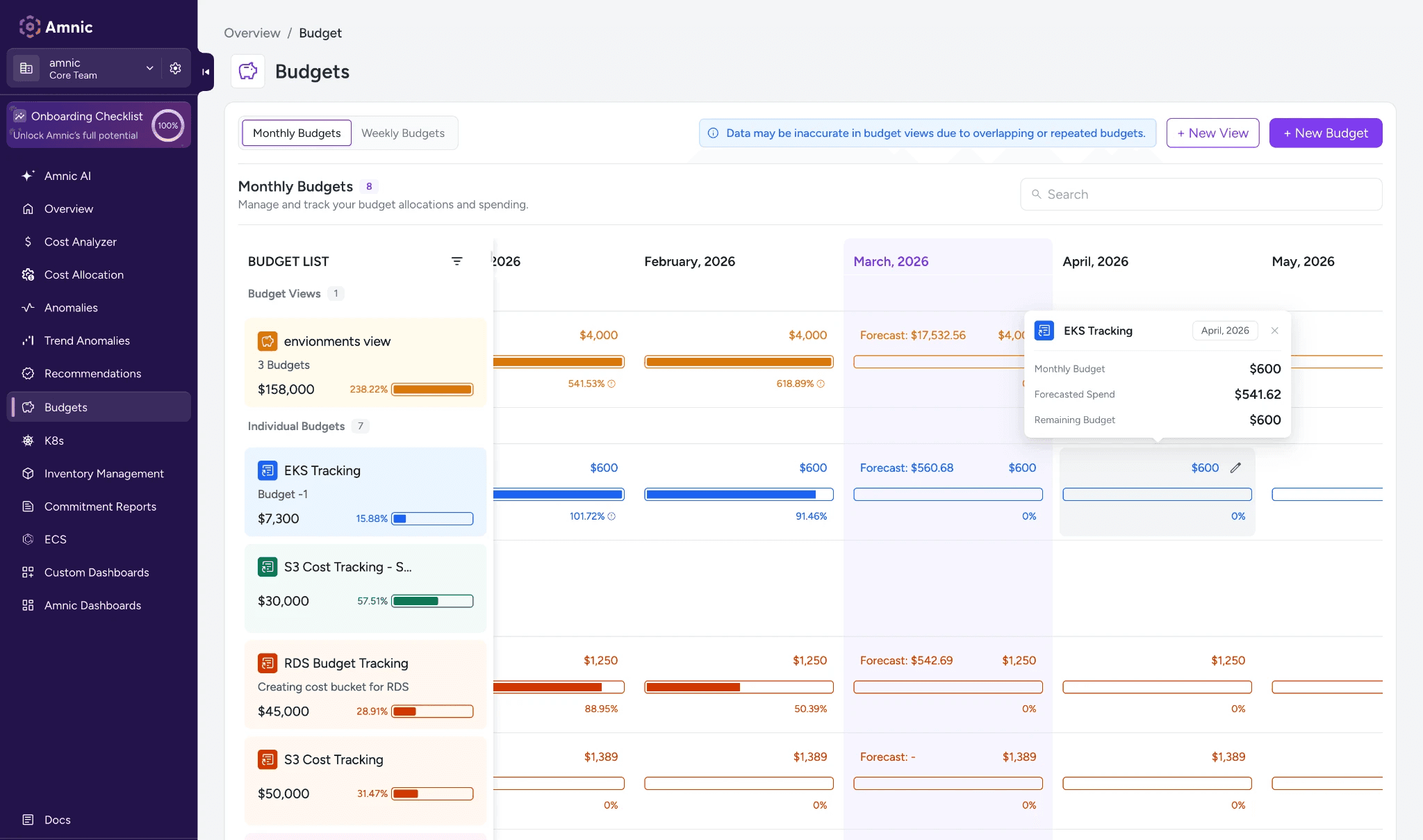
Group multiple budgets into a single view to track combined spend, variance, and forecasts across your entire budget portfolio in one place.
Budget KPI
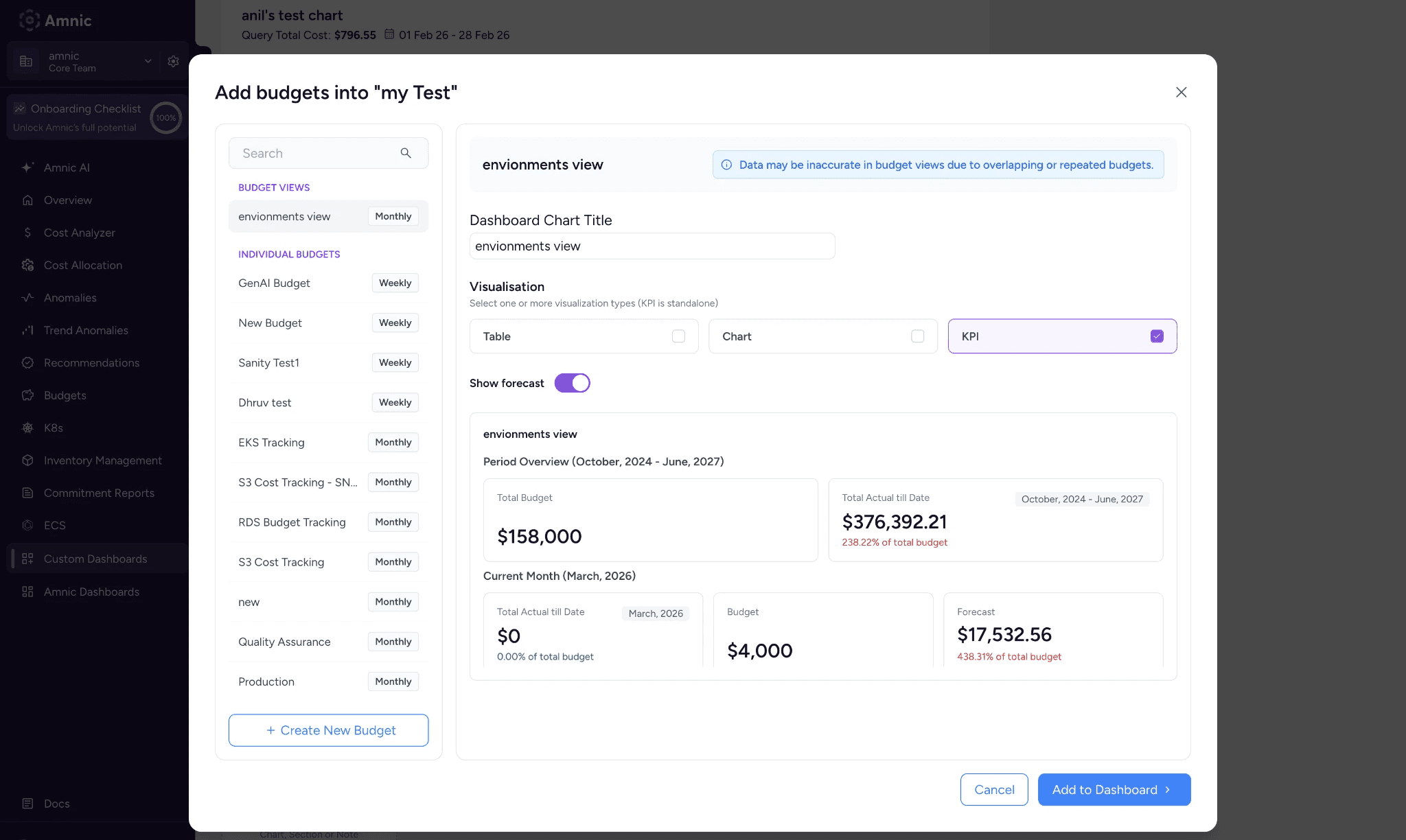
Get a quick snapshot of total budget, actual spend to date, and current month forecast without any digging. Available for both Budget Views and Individual Budgets.
Budget view in Custom Dashboards
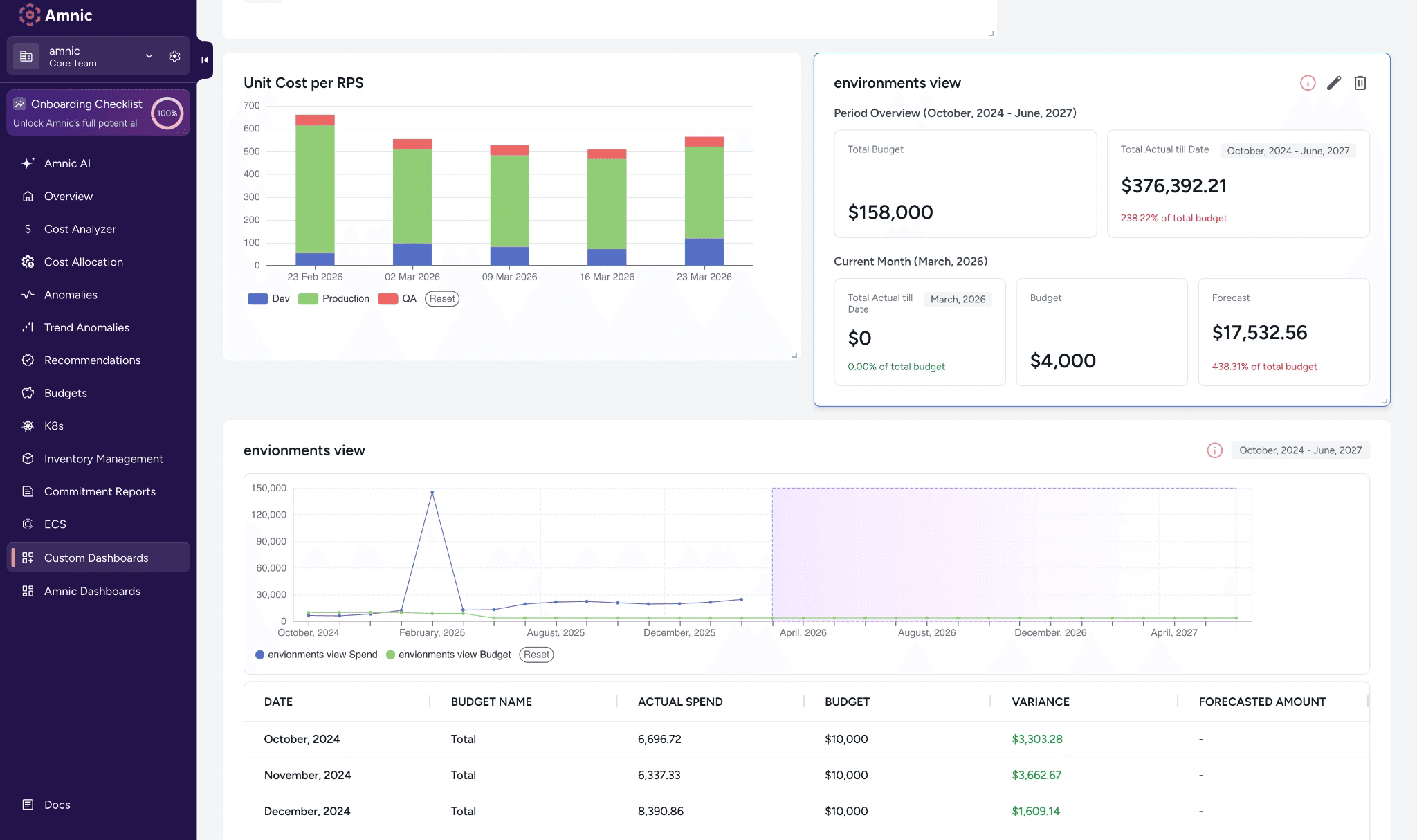
Pin any budget or budget view to your Custom Dashboard. Choose between a KPI tile, chart, or table, and pick between Aggregate Only or Aggregates with Breakdown to display exactly the level of detail you need.
2. Edit, clone, and track changes on your Virtual Tags
Building the perfect Virtual Tag takes effort, and losing that work or accidentally breaking a live configuration is frustrating. That's why we've added editing, version history, and cloning so you can iterate confidently without ever worrying about what you might break.
Edit your Virtual Tags anytime
You can now update configurations and modify rules on already created Virtual Tags. Every save is automatically versioned, so nothing gets lost.
Track every change ever made to a Virtual Tag
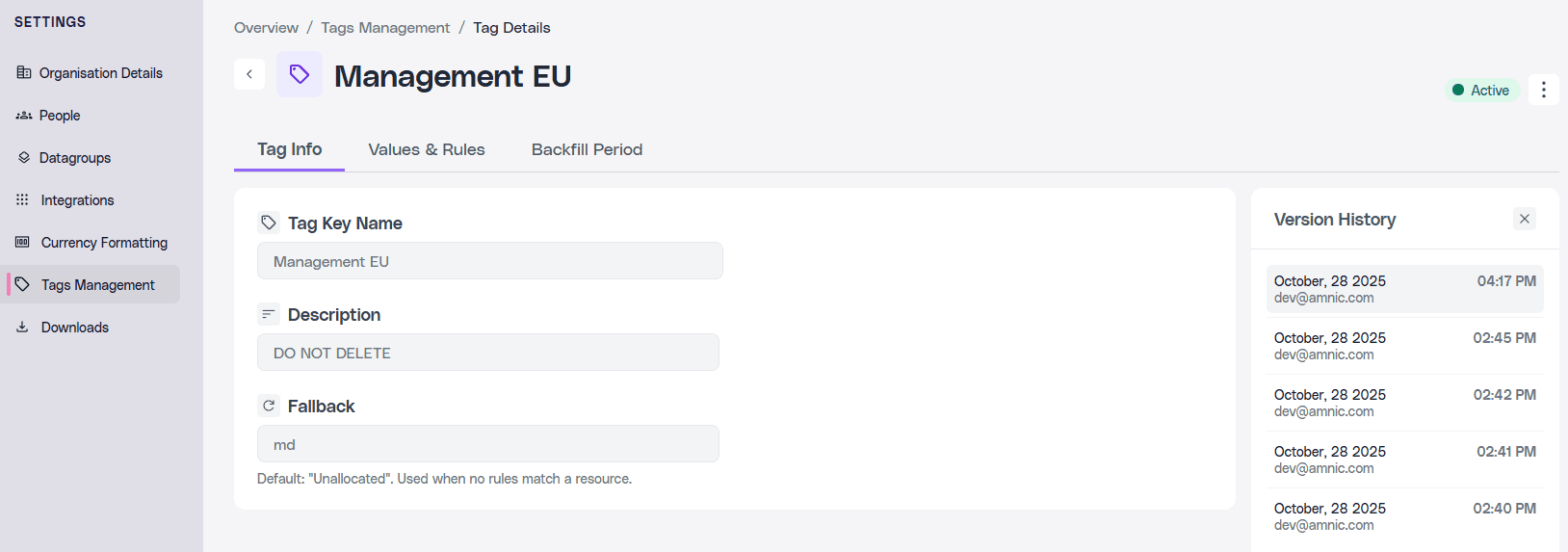
Amnic now tracks every edit made to a Virtual Tag. See who changed what and when, straight from the tag details page or the kebab menu.
Duplicate any Virtual Tag and reuse its entire configuration
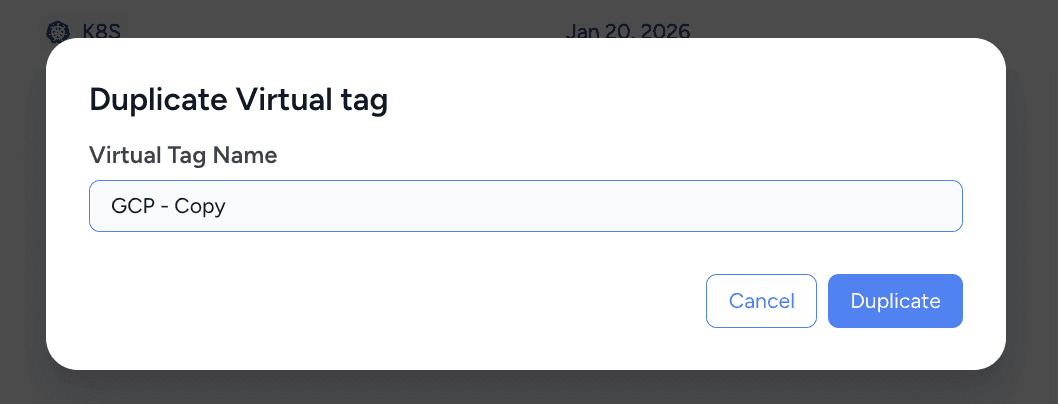
Duplicate any existing Virtual Tag in seconds and reuse its entire configuration, including rules, values, and fallbacks. Tweak it independently without touching the original.
3. Cost Analyzer got faster drill-downs and quick filters
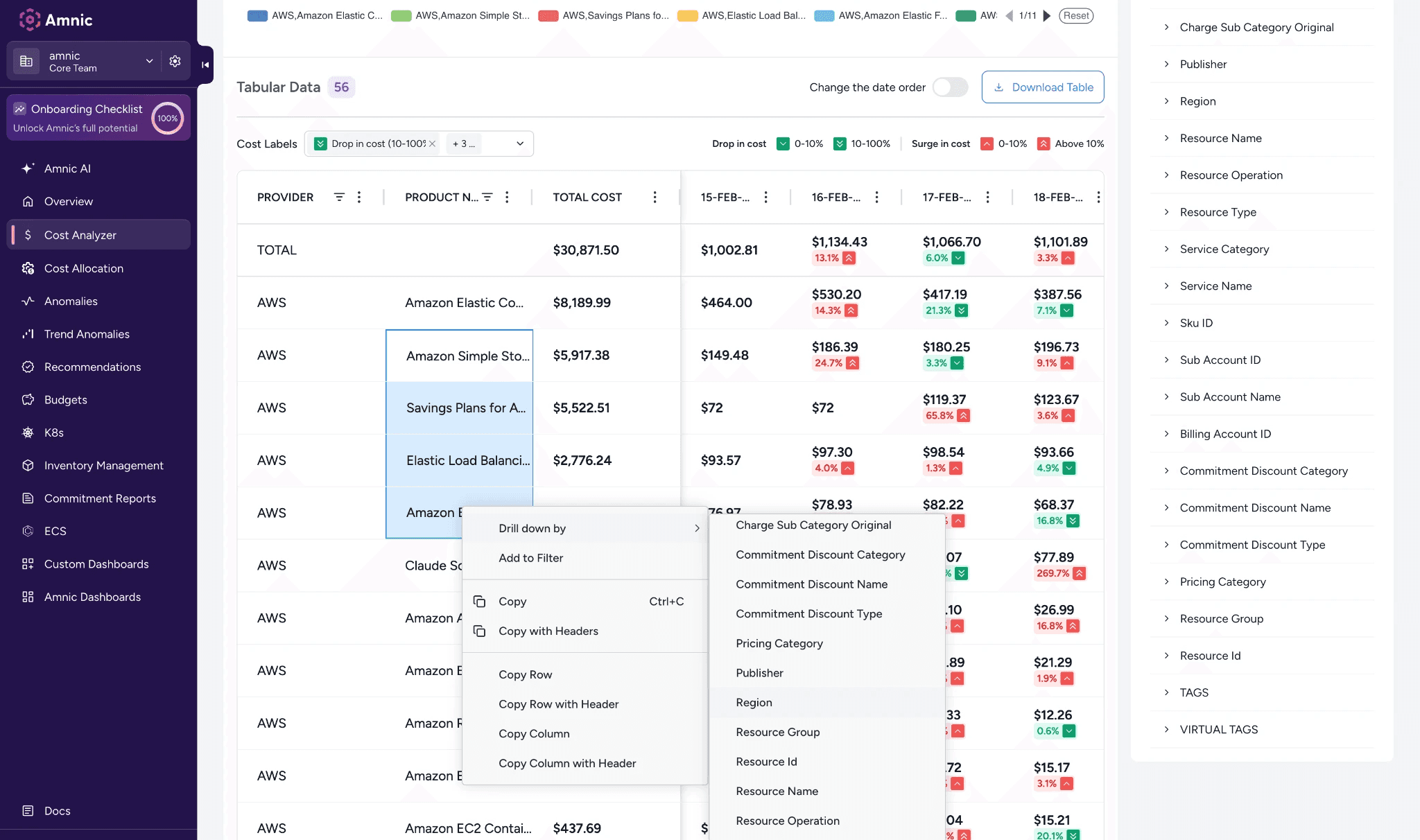
Right-click any value in the Cost Analyzer table to instantly drill down or add it to your filters. No more manual setup, just faster ways to slice your cost data exactly how you want it.
4. Integrations just got a serious upgrade
Amnic has some new additions to keep your integrations more connected, transparent, and easier to trust.
We now support Redis
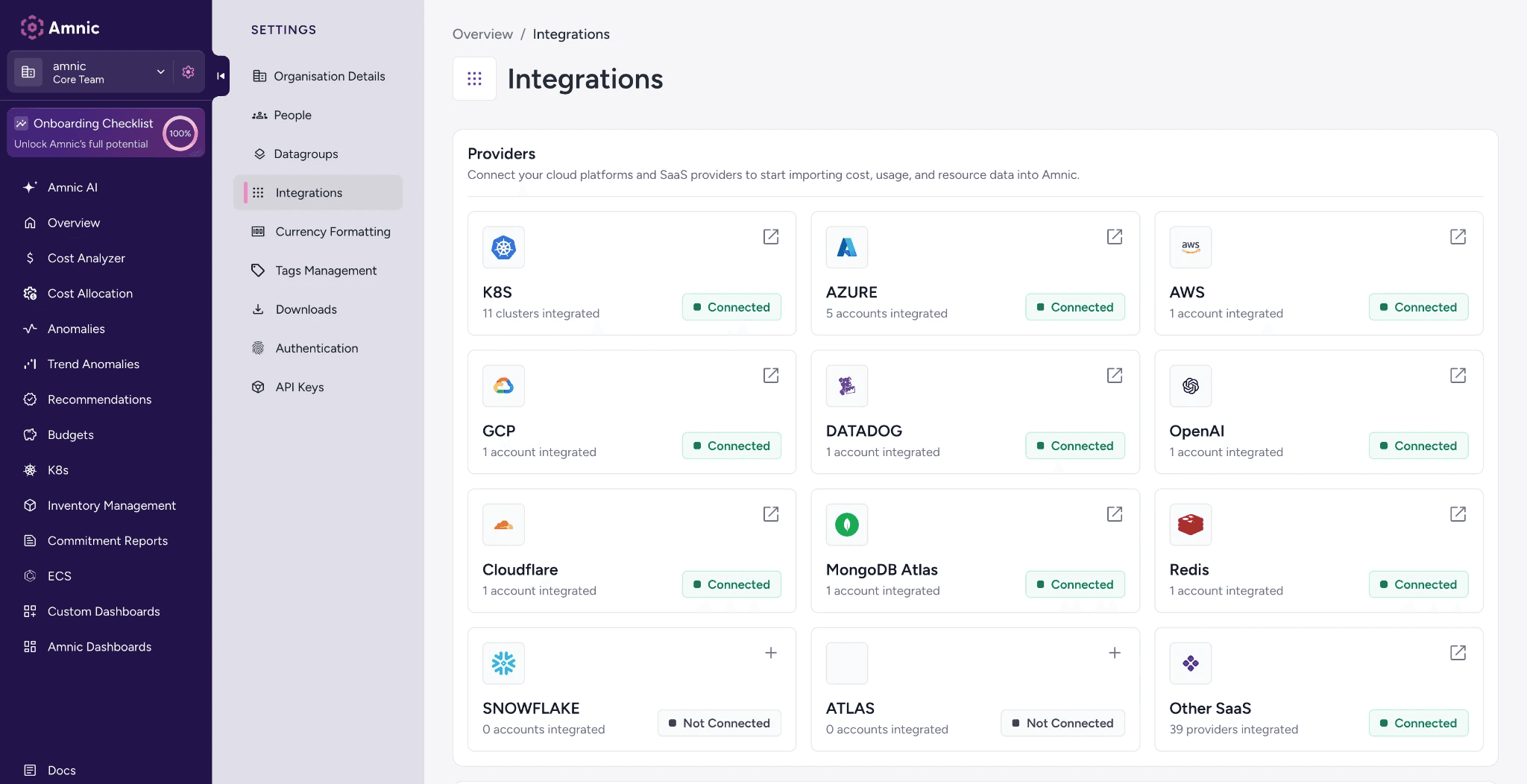
Connect your Redis account and get cost data flowing straight into Cost Analyzer. Data becomes available once the first job runs.
Audit Logs for AWS, Azure, and GCP
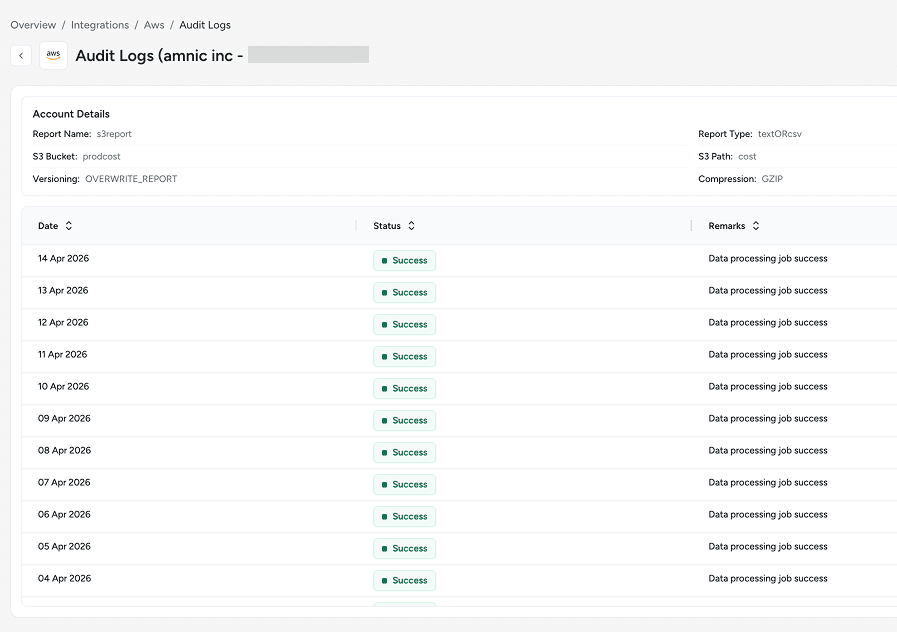
Every data processing job is now logged with a date, status, and remarks across all three providers. Know exactly when your cost data was last processed and whether it succeeded.
Health Reports for AWS, Azure, and GCP
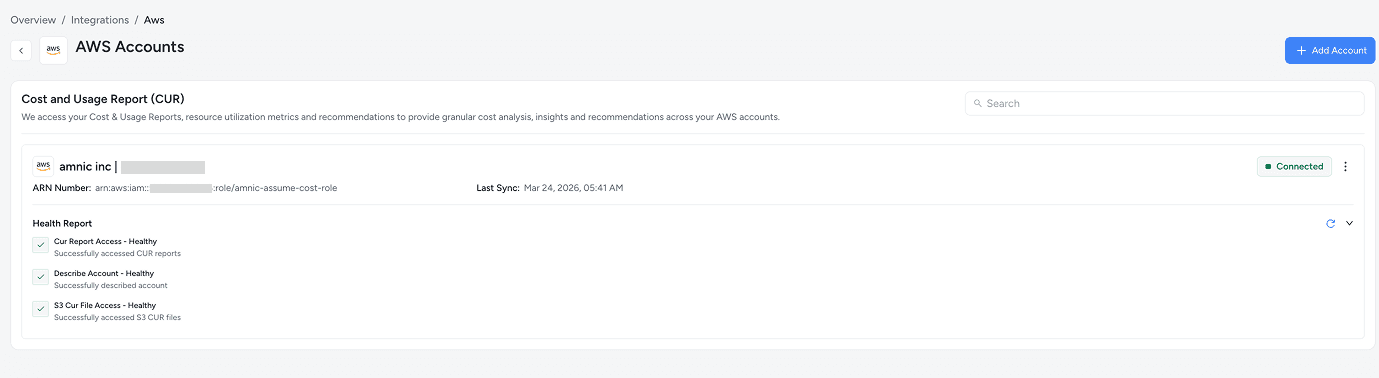
Your cloud accounts now show real-time health checks so you can spot configuration issues before they become a problem.
All of these wonderful updates are live and ready to explore. Log in to Amnic and see what's new firsthand. Have questions? Our documentation has everything you need to get started.






