Jira Integration is Live for Recommendations and Anomalies
Bridge the gap between cost insights and engineering action
We're excited to announce that Jira is now integrated with Amnic.
Spotting a cost anomaly or a rightsizing opportunity is only half the job. Acting on it is the other half. With Jira now integrated into Amnic, you can create tickets directly from Recommendations, Anomalies, K8s, and ECS views without ever leaving the platform. No more copying details across tabs or losing context in handoffs.
What's new
Connect your Jira account
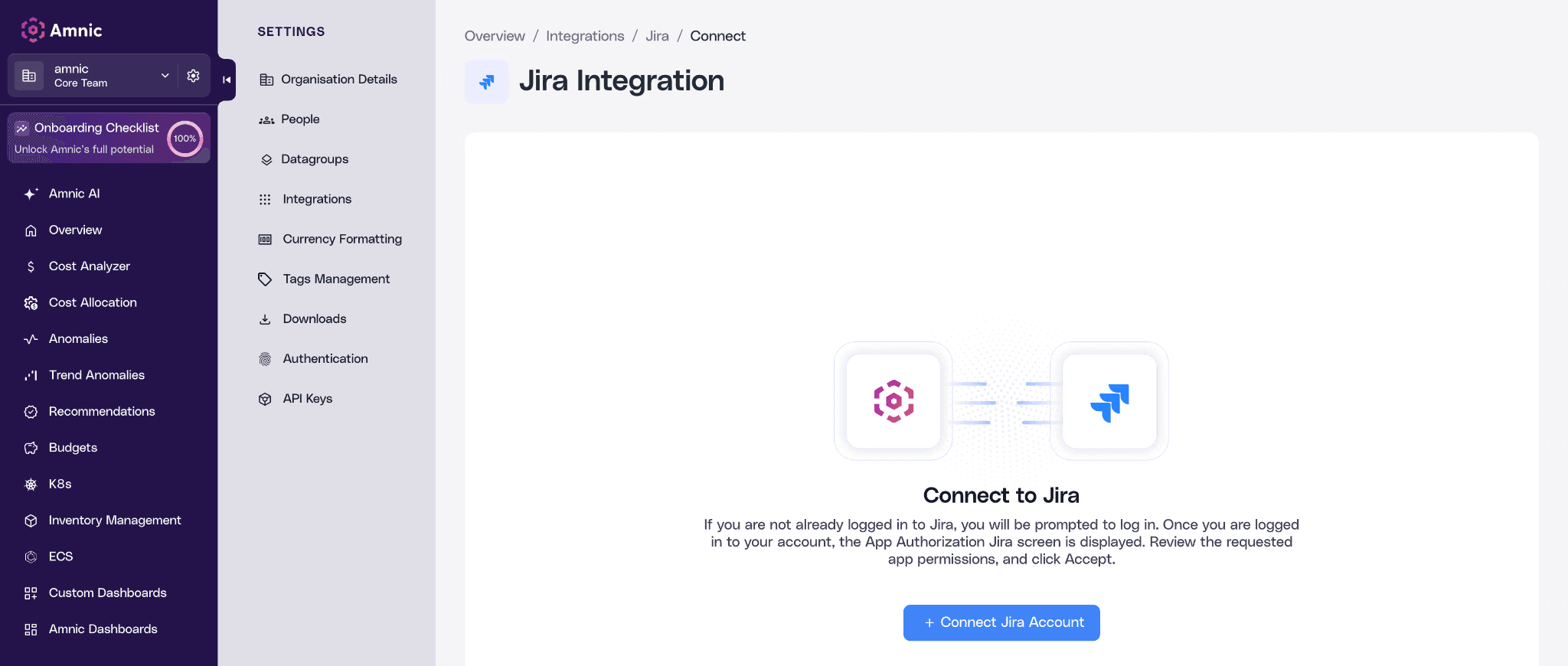
Head to Settings, go to Integrations, and hit "+ Connect Jira Account". Log in to your Jira account, authorize the app, and you're all set to start creating tickets straight from Amnic.
Create Jira tickets from Amnic
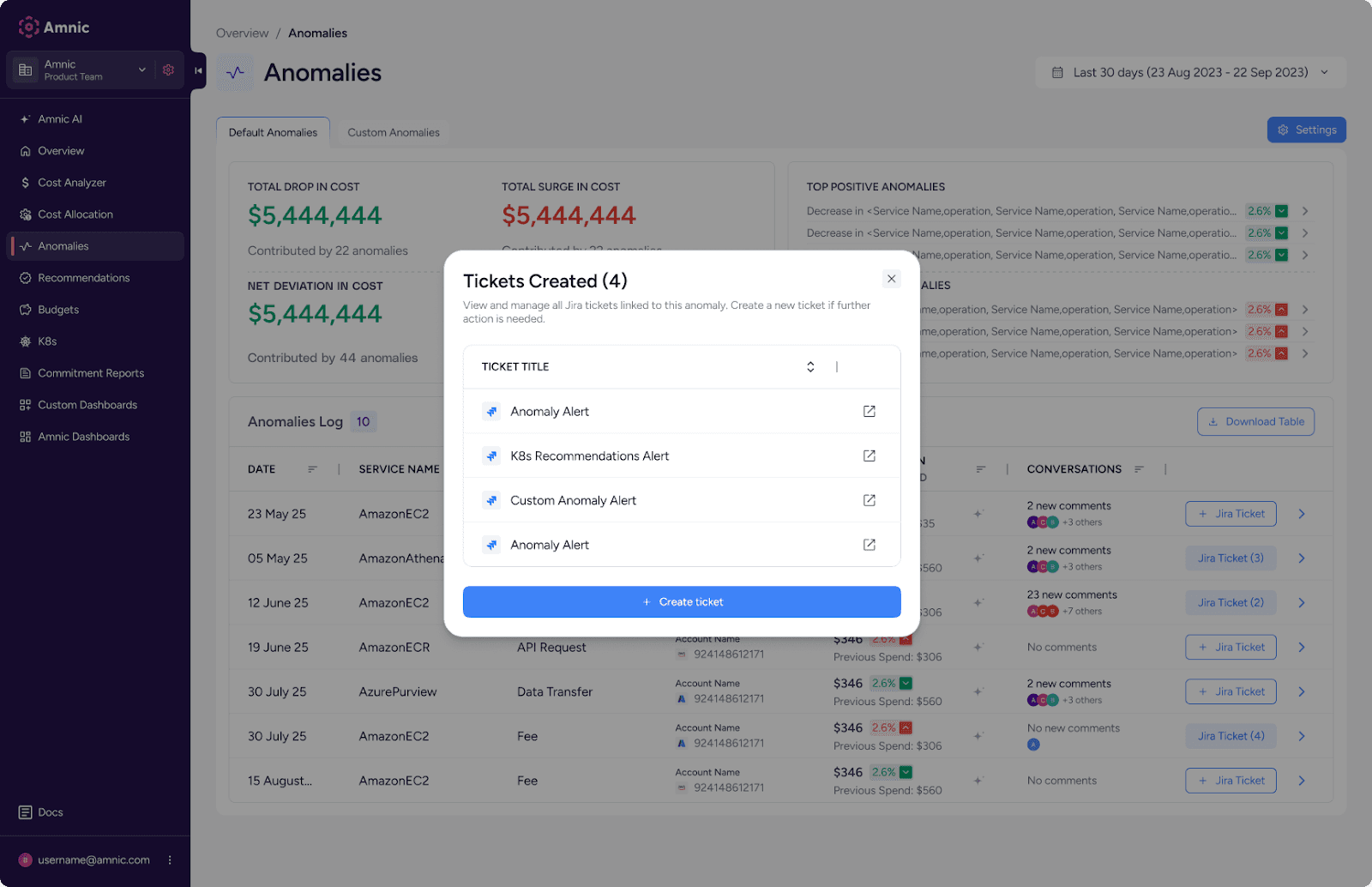
You can now create Jira tickets directly from Recommendations and Anomalies. Each ticket captures the full context, including cost details, assigned user, space, and status.
Jira ticketing for K8s Recommendations
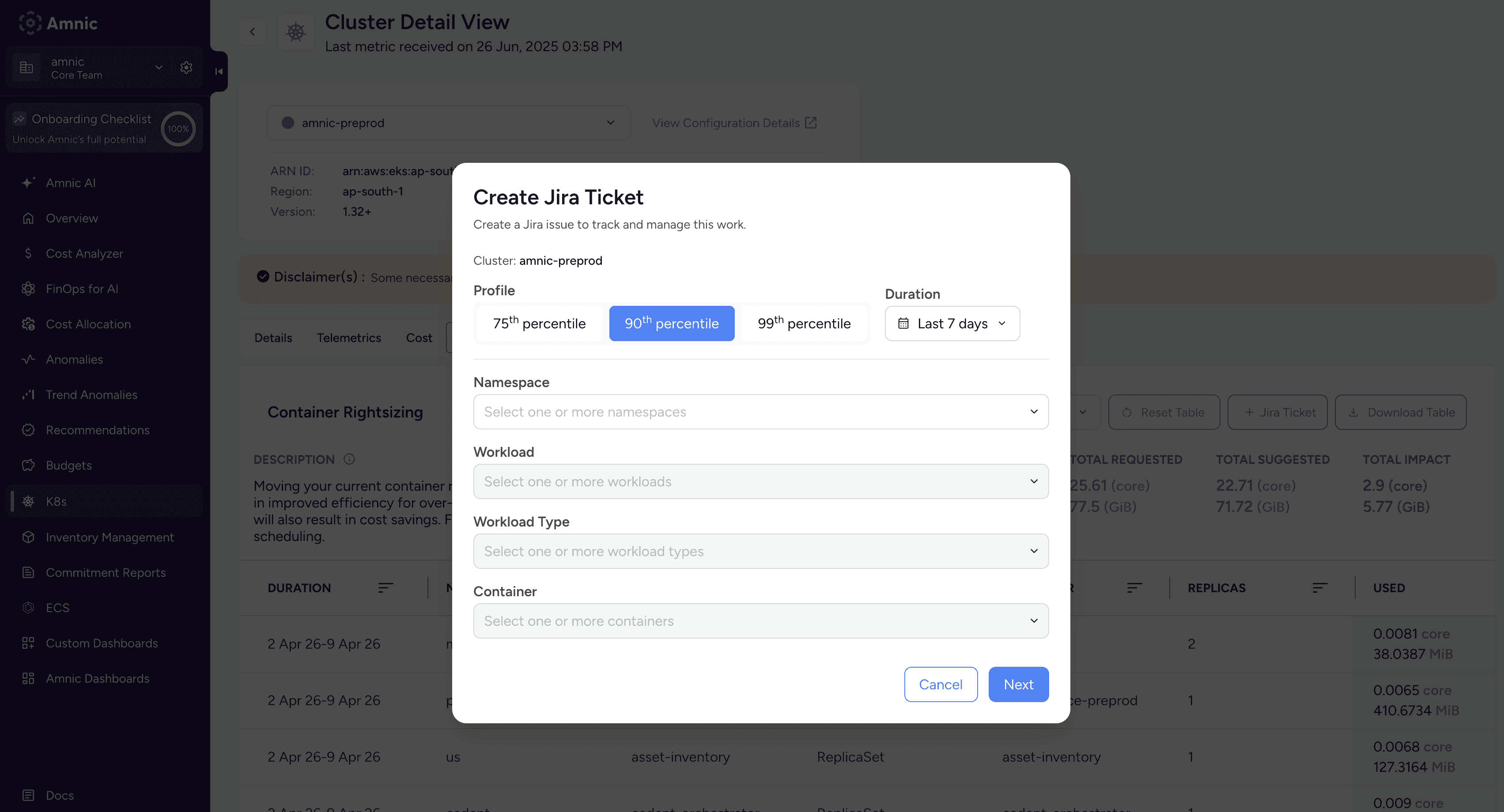
Take action on rightsizing recommendations straight from your K8s and ECS cluster views, complete with CPU/memory usage, suggested reservations, and total cost impact.
Track all your Jira issues in one place
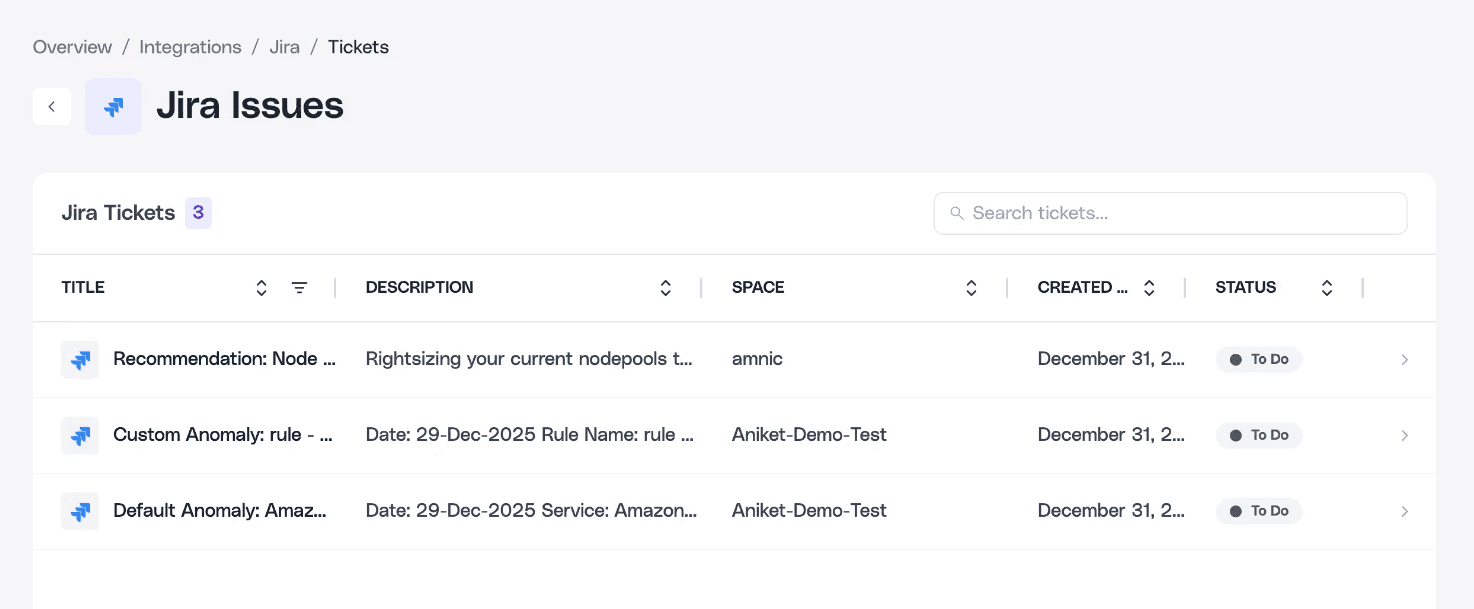
View and manage all created tickets from the Jira Issues page, with status, space, and creation date at a glance.
Drill into Jira ticket details
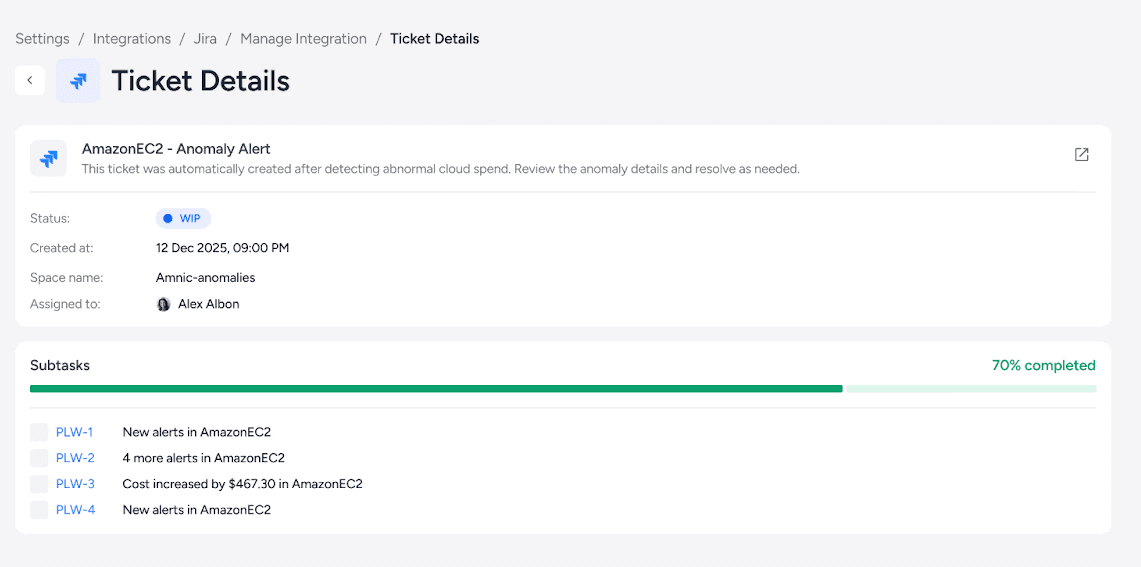
Click any ticket to see subtask progress, assignee info, and full cost anomaly context.
Note: Only Org Admins and Org Owners can connect a Jira account. All roles except Team Observer can create tickets. Team Observers get read-only access.
Your next cost-saving action is one Jira ticket away. Connect your Jira account and start acting on cost insights the moment they surface. Go to Jira Integration and for a full walkthrough, check out our documentation.






